After the Fiorano installation, Analytics data can be migrated from one database to another using the script file present in the bin directory of Fiorano Installation. Sections below illustrate the steps to perform Analytics Migration.
Step 1: Set the required parameters in the MigrateEnvironmentAnalytics.properties file
Before running the utility, perform the following actions:
-
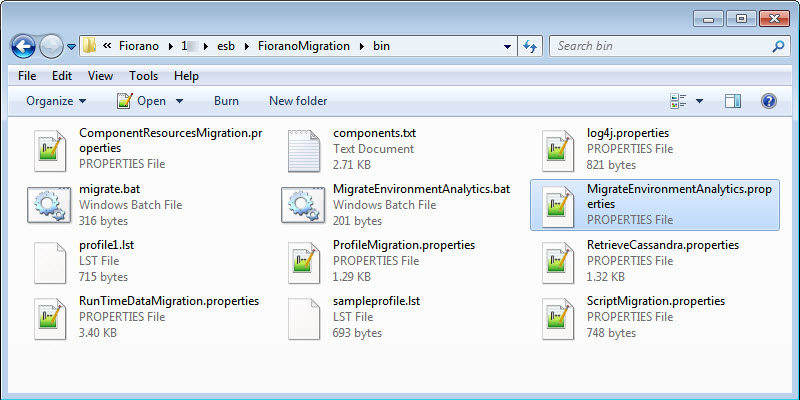
Go to the location $FIORANO_HOME/esb/FioranoMigration/bin/ to find the MigrateEnvironmentAnalytics.properties file.
-
Open the MigrateEnvironmentAnalytics.properties file and provide values as described in the table below.
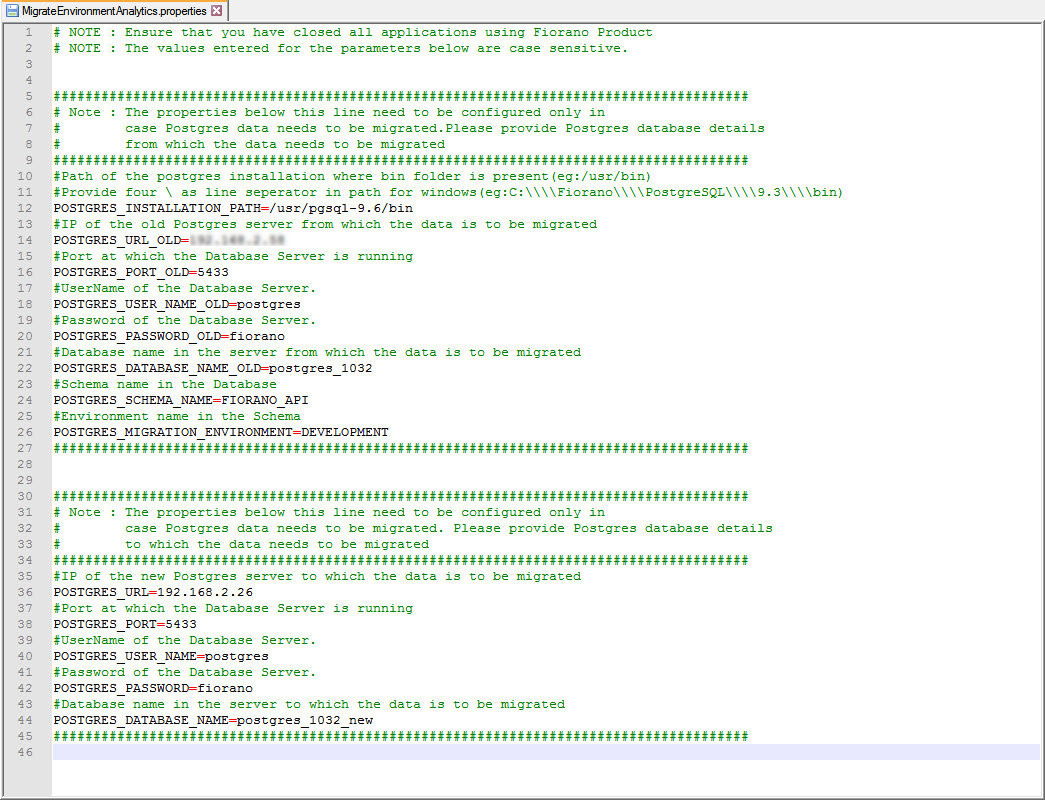
The values entered for these parameters are case sensitive.
Provide the details of the Postgres server from which the data needs to be migrated
Property
Description
POSTGRES_INSTALLATION_PATH
Path to the bin folder in the Postgres installation
/usr/pgsql-9.6/bin
In Windows environment, provide four \ as line separators in the path.
C:\\\\Program Files\\\\PostgreSQL\\\\9.6\\\\bin
POSTGRES_URL_OLD
IP address of the old Postgres server from which the data is to be migrated.
POSTGRES_PORT_OLD
Port at which the Database Server is running.
5433
POSTGRES_USER_NAME_OLD
User name of the Database Server.
postgres
POSTGRES_PASSWORD_OLD
Password of the Database Server.
postgres_1032
POSTGRES_DATABASE_NAME_OLD
Database name in the server from which the data is to be migrated.
postgres_1032
POSTGRES_SCHEMA_NAME
Schema name in the Database.
FIORANO_API
POSTGRES_MIGRATION_ENVIRONMENT
Environment name in the Schema
DEVELOPMENT
Provide the details of the Postgres server to which the data needs to be migrated
Property
Description
POSTGRES_URL
IP address of the new Postgres server to which the data is to be migrated.
POSTGRES_PORT
Port at which the Database Server is running.
5433
POSTGRES_USER_NAME
UserName of the Database Server.
postgres
POSTGRES_PASSWORD
Password of the Database Server.
fiorano
POSTGRES_DATABASE_NAME
Database name in the server to which the data is to be migrated.
postgres_1032_new
Step 2: Execute the Migration Script
Open console from the location $FIORANO_HOME/esb/FioranoMigration/bin and execute the following script:
MigrateEnvironmentAnalytics.bat
MigrateEnvironmentAnalytics.sh
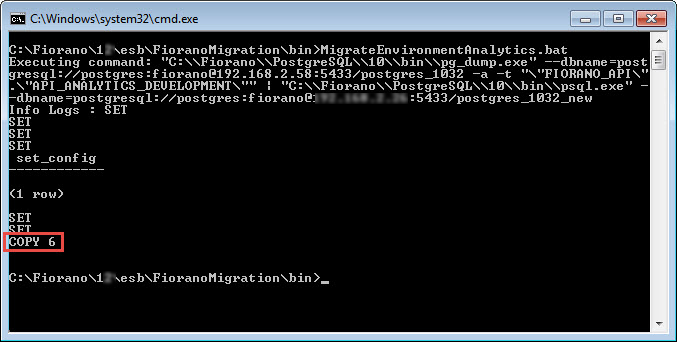
Acknowledgment for the database copied analytics database can be seen in the console.