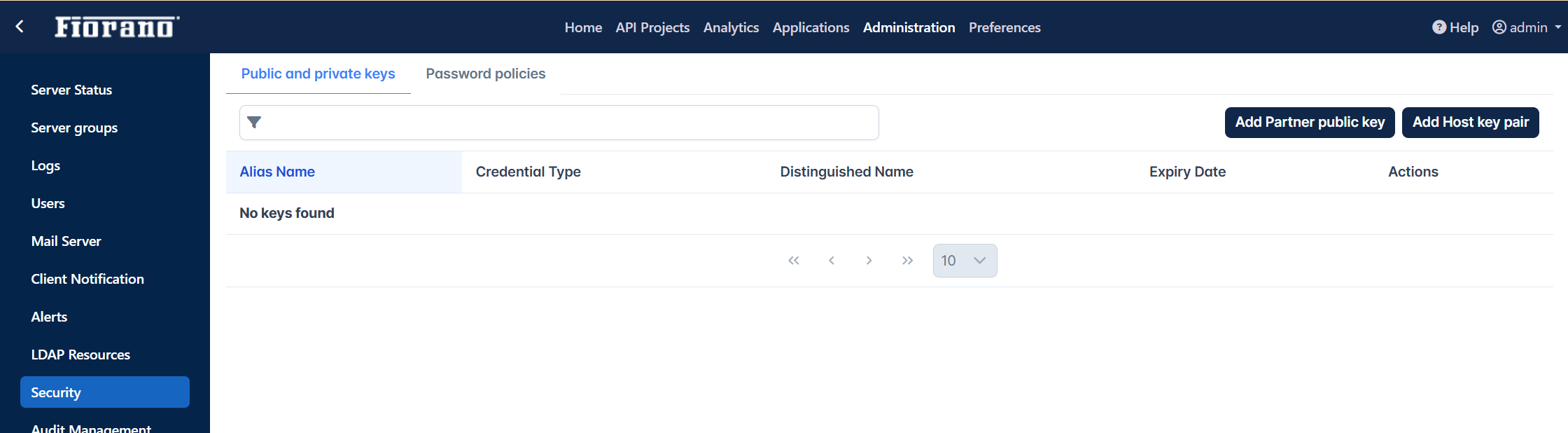
Public and private keys
A Public Key is a publicly shareable key used to encrypt data or verify signatures, and a Private Key is a confidential key used to decrypt data or create signatures.
Adding Partner's Public Key
From Keystore
-
Click the Add Partner Public Key button.
-
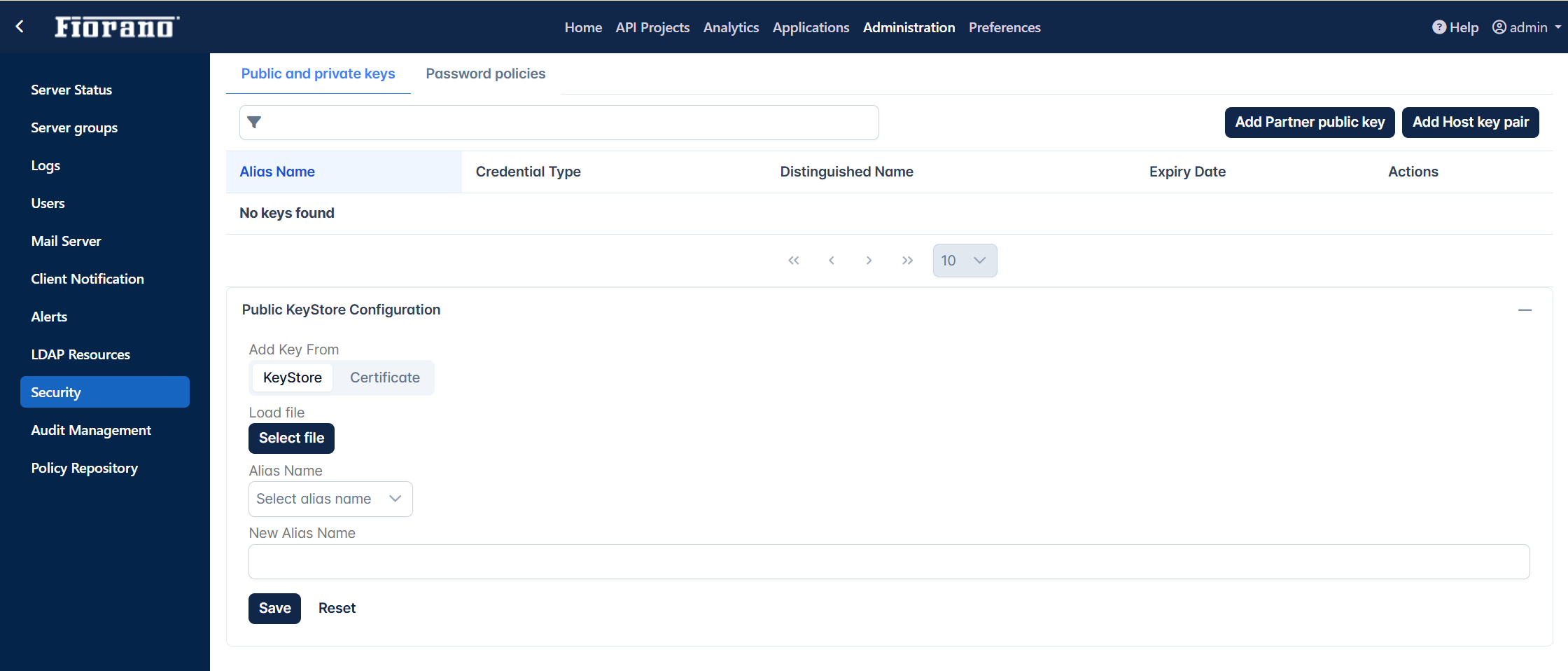
In the Public KeyStore Configuration section, provide the following:
-
Add key From: Select the KeyStore option.
-
Load File: Click the Select file button and add the Public Keystore file stored in the system.
-
Alias Name: Select the name that populates in the drop-down after adding the Keystore file.
-
New Alias Name: Provide a new alias name.
-
-
Click the Save button. After successful saving, details appear in the Public-Private keys list.
To remove a key from the list, click the Delete icon.
From Certificates
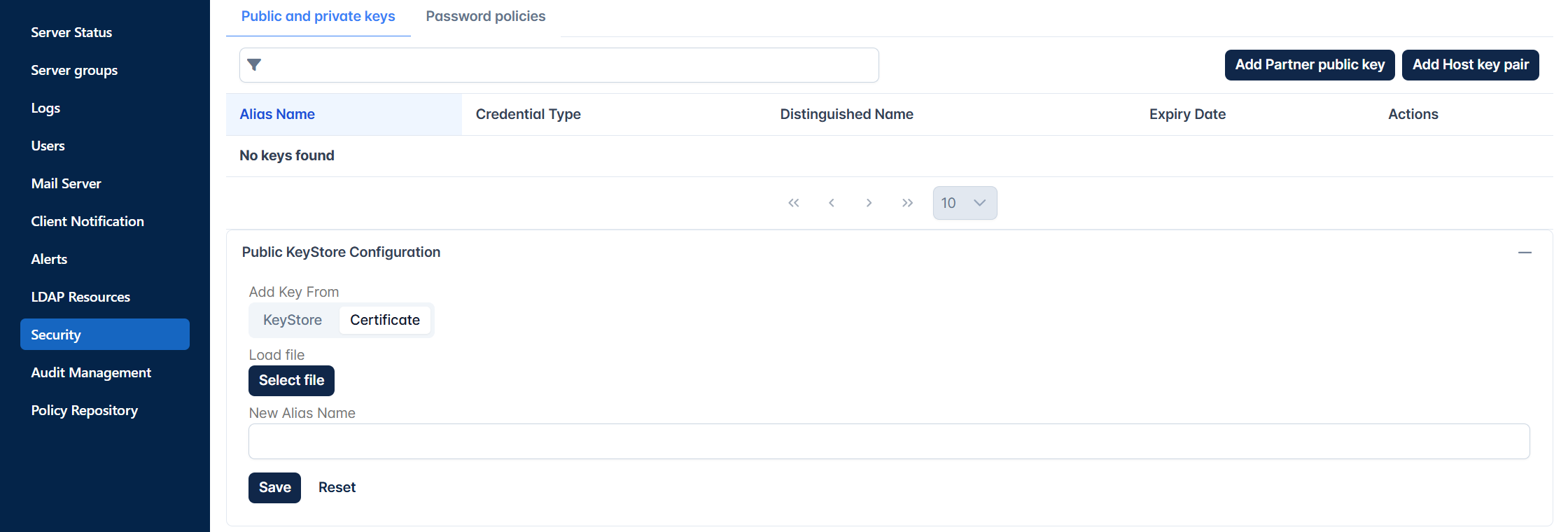
Perform the same actions as in the above section, but select the Certificate option under the Add Key From section.
Private Key Store Configuration
Adding Host-Key Pair
-
Click the Add Partner Public Key to add the Public Key Store Configuration section.
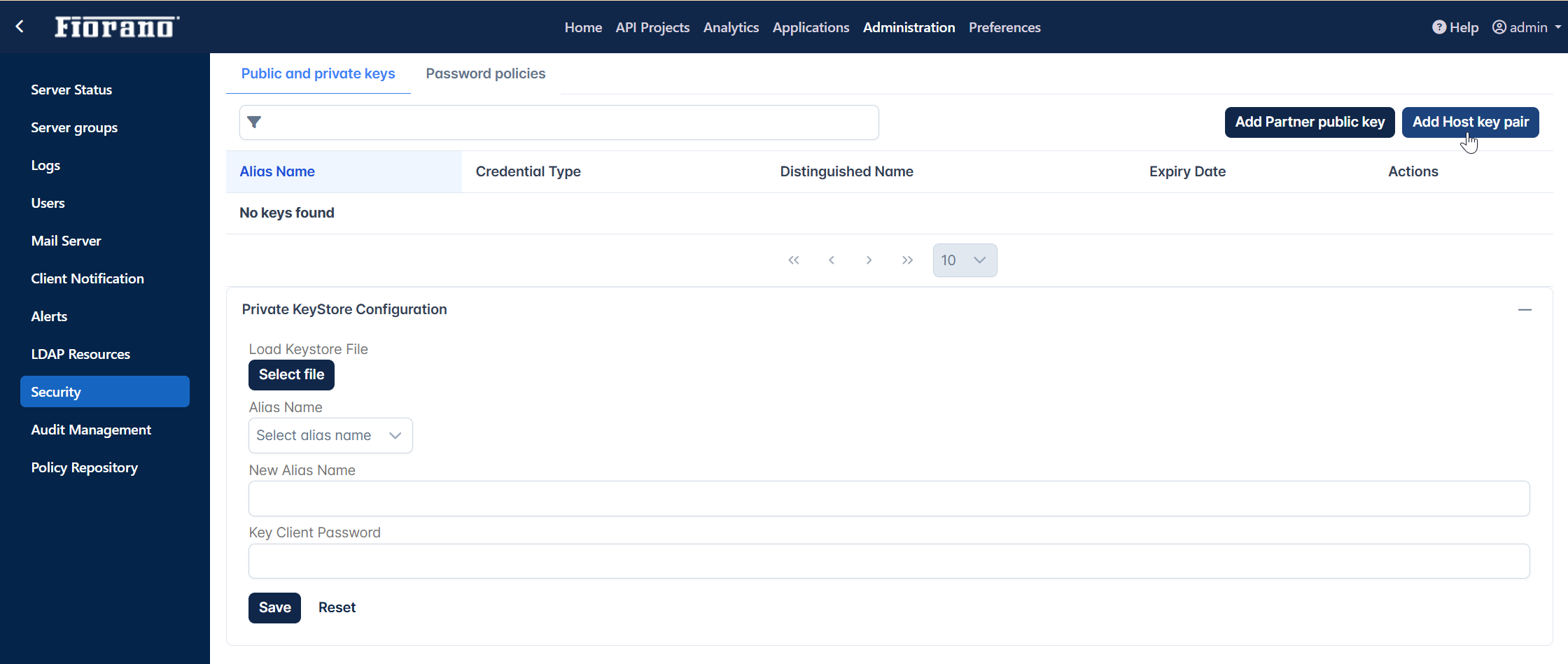
-
In the Public Key Store Configuration section, provide the following:
-
Load Keystore File: Click the Select file button and add the Private Keystore file stored in the system.
-
Alias Name: Select the name that populates in the drop-down after adding the Keystore file.
-
New Alias Name: Provide a new alias name.
-
Key Client Password: Password to authenticate the key.
-
-
Click the Save icon. After successful saving, details appear in the Public-Private keys section.
Setting TrustStore reload-time in Jetty Server Profile configuration
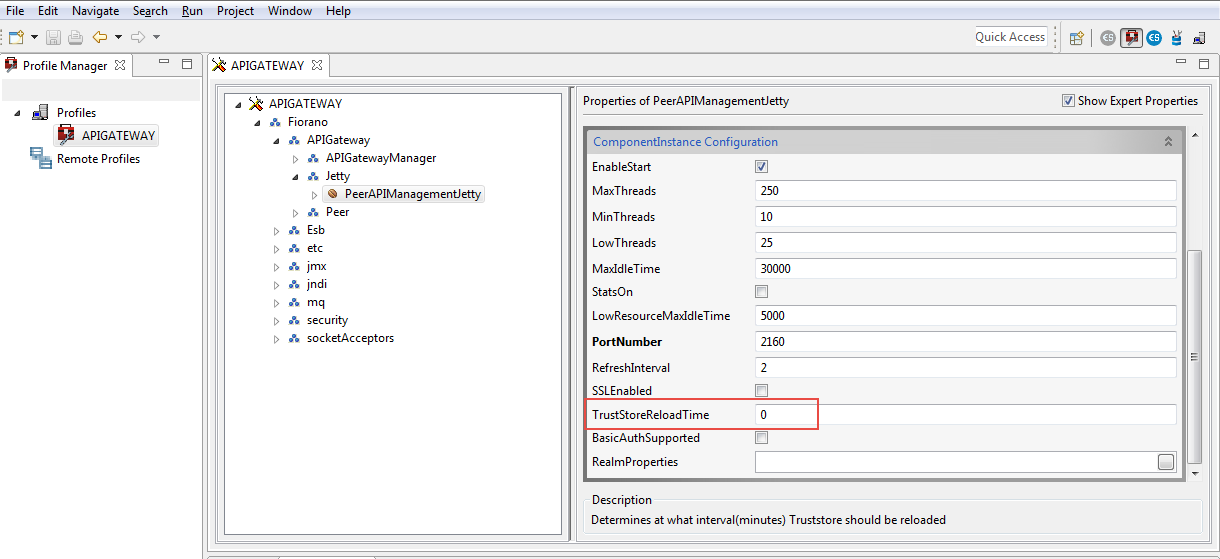
For new certificates to be reloaded into the server, Trust store reload time needs to be set.
Jetty server running in the gateway server will be reloaded with new certificates within this interval.
To set the Trust Store reload time, perform the following actions:
-
Open eStudio and open the Profile Management perspective.
-
Open APIGateway Server profile.
-
Go to APIGateway > Fiorano > APIGateway > Jetty > PeerAPIManagementJetty.
-
Set the TrustStoreReload time to the required time interval.
By default, the Truststore Reload time is set to 0 due to which the Trust store does not load.