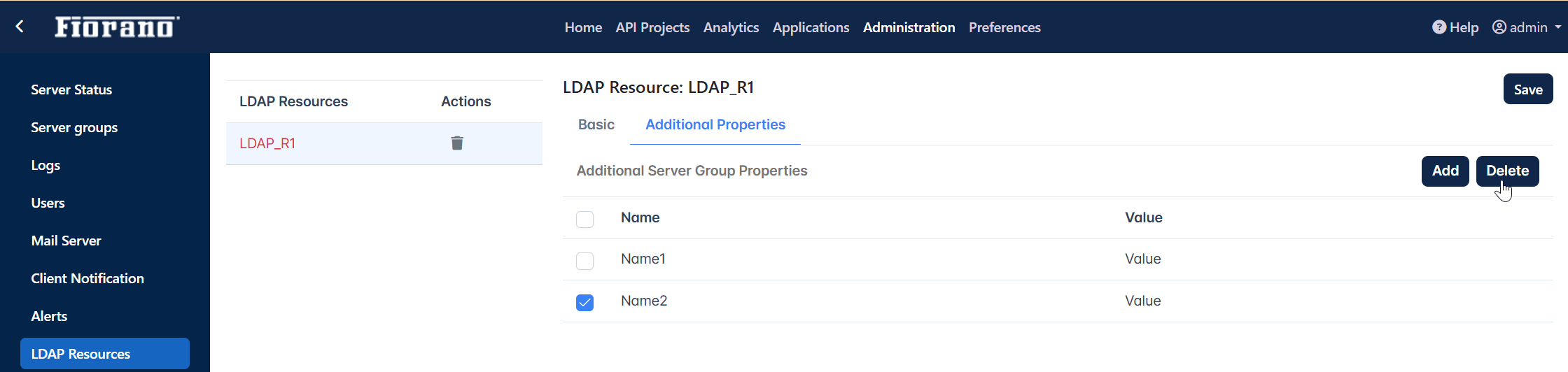
LDAP Server connection details can be configured in the LDAP Resources panel. This configuration enables to use the LDAP Policy.
Click the LDAP Resources icon on the left side of the Administration screen to manage LDAP Resources.
-
Click the Add button to add an LDAP resource
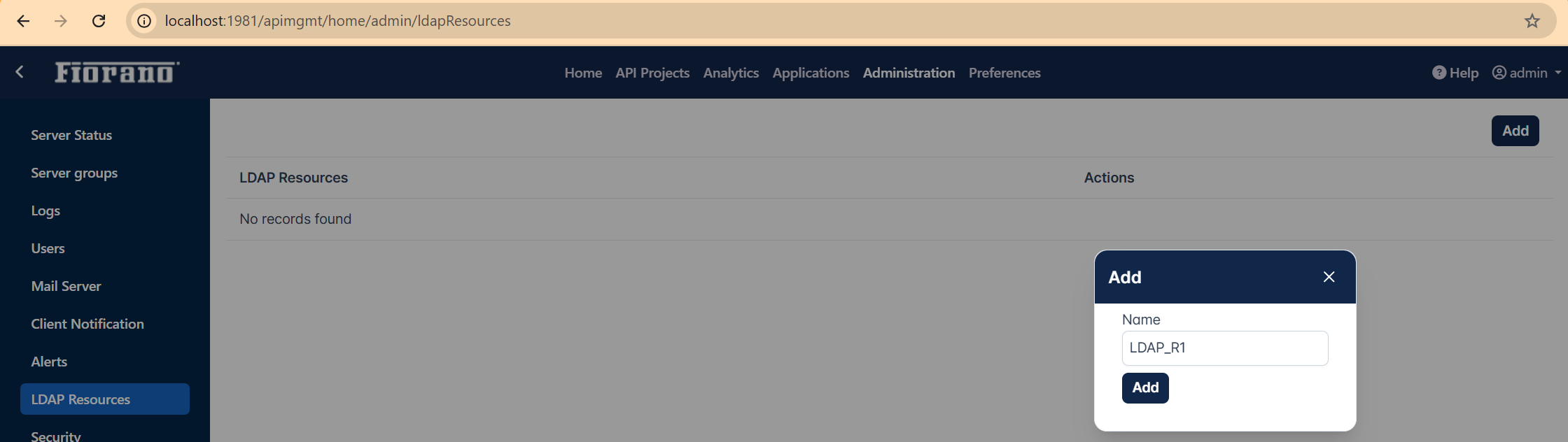
-
Assign values for the parameters.
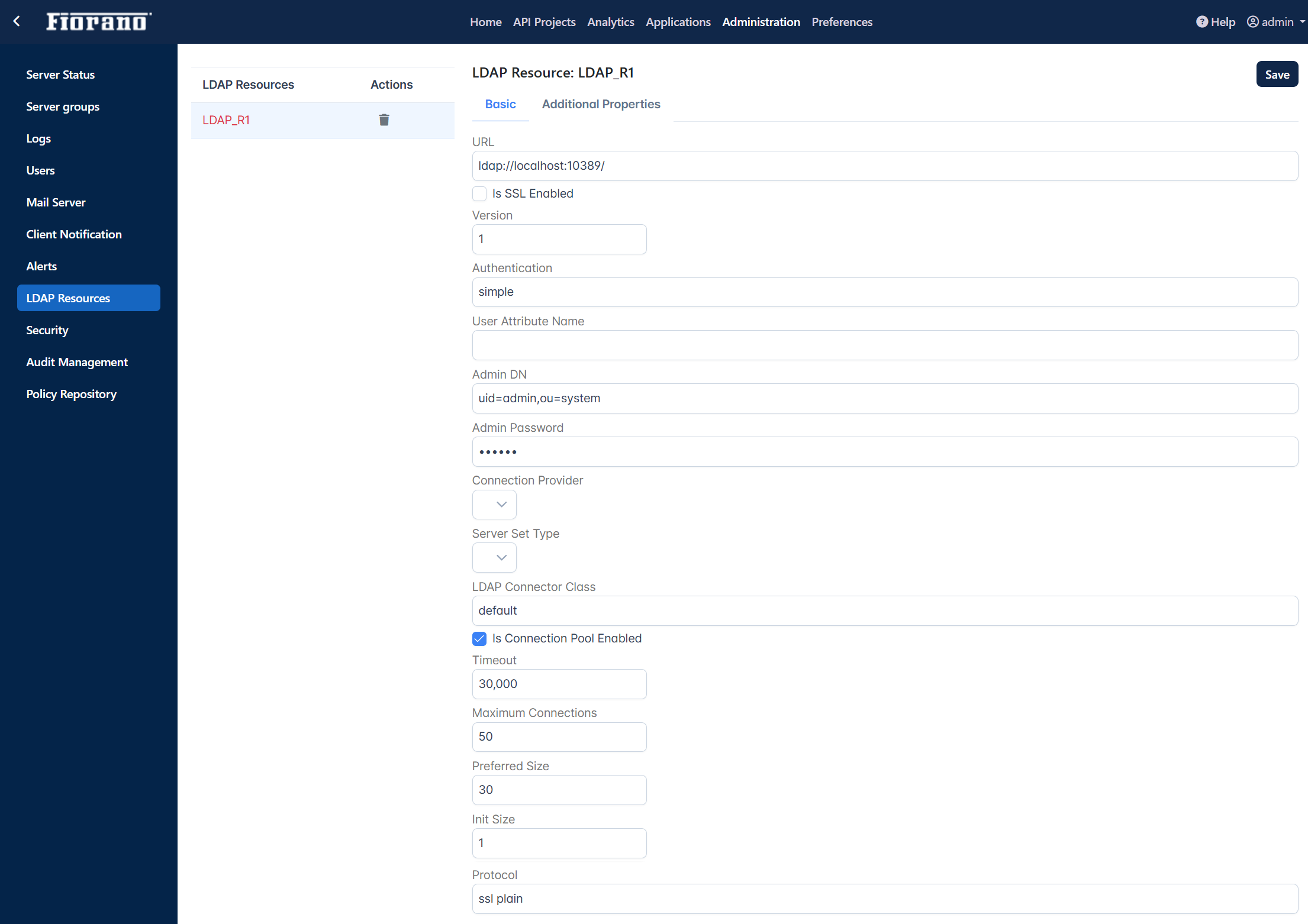
Properties of a newly added LDAP Resource
Basic
After configuring the LDAP Resource with the properties described below, the resource can be used while configuring the LDAP policy.
|
Property |
Description |
|---|---|
|
URL |
URL to connect to LDAP Server |
|
Is SSL Enabled |
Enable if SSL security is required |
|
Version |
LDAP Server version |
|
Authentication |
The Authentication type to be used |
|
User Attribute Name |
Provide the name of the user-defined attribute. |
|
Admin DN |
LDAP System user name |
|
Admin Password |
LDAP System password |
|
Connection Provider |
Connection Providers are:
|
|
Server Set Type |
Server Set Types are:
Not Applicable for JNDI |
|
LDAP Connector Class |
Default option uses the built-in LDAP Connector. If LDAP Policy with a custom LDAP provider is being used, specify the fully qualified LDAP connector class, that is, the class in which the LdapConnectionProvider interface is implemented. |
|
Is Connection Pool Enabled |
Enable if connection pooling is required |
|
Timeout |
Connection timeout value |
|
Maximum Connections |
Maximum number of connections when connection pooling is enabled |
|
Preferred Size |
Preferred size of the pool when connection pooling is enabled |
|
Init Size |
Initial number of connections when connection pooling is enabled |
|
Protocol |
Protocol used to connect to the LDAP server |
|
Additional Environment Properties |
|
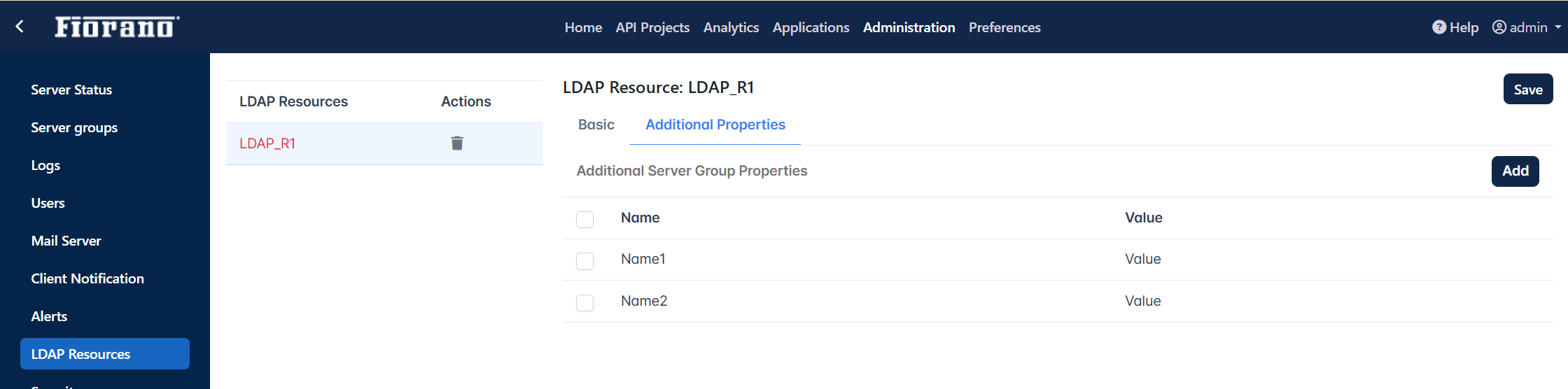
Additional Properties
The Environment properties that can be used while creating the LDAP server context.
Click the Add button to assign additional parameters.
To delete an added property, select the property. The Delete button gets enabled. Click the Delete button to remove the additional property.