
This policy verifies the generated JWS. If the signature value has been tampered or the signature is different, it will not allow the user to access the resource.
Configuration
The properties that have to be configured to use the policy are described below.
|
Property |
Description |
Basic
|
|
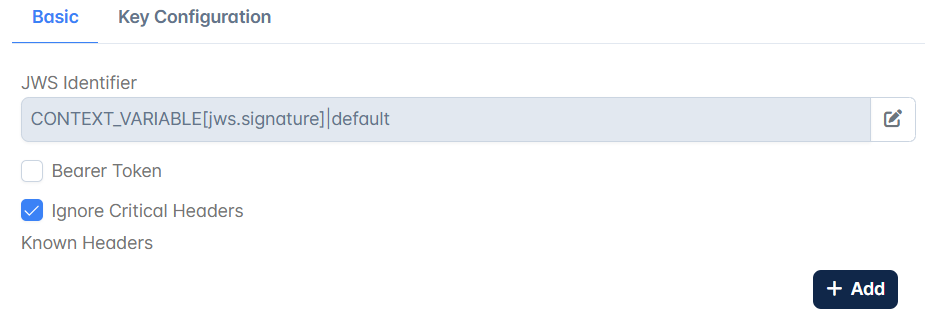
JWS Identifier
|
Configure the Message Part Identifier with the source as header/Query parameter/context variable/constant through which the JWT is passed. |
Bearer Token
|
If the JWT to be verified is being sent in the request's "Authorization" Header as a bearer token, then enable this property. |
Headers
|
|
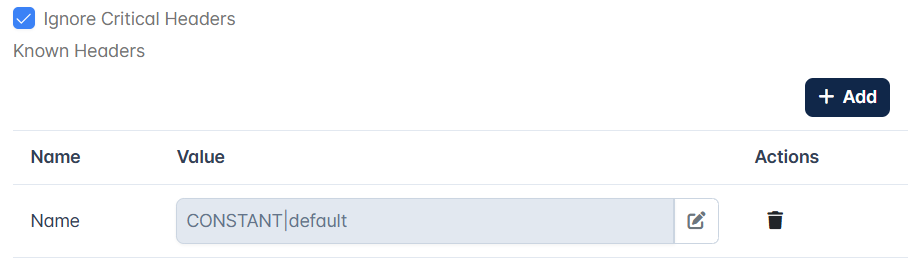
Known Headers
|
Verify JWS policy examines "crit" parameter in the JWT header, if present, and checks that each value listed under "crit" contained in JWT provided for validation is present among the entries under this "Known Headers" element i.e the "Known Headers" must contain a superset of the items listed in JWT's "crit" header. Any header that is found in "crit" header that is not specified here among <KnownHeaders> causes the policy to fail. |
Ignore Critical Headers
|
If this property is enabled, the policy ignores "crit" parameter in the JWT header. |
Key Configuration
|
|
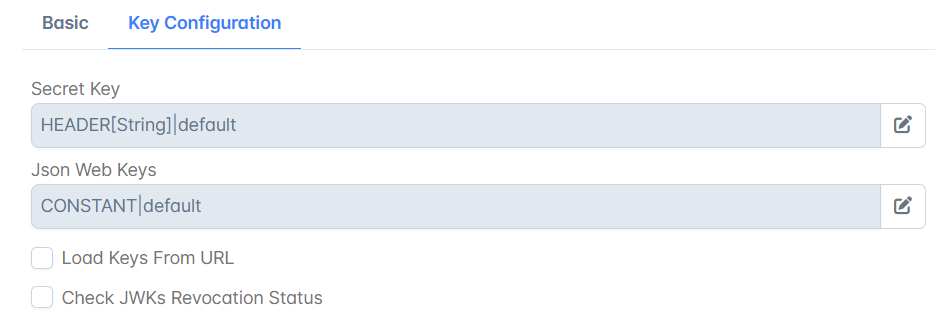
Secret Key
|
Provide when a symmetric algorithm like HS256 is specified. The minimum length of the string has to be 256, 384, 512 bits for HS256, HS384, HS512 respectively. |
Json Web Keys
|
Provide when an asymmetric algorithm like RS256 or ES256 is specified. Please refer to the Json Web Keys property description in the Verify Json Web Token policy to know how to input the Public JSON Web keys. |
Load Keys From URL
|
Enable this property if Json Web Keys are exposed in a specific URL. 
|
Keys URL
|
Specify the URL in which Json Web Keys are exposed. If it's a secured URL (Eg: https://www.googleapis.com/oauth2/v3/certs), the certificate of the corresponding server has to be added to the Truststore located at installer\esb\server\profiles\certs\jssecacerts. Password of this Truststore is "passphrase". Sample Keytool command for importing certificate into truststore with an optional entry name(alias) as is given below.
With this command, "samplecert1.cer" certificate can be added to the truststore "jssecacerts" with an entry name "samplealias". |
Check JWKs Revocation Status
|
If this property is enabled, the public JSON Web Key being used for JWT verification shall be checked for its presence among the specified Revoked JWKs and verification would fail if the specific key is found to be revoked. 
|
Revoked JWKs
|
Provide the revoked public Json Web Keys. |
Load Revoked JWKs from URL
|
Enable this property if Revoked Public Json Web Keys are exposed in a URL.. 
|
Revoked JWKs URL
|
Specify the URL in which Revoked Public Json Web Keys are exposed. If it's a secured URL, refer to |
Detached Content
In certain cases, it will be useful to protect the integrity of the content that is not itself contained in a JWS. Perform the following actions by detaching content as follows:
-
Create Assign Variable policy with the respective variable names and identifiers.
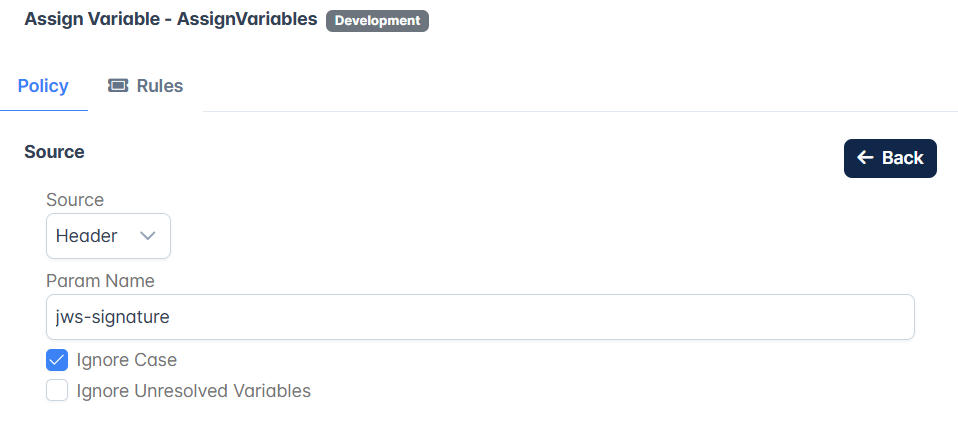
Verify Json Web Signature Policy configuration attributes This sets the values in context variable with the specified names.
-
Go to $FioranoHome/APIManagement\samples\JavaCallOuts\DetachedJWSClaim and run the compiled script. This creates a Classes directory containing a jar with compiled classes.
The java class can be modified as per requirement.
-
Configure Java Callout policy using the jar created above.
-
Configure the Verify JWS policy as explained in this page.
Verifying a Json Web Signature
Request
Use browser/postman to send the request as below:
curl -X POST \http://192.168.2.231:2160/verifycustomgignature/1.0/ \-H 'jws-signature:ewogICJ0eXBlIiA6ICJKV1QiLAogICJhbGciIDogIkhTMjU2IiwKICAia0lEIiA6ICIxMjM0NTYiCn0=.ewogICJzdWIiIDogIkpzb24tVG9rZW4tR2VuZXJhdGlvbiIsCiAgImlzcyIgOiAiRmlvcmFubyBzb2Z0d2FyZSBwcml2YXRlIGx0ZC4iLAogICJhdWQiIDogImF1ZGllbmNlIiwKICAiaWF0IiA6ICIyMDE4LTA5LTExIDIyOjM1OjEwIiwKICAiZXhwIiA6ICIyMDE4LTA5LTE1IDIyOjM1OjEwIiwKICAic2hvdyIgOiAiZmlvcmFubyIsCiAgImFkZGl0aW9uYWxDbGFpbSIgOiB7IH0KfQ==.n8YbWfgmw9v/4iYOnC7G2qFLhzUf3jVgQHUK8oWn7qg=' \-d '{"iss":"fiorano"}'
Response
Verifies the signature and allows to access the respective resources.