
The level of access granted to an access token can be restricted by defining scope in the query parameter that is used to generate access token. An access token issued to a client app may be granted READ or/and WRITE access to protected resources. So, if a client receives a token that has READ scope, and it tries to call an API endpoint that requires WRITE access, the call will fail.
When the client sends a request which carries a valid Consumer Key and Consumer Secret with scopes set to the Token End Point in order to get an access token, the Token End Point verifies the credentials as well as scope and returns the access token back to the client.
Scope needs to be specified in the Query Parameter in the following format:
curl -X POST http://192.168.2.231:2160/tokenEnd/1.0 -H 'accept: application/json' -H 'cache-control: no-cache' -H 'client_id: Qvf-wSSLmGfjULQrbMCmRcab' -H 'client_secret: QpFgbhZtuILPDBrHvBujaMQwmyrRieTisdnh' -H 'content-type: application/x-www-form-urlencoded' -H 'grant_type: password' -d 'scope=READ&username=admin&password=passwd'
Specifying Scope in Product
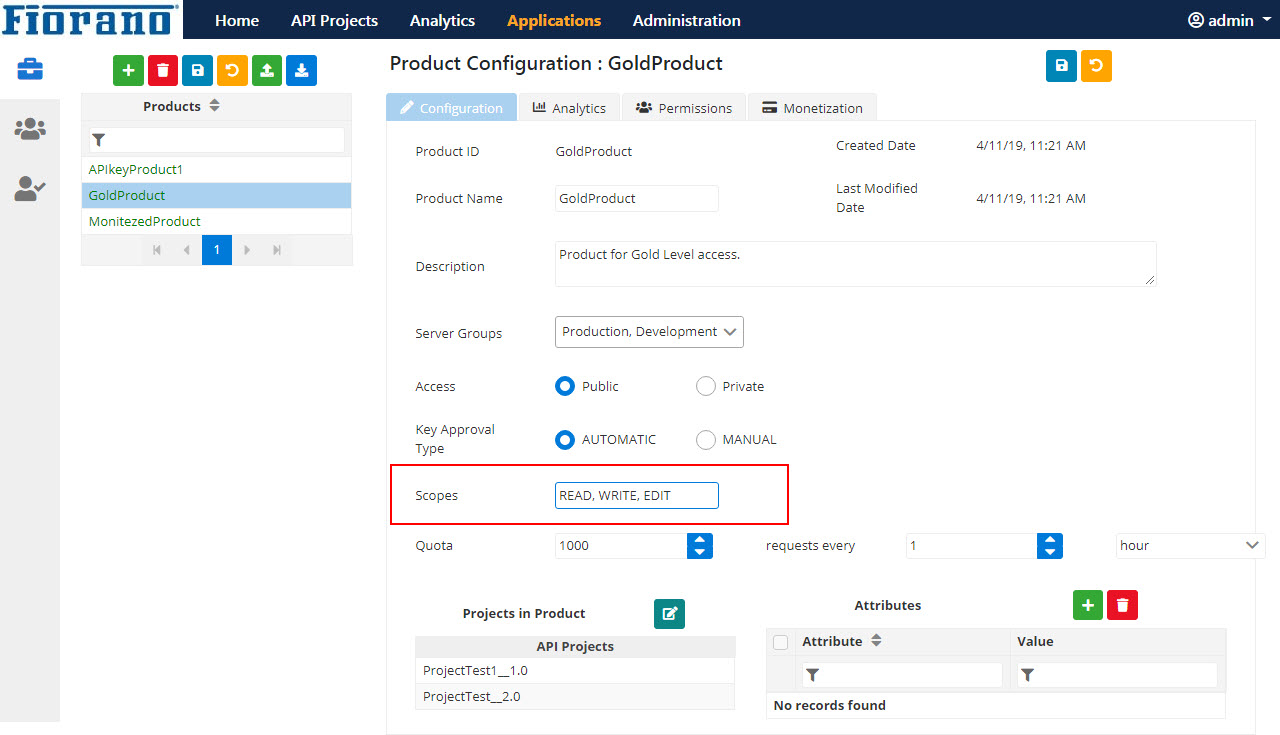
Before using a scope in a policy, firstly, configure the product with the required scope.
Multiple scopes can be specified in comma-separated format.
Using various Grant Types
Using Client Credentials
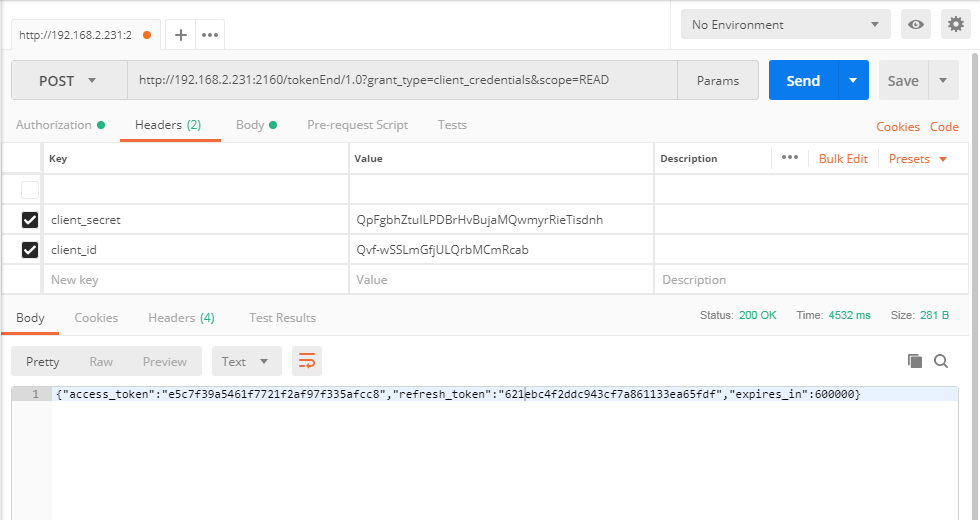
Provide all values as mentioned in the Using Client Credentials section and provide the required Scope for the request.
curl -X POST http://192.168.2.231:2160/tokenEnd/1.0 -H 'accept: application/json' -H 'cache-control: no-cache' -H 'client_id: Qvf-wSSLmGfjULQrbMCmRcab' -H 'client_secret: QpFgbhZtuILPDBrHvBujaMQwmyrRieTisdnh' -H 'content-type: application/x-www-form-urlencoded' -H 'grant_type: client_credentials' -d scope=READ
Using Authorization Code
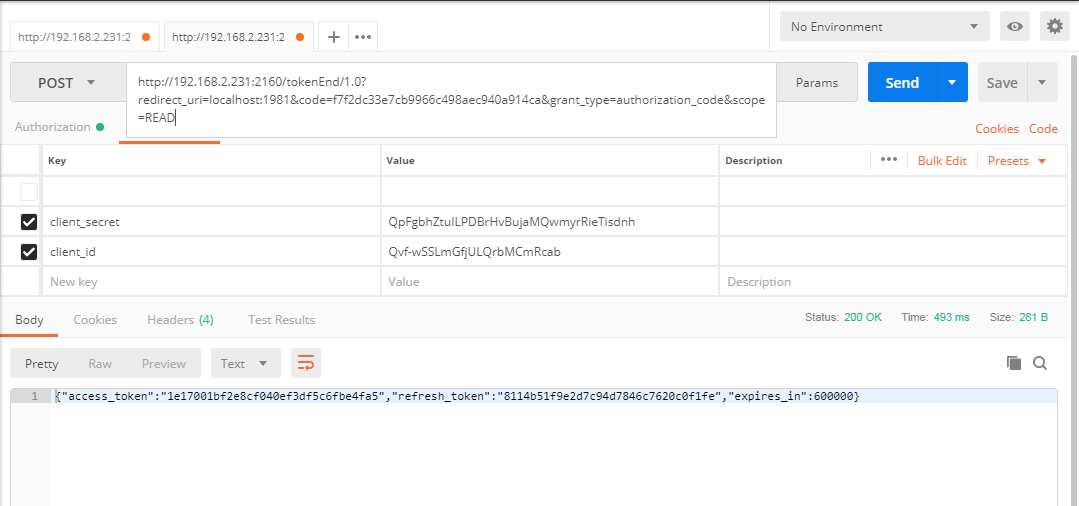
Provide all values as mentioned in the Using Authorization Code section and provide the required Scope for the request.
curl -X POST http://192.168.2.231:2160/tokenEnd/1.0 -H 'accept: application/json' -H 'cache-control: no-cache' -H 'client_id: Qvf-wSSLmGfjULQrbMCmRcab' -H 'client_secret: FgbhZtuILPDBrHvBujaMQwmyrRieTisdnh' -H 'content-type: application/x-www-form-urlencoded' -H 'grant_type: authorization_code' -d 'scope=READ&code=26dc595721e1ce5c02dc9448dafdf90f&redirect_uri=https%3A%2F%2Flocalhost%3A1981'
Using Implicit
Provide all values as mentioned in the Using Implicit section and provide the required Scope for the request.
http://192.168.2.231:2160/http/1.0?response_type=token&redirect_uri=http://localhost:1981&client_id=Qvf-wSSLmGfjULQrbMCmRcab&scope=READ
Using Password
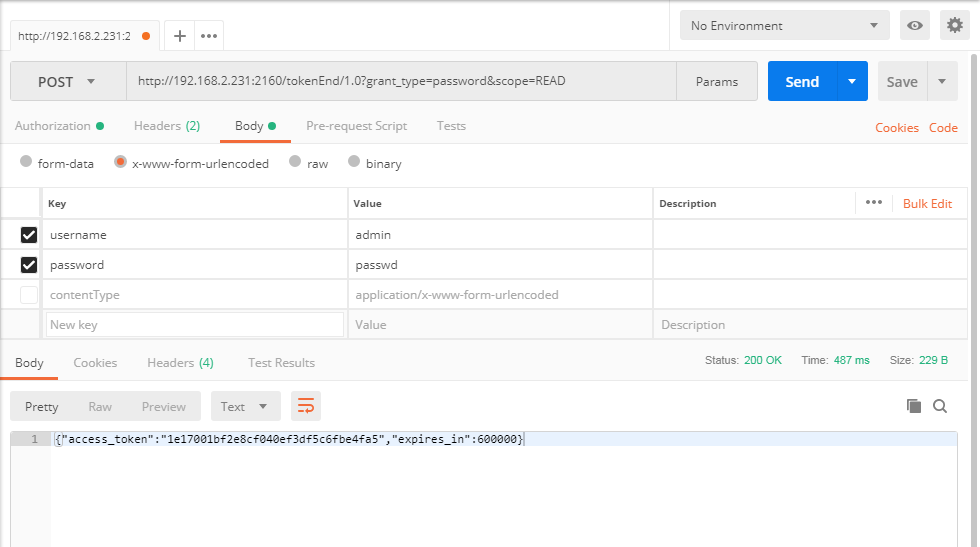
Provide all values as mentioned in the Using Password section and provide the required Scope for the request.
curl -X POST http://192.168.2.231:2160/tokenEnd/1.0 -H 'accept: application/json' -H 'cache-control: no-cache' -H 'client_id: Qvf-wSSLmGfjULQrbMCmRcab' -H 'client_secret: QpFgbhZtuILPDBrHvBujaMQwmyrRieTisdnh' -H 'content-type: application/x-www-form-urlencoded' -H 'grant_type: password' -d 'scope=READ&username=admin&password=passwd'
Accessing protected resources using Access Token
After receiving the Access Token using one of the above methods, it is sent along with the request as a query parameter (since Query is set in VerifyAccessTokenPolicy) to access the protected API. The Request URL will be in the following format:
<url from the documentation>?access_token=<value generated in postman>