
When a project is opened by clicking the icon from the API Projects screen, it lands on the Overview screen by default. This section lists the basic information of the opened project.
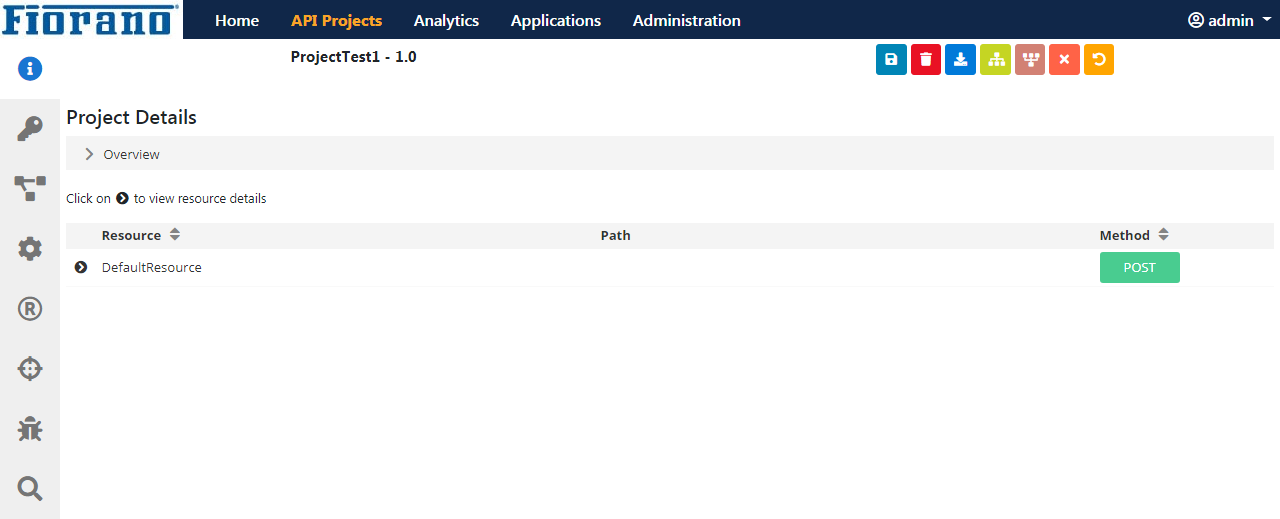
In the API Projects page, each icon on the left navigation pane represents various sections that enable developing and managing a project.

Tab to view the project summary and its documentation. The sub-topic gives details of the project deployment.

This section of the API provides various permissions for various types of users to use a project in a particular manner.

The policies added for a particular scope in this section are applied to all the resources in a project. .

Policies are actions that may be set to perform on a request before and after a target URL is called.

Project resources are where policies can be applied. There are 4 resources available for use: Proxy Request, Target Request, Target Response, and Proxy Response. Policies can be added to any of these four depending on implementation requirements.

This is the backend target URL that is being called. While calling the target URL, it is possible to define the method and the authentication details to be used.

Allows the interception of a message at various points of policy execution and thereby helps in analyzing/modifying the message at respective breakpoints.

Helps to trace HTTP messages sent from an application to a proxy right until a response is received by the application.