
Deploying a Project
To deploy a project on a Server Group,
-
Select the project that needs to be deployed.
-
Click the Deploy

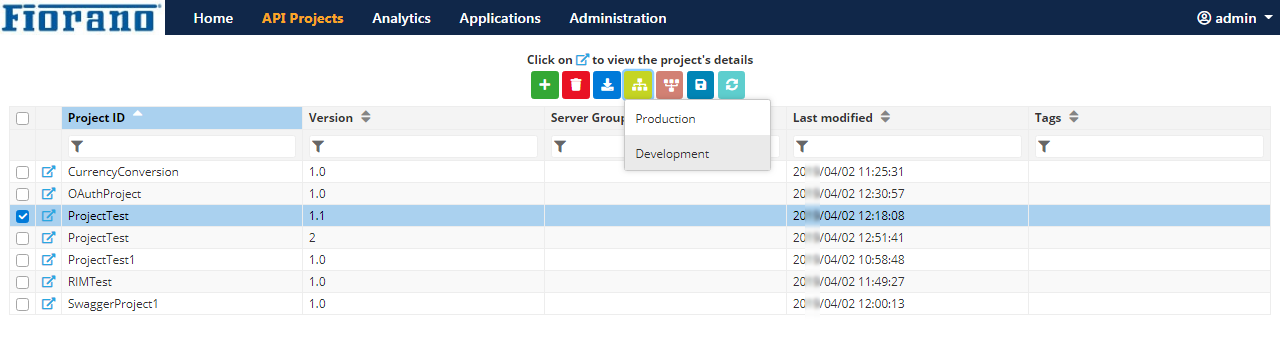
Figure 1: Deploying the project on the Development Server Group
An acknowledgment appears on the upper-right part of the screen, the font colour of the deployed project turns green and the Server Group name appears under the Server Groups column.
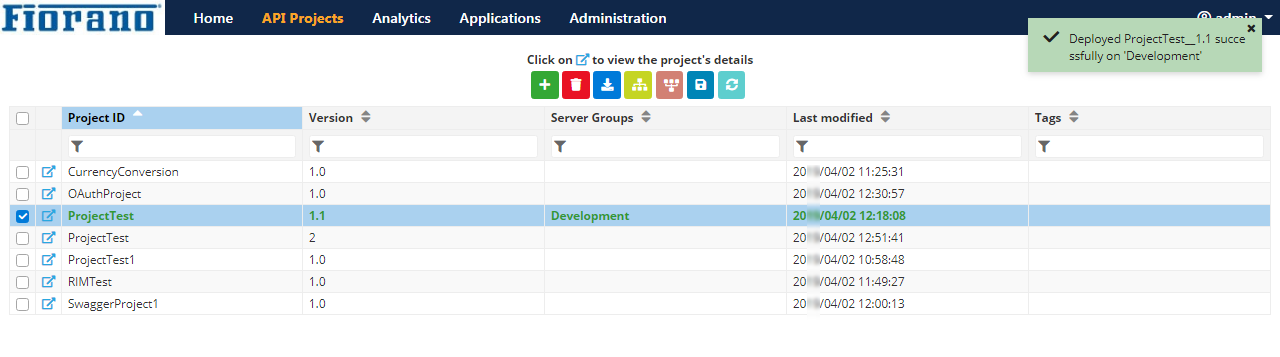
Figure 2: Project deployed on the Development Server Group
Deploying Multiple Projects
Multiple projects can be deployed together if these have to be deployed on the same Server Group.
To deploy multiple projects on a Server Group,
-
Select the projects that need to be deployed.
-
Click the Deploy
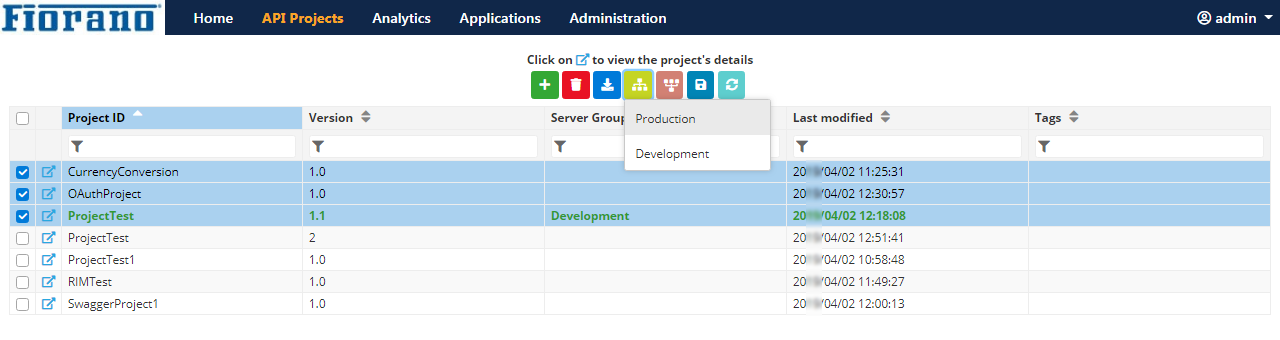
Figure 3: Deploying projects on the Testing Server Group
An acknowledgment appears on the upper-right part of the screen, the font colour of the deployed projects turn green and the Server Group name appears under the Server Groups column for the deployed projects.
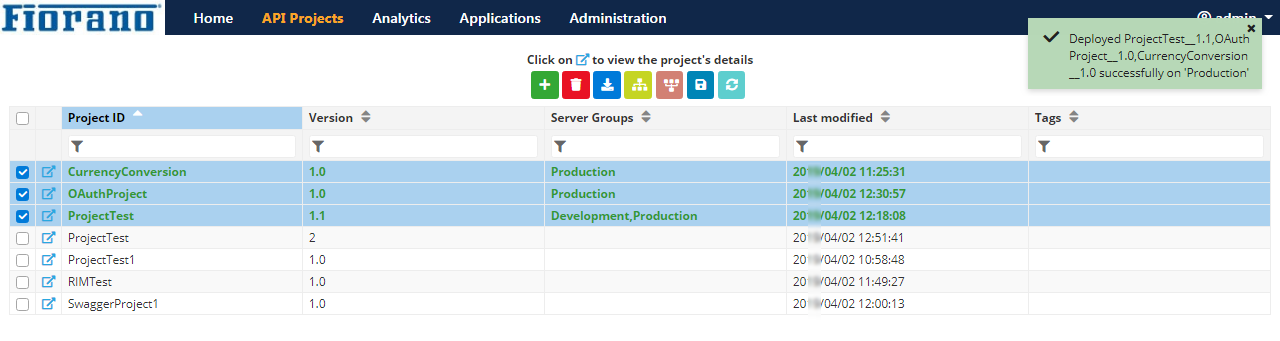
Figure 4: Projects deployed on the Testing Server Group
Undeploying a Project
To undeploy a deployed project,
-
Select the project that needs to be undeployed and click the Undeploy

-
From the list of server groups, select the server group from which the project needs to be undeployed.
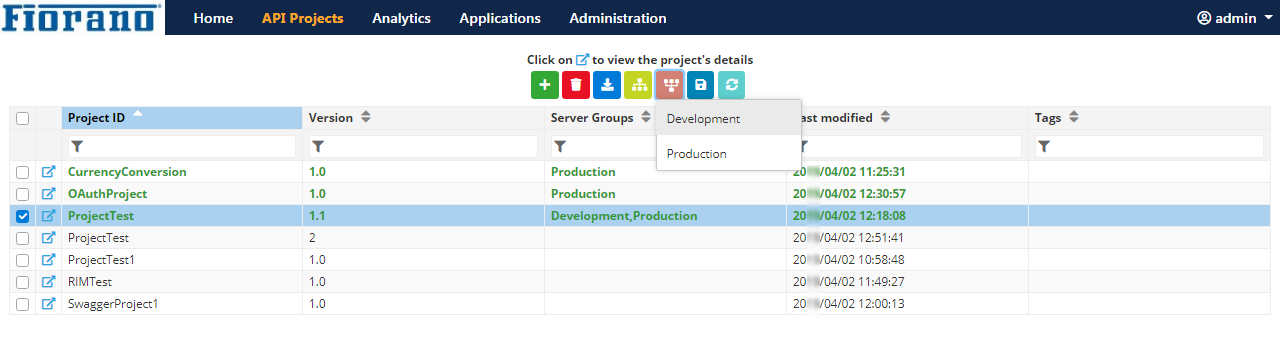
Figure 5: Deploying the project from the Development Server Group
An acknowledgment appears on the upper-right part of the screen and the undeployed Server Group name gets removed from the Server Groups column.
The font colour is not changed in the below figure, because the project is still deployed on a different Server Group.
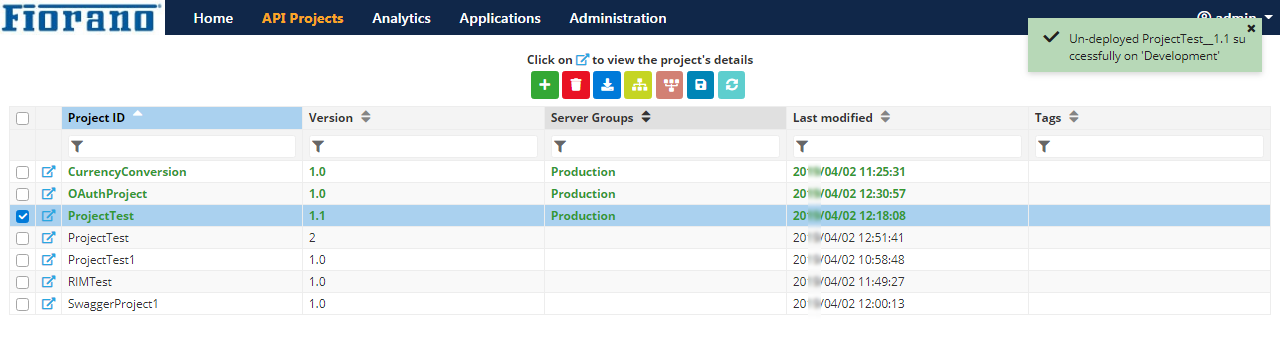
Figure 6: Project undeployed from the Development Server Group
Undeploying Multiple Projects
Multiple projects can be undeployed together if these have to be undeployed from the same Server Group.
To undeploy multiple projects from a Server Group,
-
Select the projects that need to undeployed and click the Undeploy
-
Click the Server Group name from which the projects need to be undeployed.
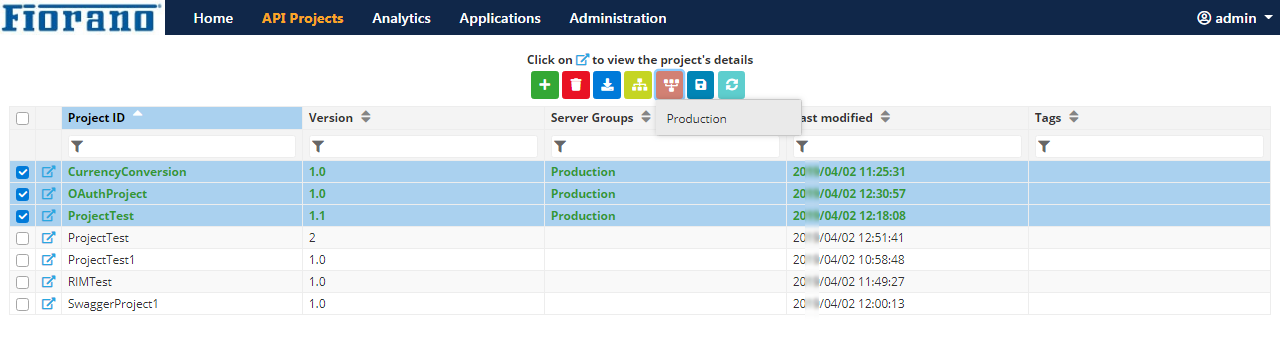
Figure 7: Undeploying projects from the Testing Server Group
An acknowledgment appears on the upper-right part of the screen and the undeployed Server Group name gets removed from the Server Groups column.
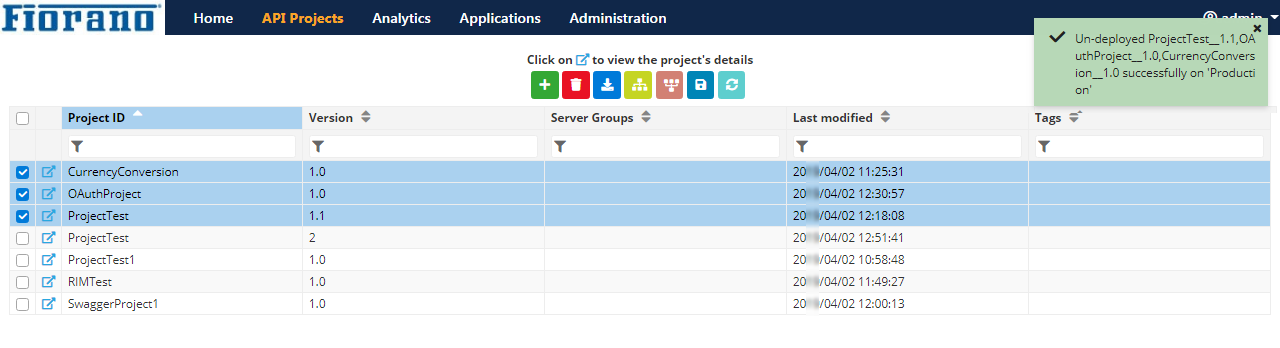
Figure 8: Projects undeployed from the Testing Server Group