
Monetization Limit Check helps to set Monetization Limits restricting access to the developer in various cases like low account balance, exceeded rate plan limit, or if there's no subscribed rate plan at all.
Configuration
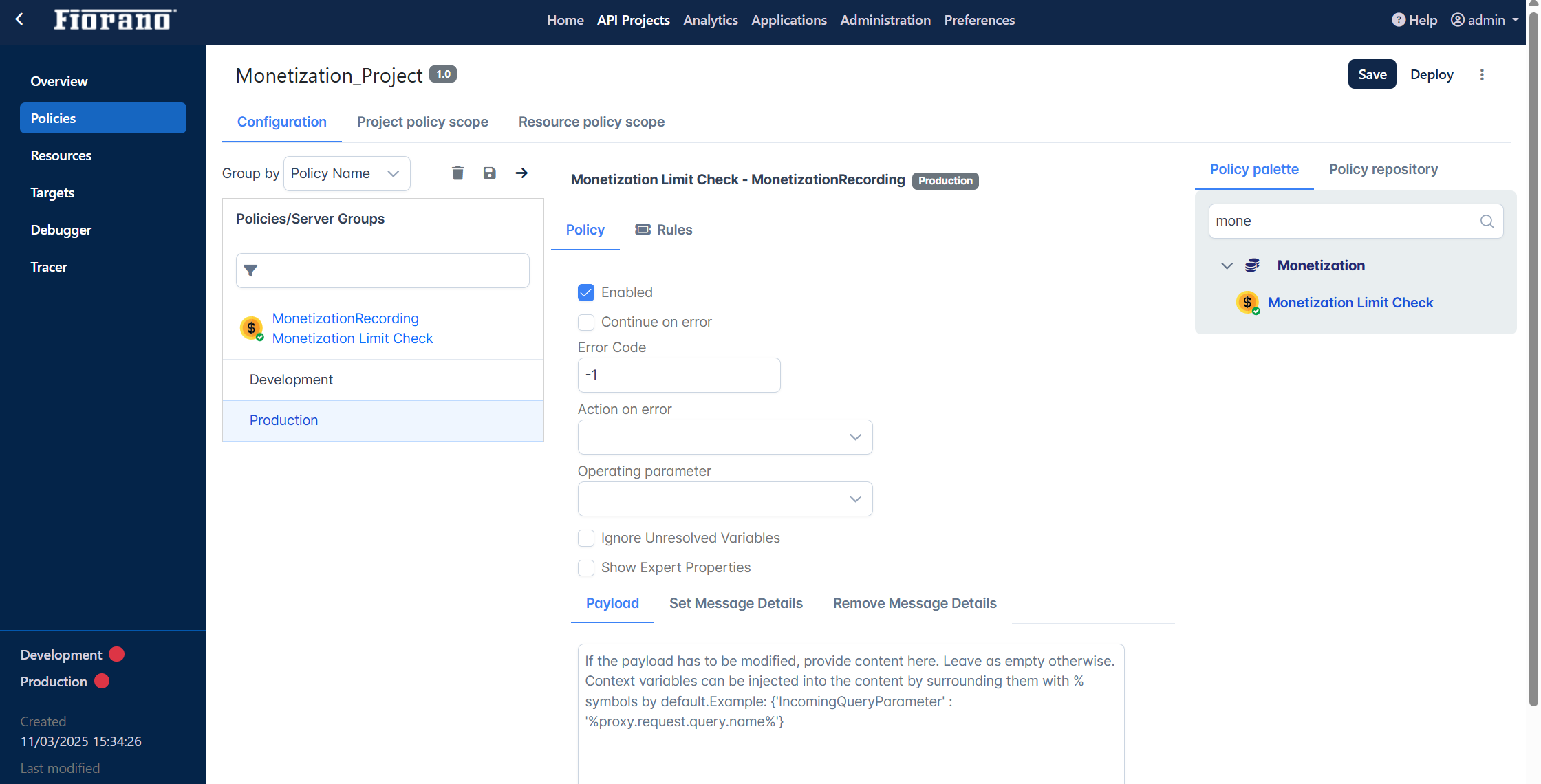
The properties that have to be configured to use the policy are described below.
|
Parameter |
Description |
|
Error Code |
Provide a number to represent the error code. |
|
Ignore Unresolved Variables |
Flow variables exist within the context of an API proxy flow, and they track state in an API transaction the way named variables track state in a software program |
|
Enabled |
Enable this to use the Monetization Limit Check policy. |
|
Continue on error |
To continue to other steps whenever a step fails. It displays the error code and the message configured while moving on to the next step. |
Expert Properties
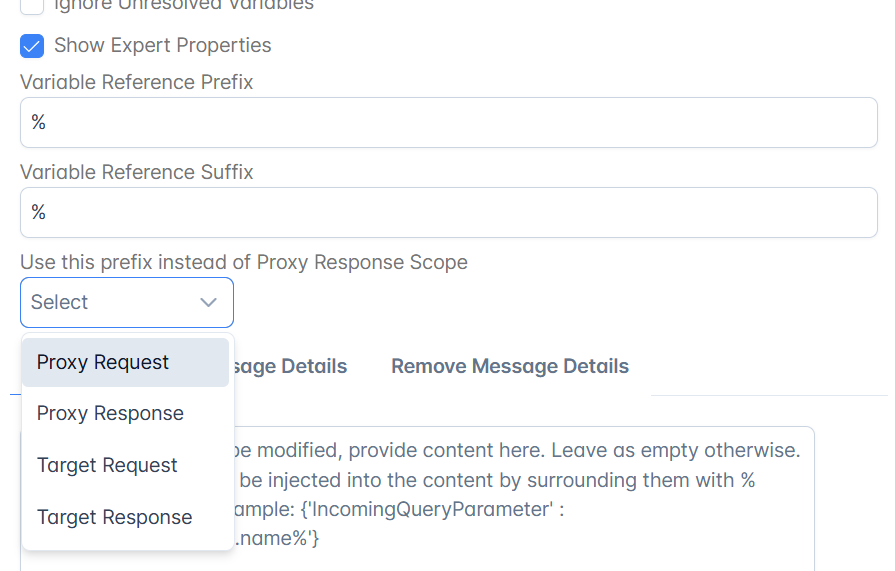
Enable the Show Expert Properties option to add variable reference prefix/suffix.
|
Parameter |
Description |
|
Variable Reference Prefix |
We may extract the variable with the same name multiple times. To assign them to a unique variable, we make use of the variable reference prefix/suffix. |
|
Variable Reference Suffix |
|
|
Use this prefix instead of Policy Scope |
Select accordingly to choose one of the endpoints. |
Refer the Setting up Monetization section to know how to set up monetization.