
Joint Profile for API and ESB
To clear the database of the API Gateway combined profile server, double-click the clearDBServer.bat file present in the <fiorano_installation_dir>\esb\server\bin folder or browse to this location and execute the following script with the profile option as shown below:
clearDBServer.bat/.sh -mode fps -profile <profilename>
The following operations are available when this script is executed from which you may choose the option of your preference:
|
Operation |
Description |
|
1. File BasedDatastore |
Clears the local cache of the combined profile API Gateway server. |
|
2. Security Datastore |
Clears the combined profile API Gateway server's ACLs (Access Control Lists) and they will be recreated next time the peer starts. |
|
3. Admin Datastore |
Clears the admin objects, project / API specific in memory data |
|
4. Cached Component Store |
Clears all the cached components stored in the combined profile API Gateway server‘s runtime storage. |
|
5. FPS Schemas Datastore |
Clears all the cached schemas stored in the combined profile API Gateway server's runtime storage. |
|
6. All |
Clears all five of the above. |
Select the preferred number (from 1 to 5) corresponding to the datastore that needs to be cleared.
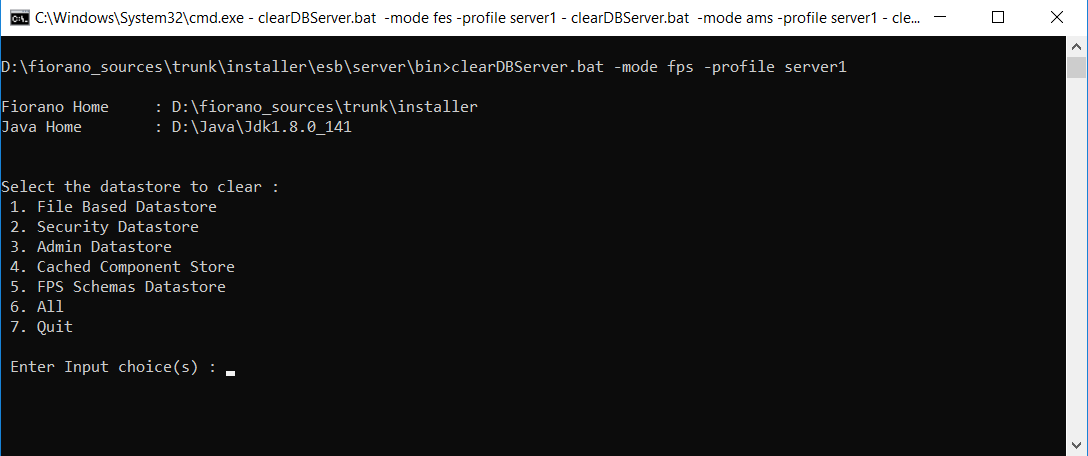
Ensure that the Gateway Server is shut down. If not it prompts with a message to do the same.
AGS database
To clear the AGS database of a particular profile, double-click the clearDBServer.bat file present in the <fiorano_installation_dir>\esb\server\bin folder or browse to this location and execute the following script with the profile option as shown below:
clearDBServer.bat/.sh -mode ags -profile <profilename>
The following operations are available when this script is executed from which you may choose the option of your preference:
|
Operation |
Description |
|---|---|
|
1. File BasedDatastore |
Clears the local cache of the Gateway server. |
|
2. Security Datastore |
Clears the Gateway server's ACLs (Access Control Lists) and they will be recreated next time the gateway starts. |
|
3. Admin Datastore |
Clears the admin objects, project / API specific in memory data |
|
4. All |
Clears all 3 of the above. |
Select the preferred number (from 1 to 5) corresponding to the datastore that needs to be cleared.
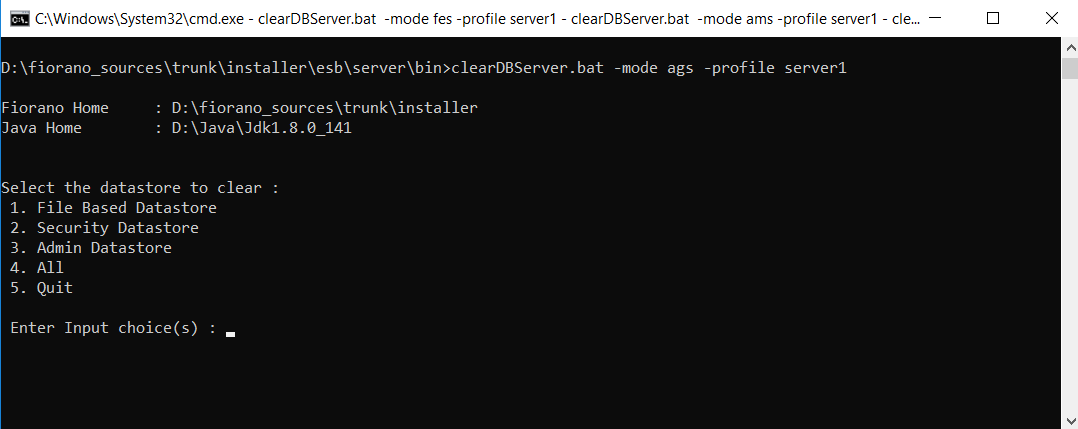
Ensure that the Gateway Server is shut down. If not it prompts with a message to do the same.