
You can enable HTTP Debugging to debug API calls to API Management.
-
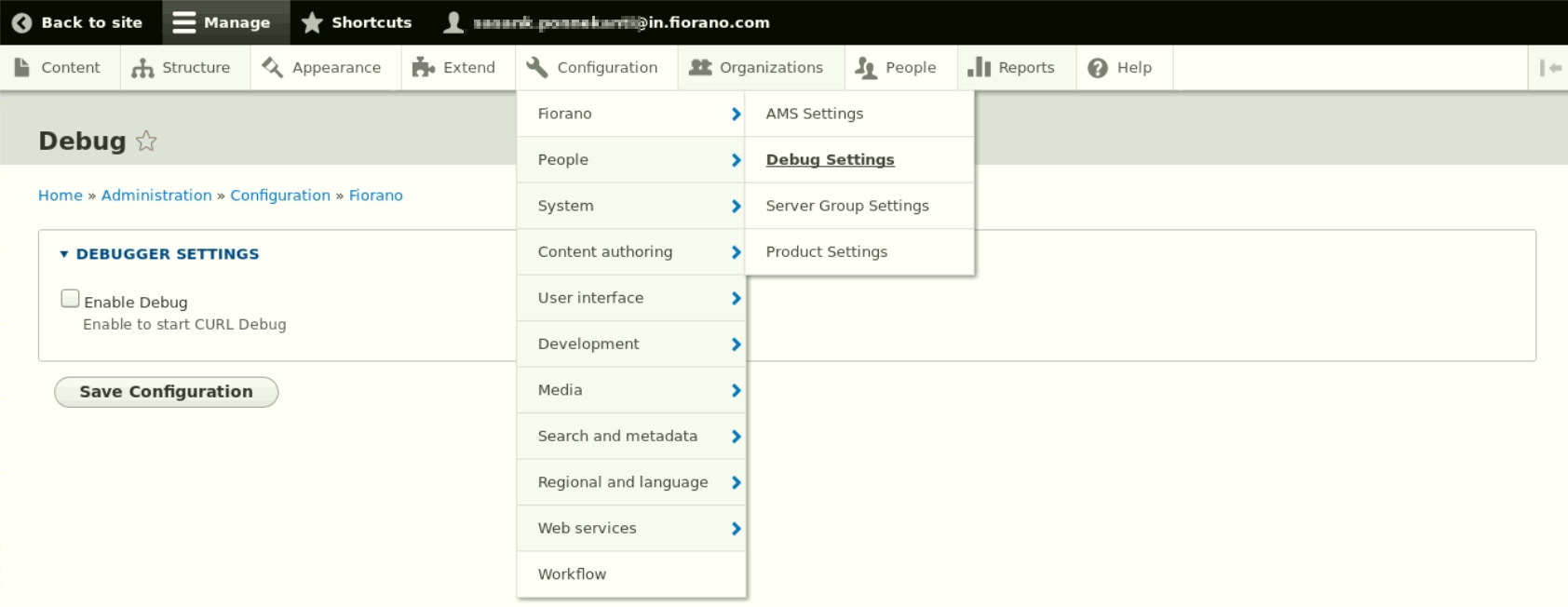
Login as administrator and go to Configuration > Fiorano > Debug Settings.
-
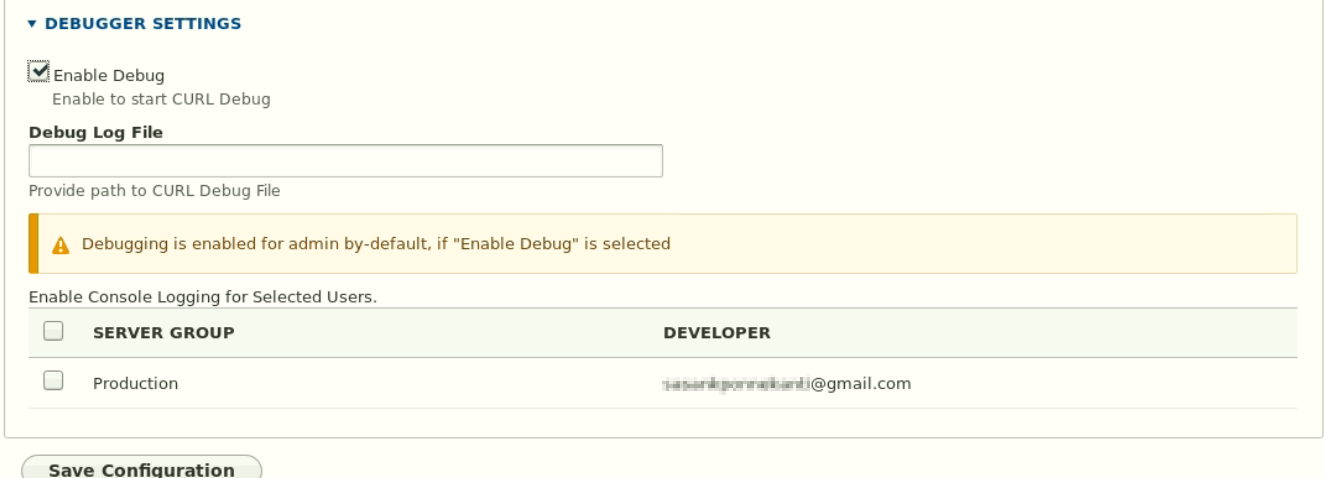
Click the Enable Debug checkbox.
-
To log to File, provide the path to debug file in the Debug Log file field
-
To enable console logging debugging for a specific developer, select a developer in the table and click the Save Configuration button.
-
Now the user can see the logs in their browser console.