
Data accumulated can be searched and the search criteria can be saved as a template to generate custom reports on the data. Reports can be scheduled to be automatically pushed via electronic mail at intervals. For example, it is possible to configure a report which illustrates the usage of a particular API by a particular developer and send it to a preconfigured mail address. Similarly, errors or threat violations can be mailed to the API administrator every day or a week.
The reports saved can be viewed in the Reports section.
To save a report, perform the following actions:
-
In the Analytics tab, generate reports as per the preferred criteria.
-
Click Save As Report under the Reports drop-down list present at the upper-right part of the Analytics page.
-
In the New Report pop-up window, provide a name for the report; this saves the report generated.
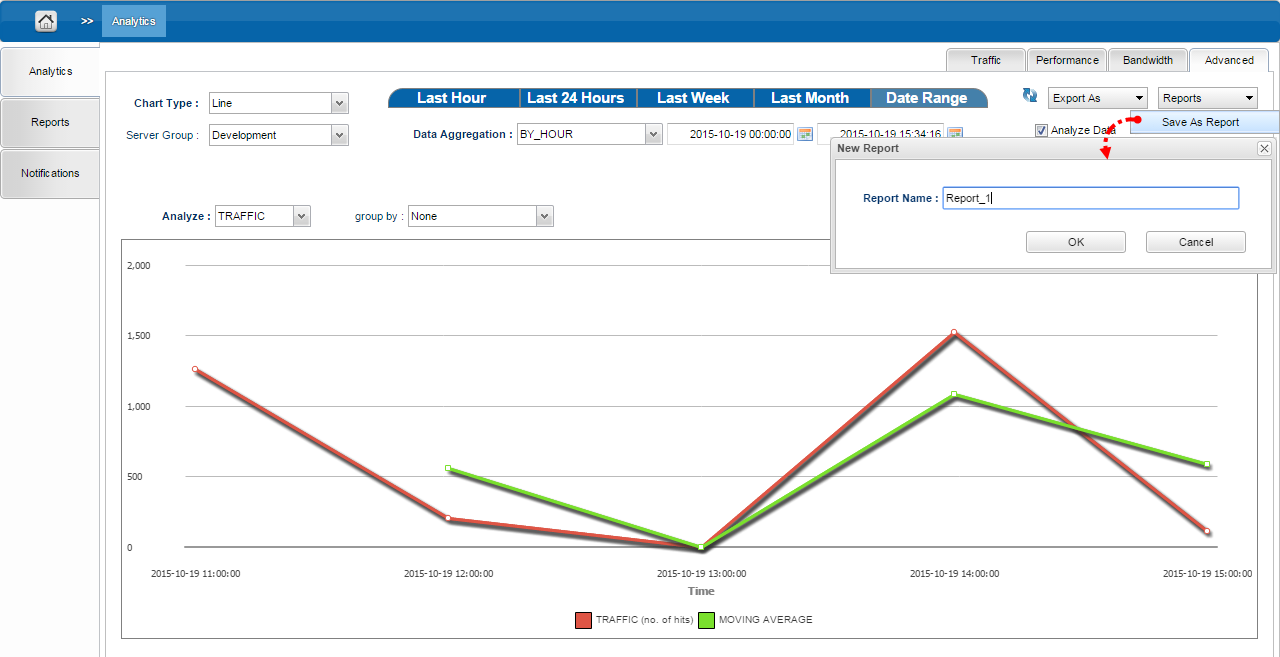
Figure 1: Saving the Report generated
To view the saved report, open the Reports tab.