
When the flows are active and messages are flowing between components, the security of these messages can be improved by adding encryption to the messages. Encryption in a flow can be added in two ways:
-
Port Encryption
-
Route Encryption
Port Encryption
Encryption added on JMS destination on which a message is put is the port encryption. This encryption can be set using the following steps:
-
Login to eStudio application.
-
From the Event Process Repository, open the application for whose component Port Encryption needs to be set.
-
Select the component's port on which the encryption needs to be set.
-
Go to Properties of the port. Select JMS Destination.
-
Change the Is Encrypted option to Yes.
-
Select an Encryption
Algorithm to be used. Fiorano supports the following encryption algorithms:
-
DES
-
3DES
-
AES256
-
AES128
-
AES192
-
RC2_40
-
RC2_64
-
RC2_128
-
Base64Encoding
-
-
Give an Encryption Key to be used.
-
For some of these algorithms, Allow Padding to Key and Initialization Vector options may also be needed.
-
Save the Application. Port Encryption gets set and will be ready use.
Example: In the figure below, OUT_PORT of Feeder1 in Application EVENT_PROCESS1:1.0 is being set with Port Encryption.
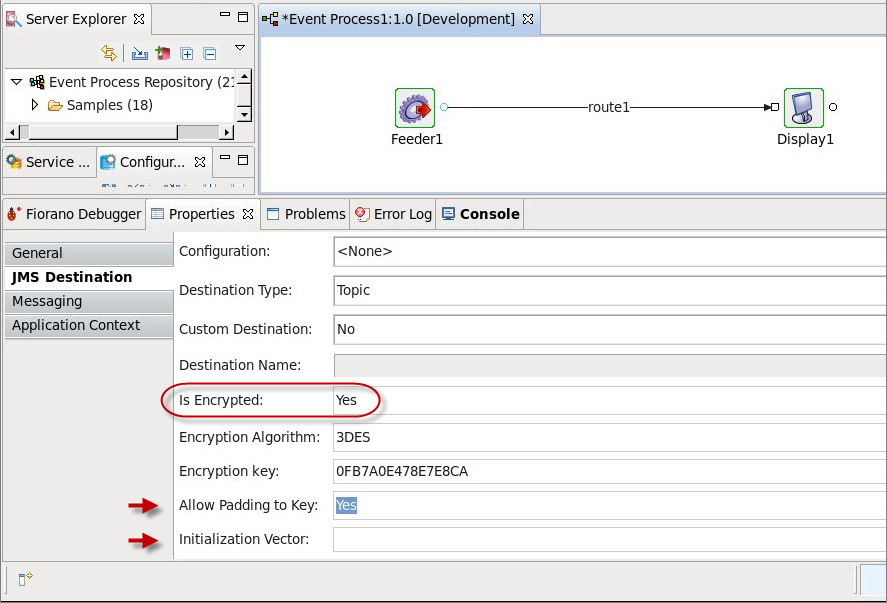
Figure 1: Port Encryption
Route Encryption
Fiorano provides an option to encrypt the messages going through a route for better security, this option is route-specific and can be enabled using the following steps:
-
Login to eStudio.
-
From the Event Process Repository, open the application on whose route Route Encryption needs to be set.
-
Select the route on which encryption needs to be enabled.
-
Go to Properties of the route and select Messaging
-
Change the Encrypt Messages option to Yes
-
Save the application. Route Encryption is set and will be ready to use.
Example: In the figure below, Route1 of Application EVENT_PROCESS1:1.0 is being set with Route Encryption.
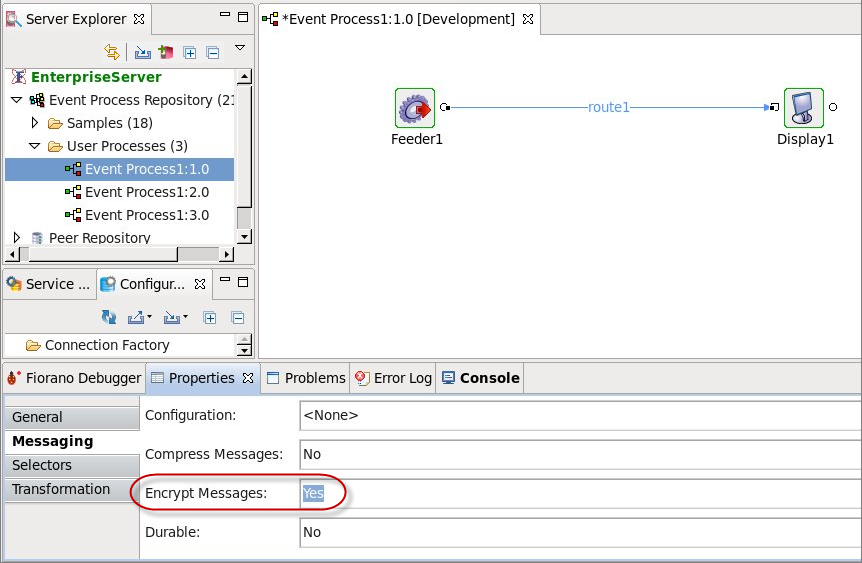
Figure 2: Route Encryption