
After installing the mailserver module, configure the mail server as below:
-
Go to Configuration > System > SMTP Authentication Support.
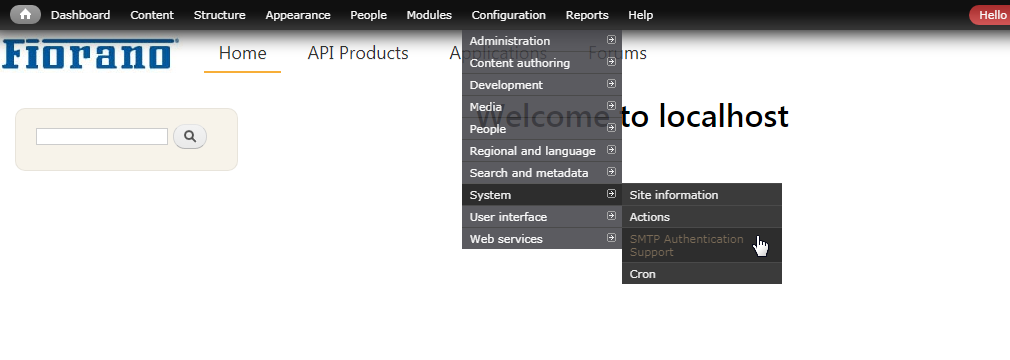
Figure 1: Navigating to the Configuration page
-
Turn on the SMTP Module ("Turn on this module on or off" option) in the INSTALL OPTIONS section.
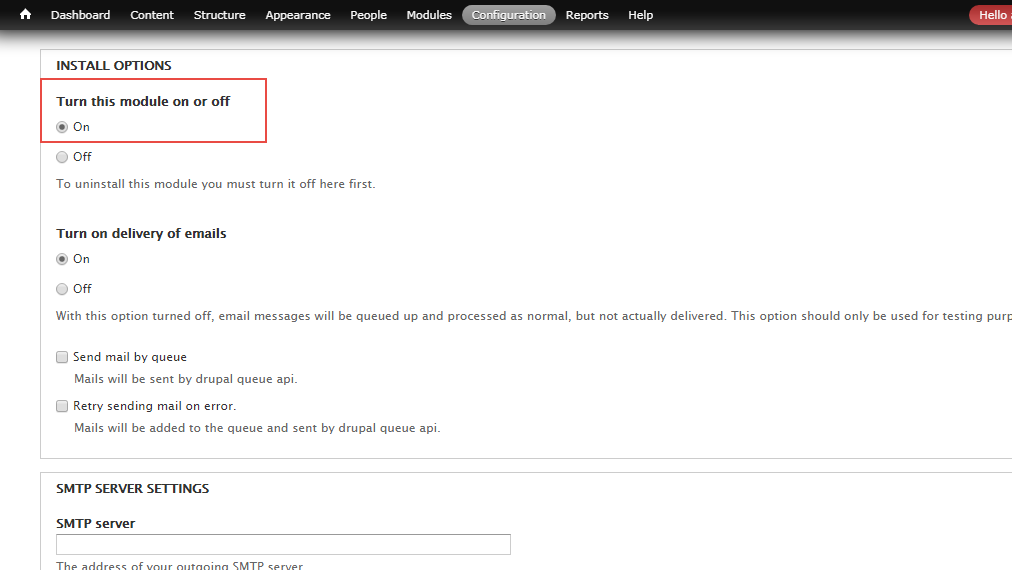
Figure 2: Turning On the Module
-
In the SMTP server settings section, provide the outgoing SMTP Server address in the SMTP server text box and provide the port number in the SMTP port text box.
Backup Server is optional; it may be left blank.
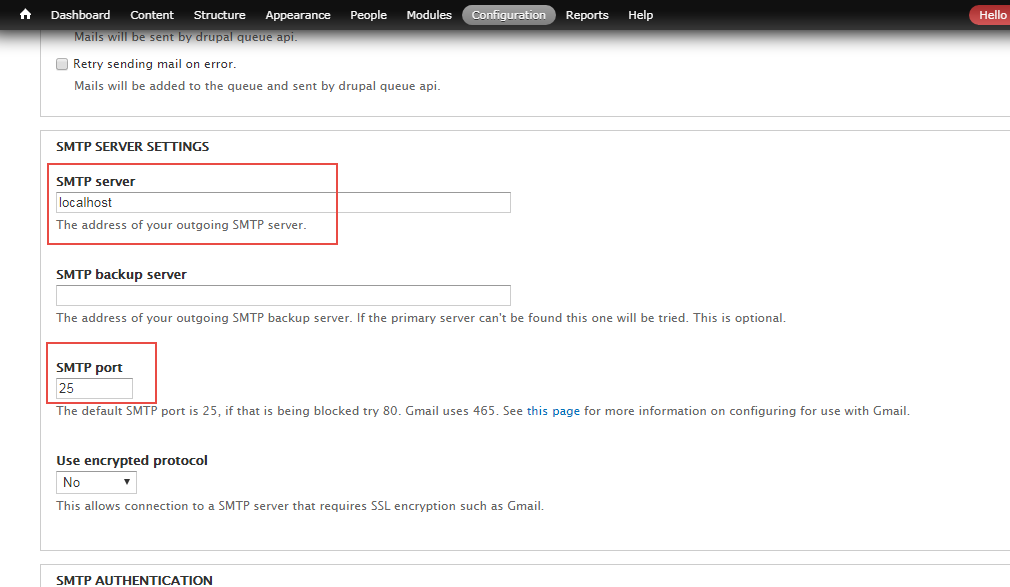
Figure 3: Providing SMTP server name and Port number
-
Provide a valid email in the E-mail address to send a test e-mail to text box under SEND TEST E-MAIL section to test if the configuration was successful.
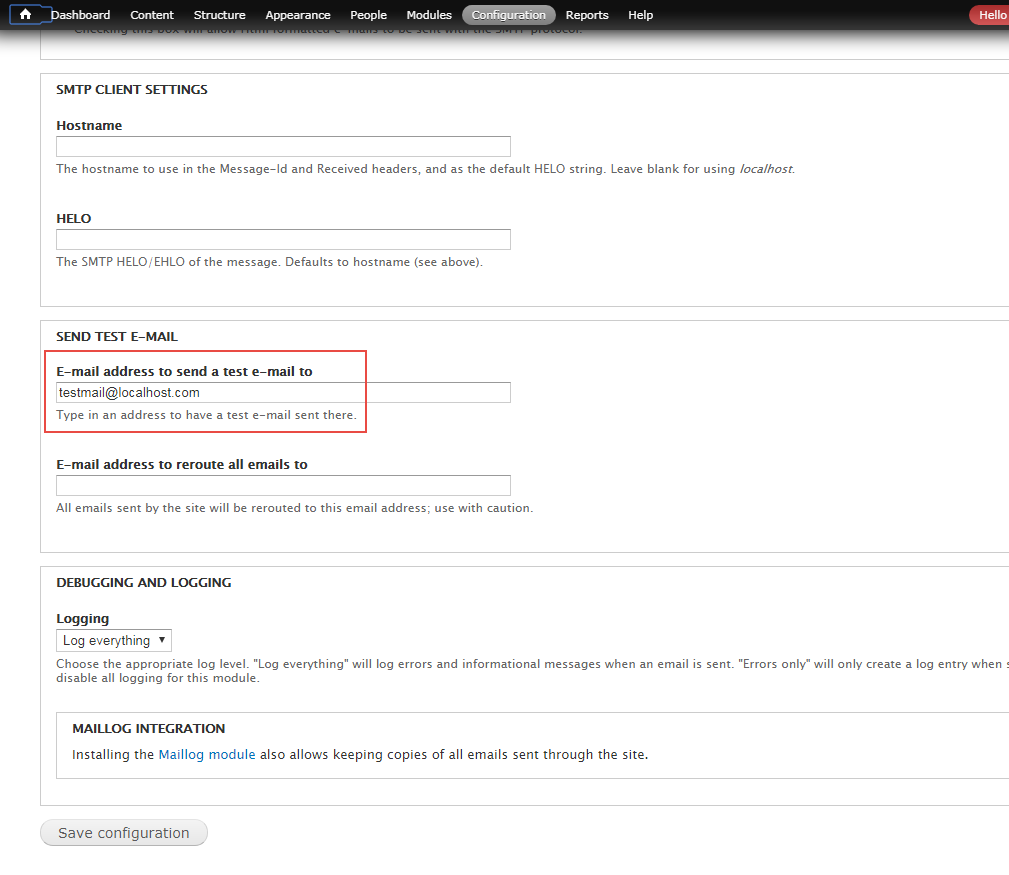
Figure 4: Providing a valid email address to test the configuration
-
Click Save Configuration. If the test mail is successfully received, it implies that the SMTP server is ready to send emails.