
Time Based Access policy is used to configure to allow the client/developer to access the resources in the given time interval. The policy can be attached in the Proxy Request to immediately check the configured session to allow or deny the client request.
Configuration
The properties that have to be configured to use the policy are described below.
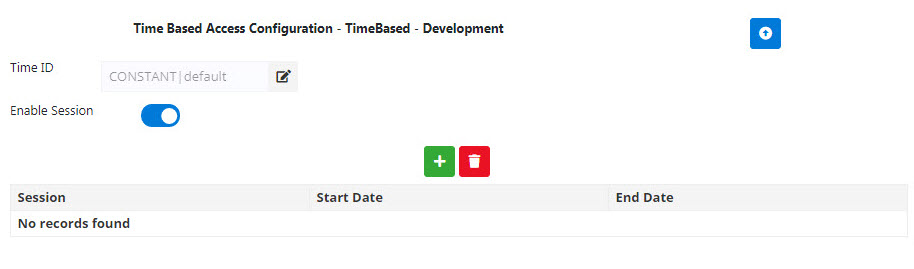
Figure 1: Time Based Access Policy Configuration properties
To add session details, click the Add 
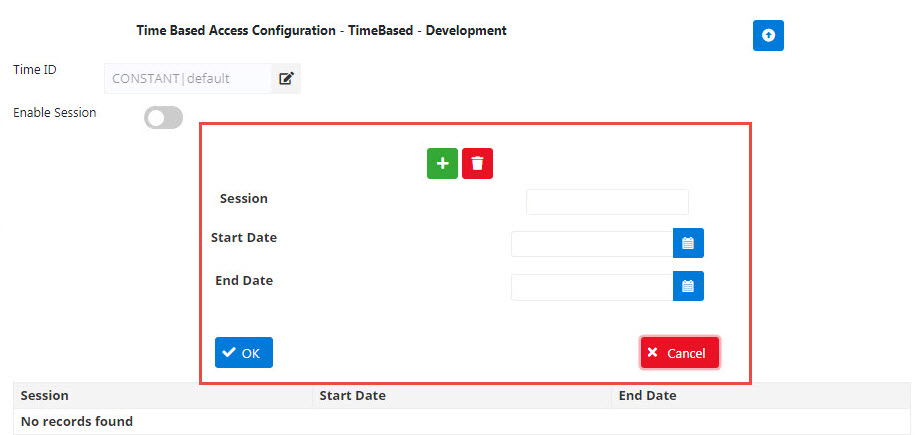
Click the OK icon after adding values.
|
Property |
Description |
|
Enable |
Enabling this allows the client/developer to access the resources. |
|
ID Identifier |
Each application requires a unique identifier to be presented with each request. The identifier can be customized. It can be any HTTP header, query parameter, form parameter, or message content that is unique to each consumer application. |
|
Session |
Provide a name for the session. |
|
Start/End Date |
The date from and to which a client has to be allowed/denied the request. The date format is YYYY-MM-DD HH:MM:SS |
Example
-
Enable: Disabled
-
ID Identifier: Context Variable
-
Access Sessions:
-
Session Name: Session1
-
Start Date: 2018-09-25 00:00:01
-
End Date: 2018-09-25 23:59:59
-
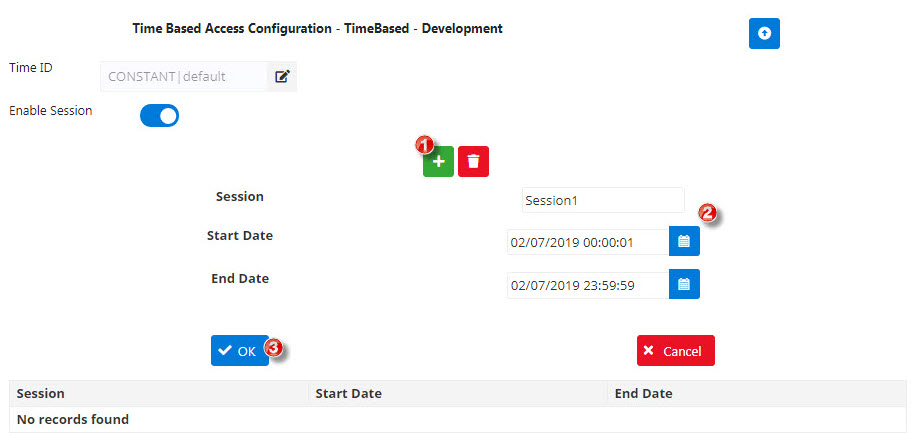
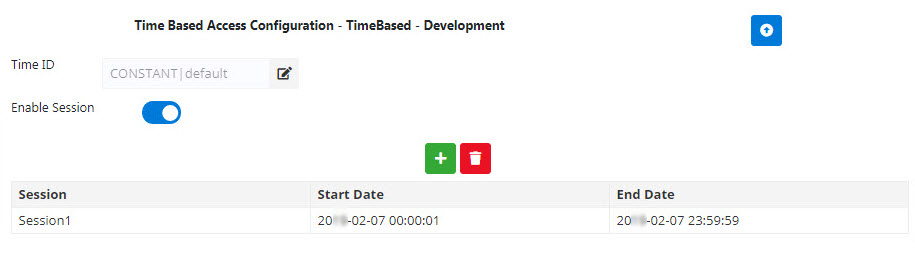
Figure 2: Time Based Access Policy configured with values as provided in the example
Response

Figure 2: Response to the values provided when the project is deployed