
The Forum module helps to create threaded discussion boards, which allows community members to interact with one another.
Creating Forums for Individual APIs
Administrators can create Forums for individual APIs (need a better description)
-
Login as administrator and click the Structure option in the Menu bar and then click Forums.
Clicking the Add forum option at this point also works.
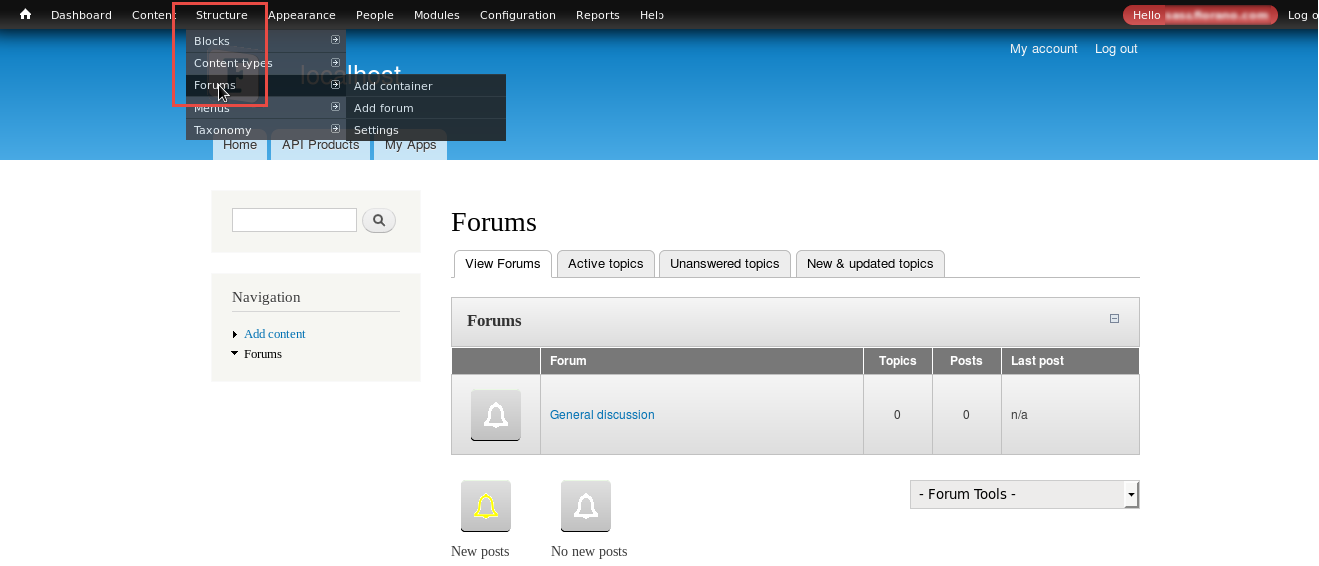
Figure 1: Navigating to the Forums section
-
Click the Add Forum link in the Forums page.
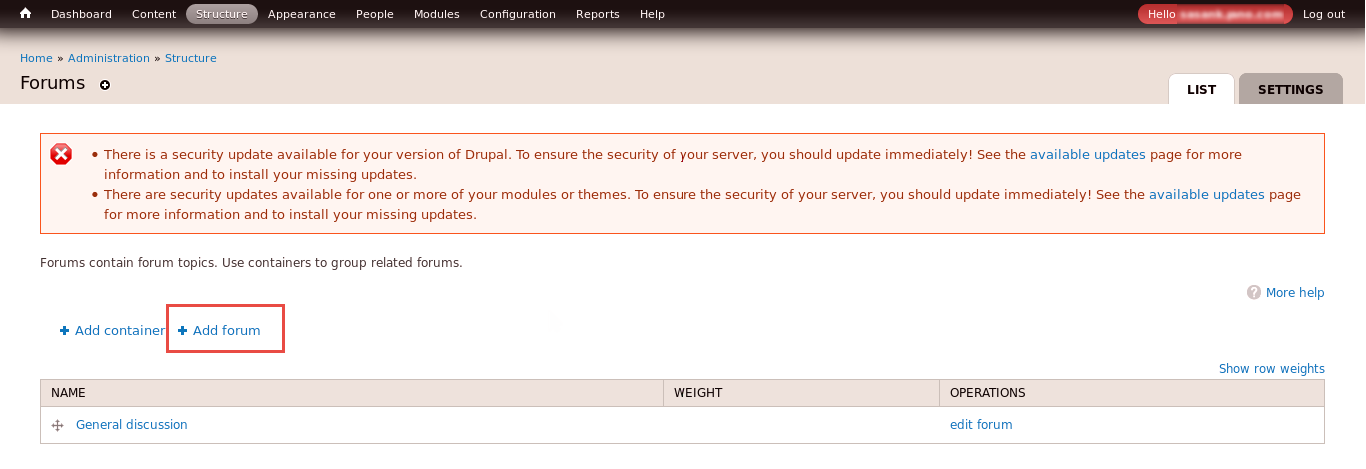
Figure 2: Adding a forum
-
Enter the name of the API in the Forum name text box, set the location in the Parent drop-down (<root> for the top level) and save the changes.
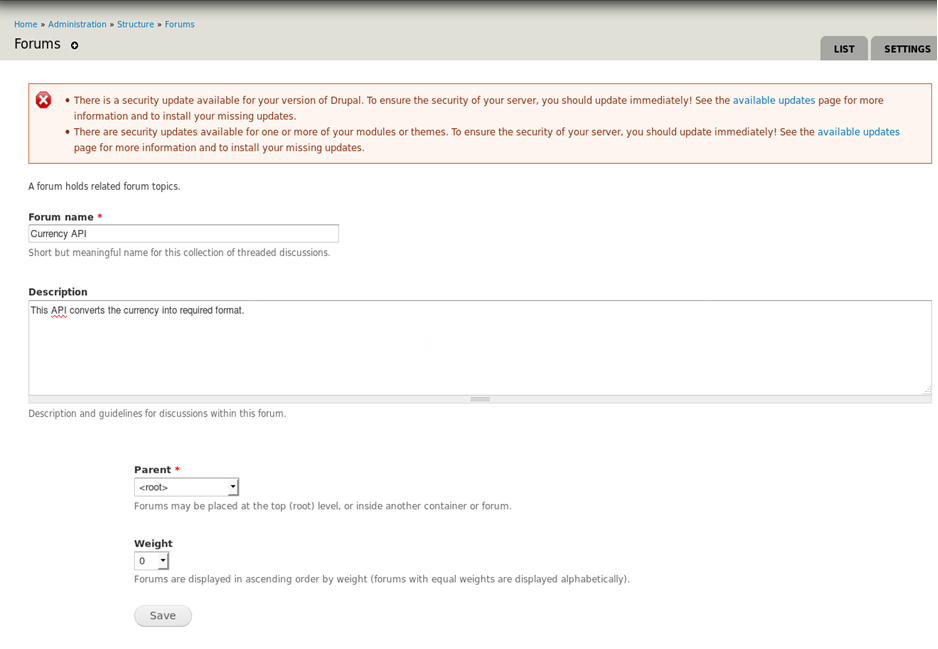
Figure 3: Adding the Forum name with the location
After the creating a forum, users can start topics related to it once users are authenticated by the administrator to add topics.
Providing Authenticated User permissions by the administrator
The forum will be accessible to authenticated users only after the administrator configures necessary permissions. To enable an authenticated user to access forum, perform the following actions:
-
Login to the Developer Portal Drupal using the admin credentials.
-
Click the Modules option from the Menu bar.
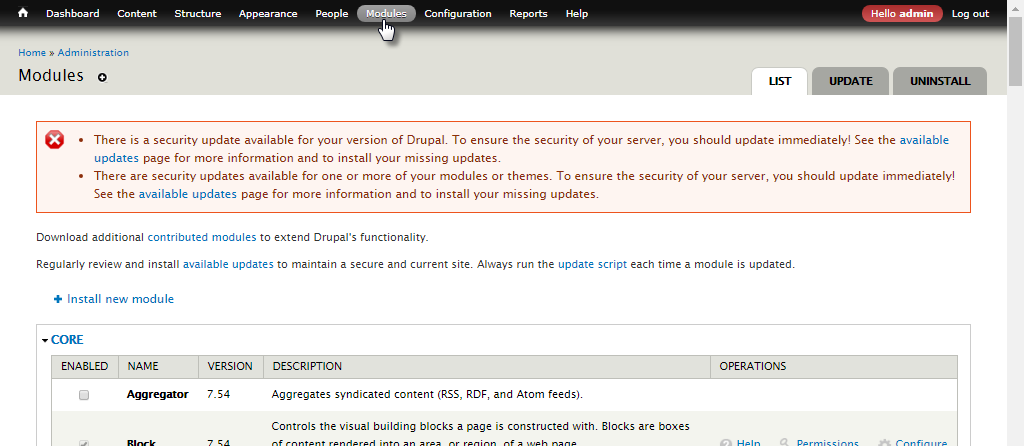
Figure 4: Modules section in the admin portal
-
Go to the ADVANCED FORUM section and click the Permissions link.
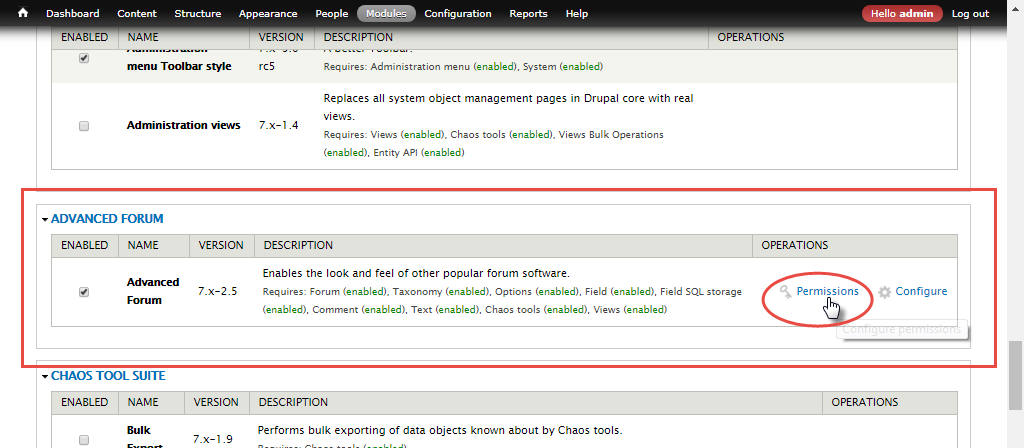
Figure 5: Navigating to the Permissions section
-
In the Permissions tab, enable all AUTHENTICATED USER options
-
under the Advanced Forum section.
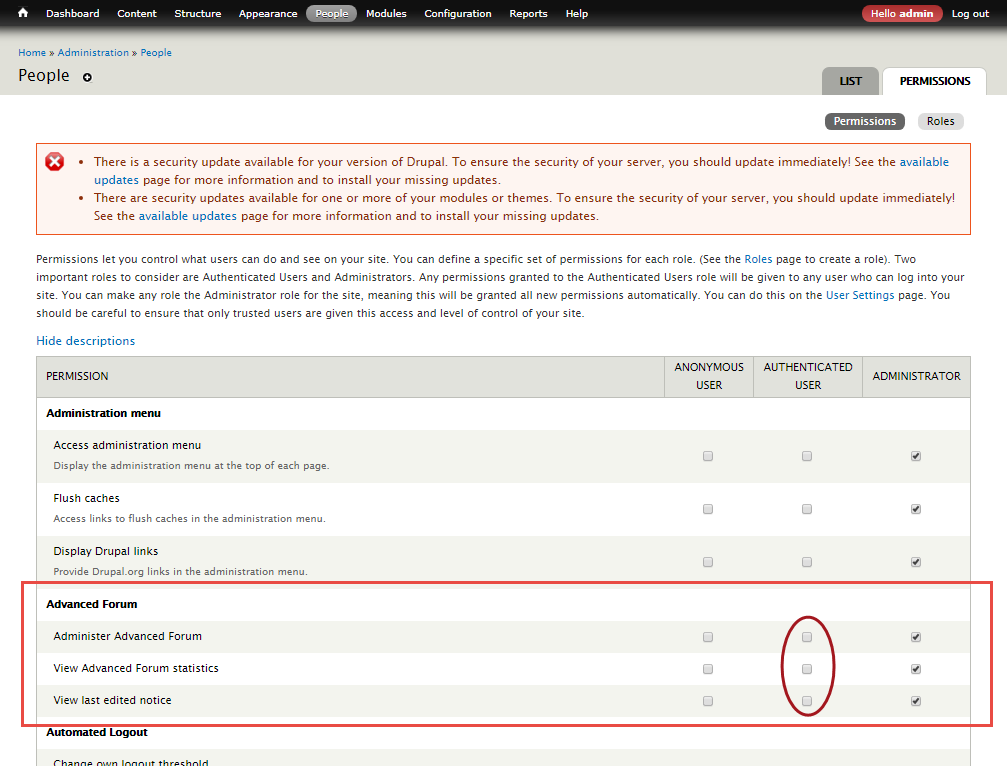
Figure 6: Enabling the Advanced Forum options for the authenticated user
-
with the prefix "Forum topic" under the Node section.
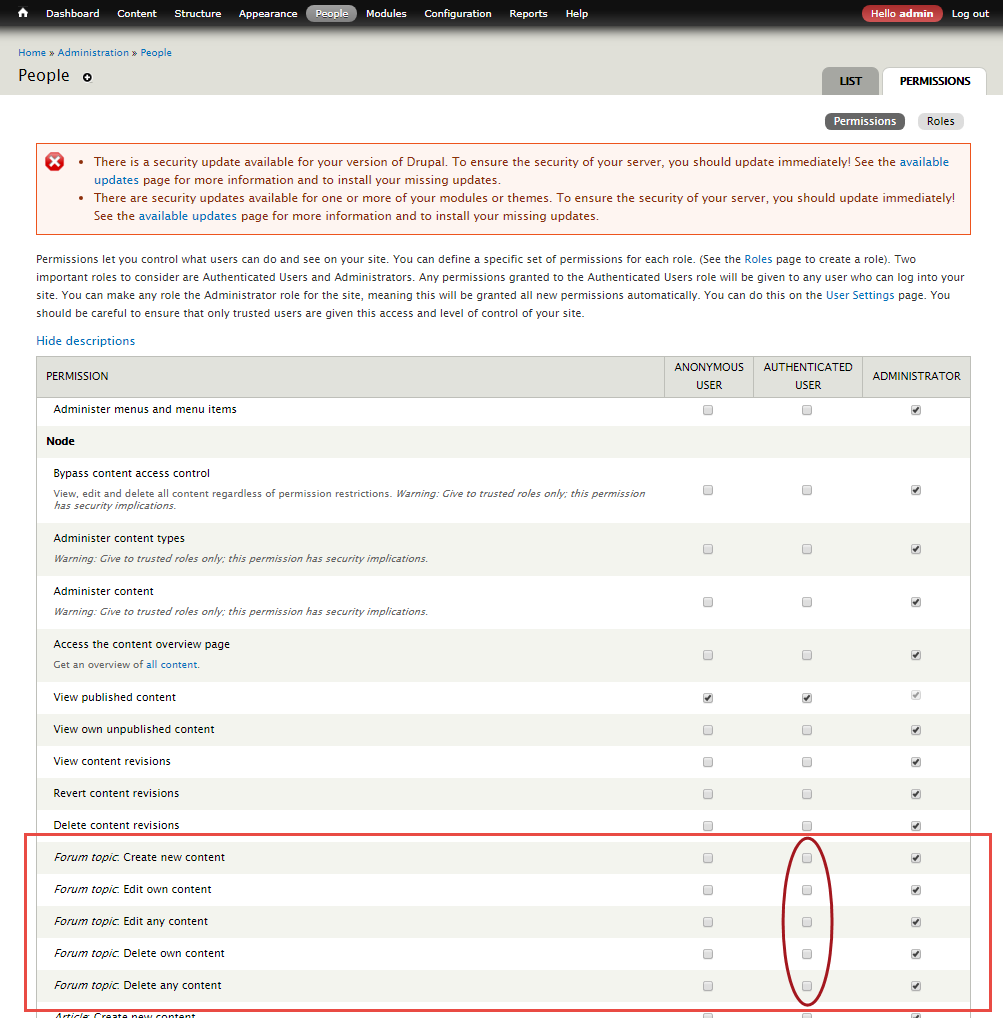
Figure 7: Enabling options to work with the forum content
-
-
Click the Save Permissions button present at the lower-left part of the page.
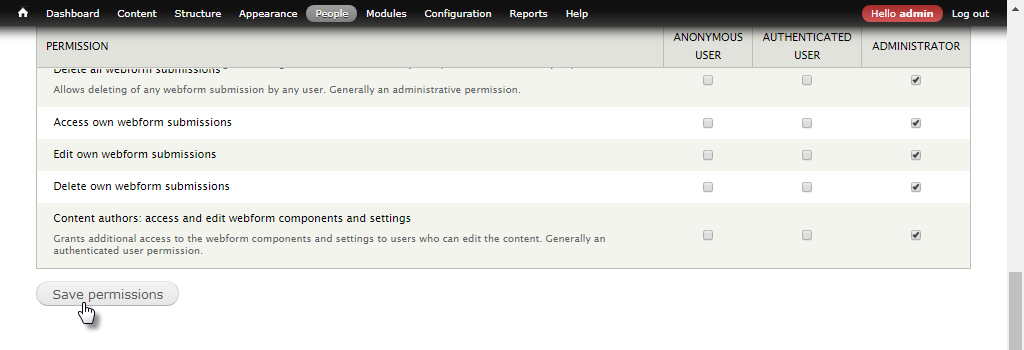
Figure 8: Saving the Authenticated User configuration
Notice the acknowledgment confirming the saved changes.
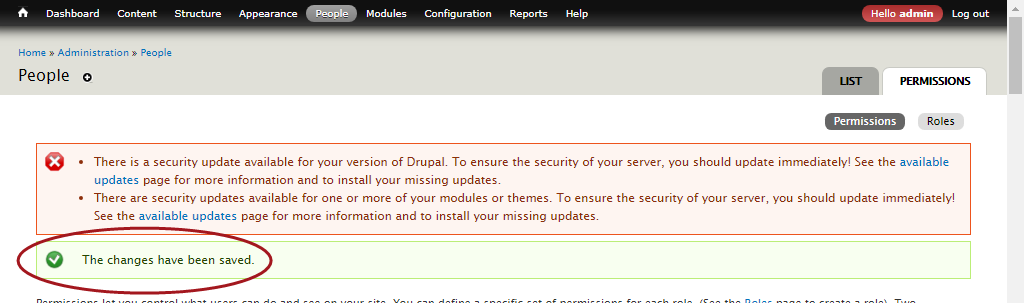
Figure 9: Message confirming changes made
Authenticated User working with the Developer Portal Forum
After providing permissions for users who are authenticated by the administrator, users will be able to interact using Fiorano Developer Portal Forum.
To work with the forum, perform the following actions:
-
Log out from the admin login and log on with the user credentials, and click the Forum link in the left navigation panel to open the Forum section.
.png?cb=4886acc4e4e75c9079cf3644252bb10b)
Figure 10: Forum page in the authenticated user portal
-
Provide the following and click Save to post content in the forum.
-
topic heading in the Subject text box.
-
content in the Body text area.
Before publishing the content, the Preview button helps to have a preview of the content as it appears on the forum.
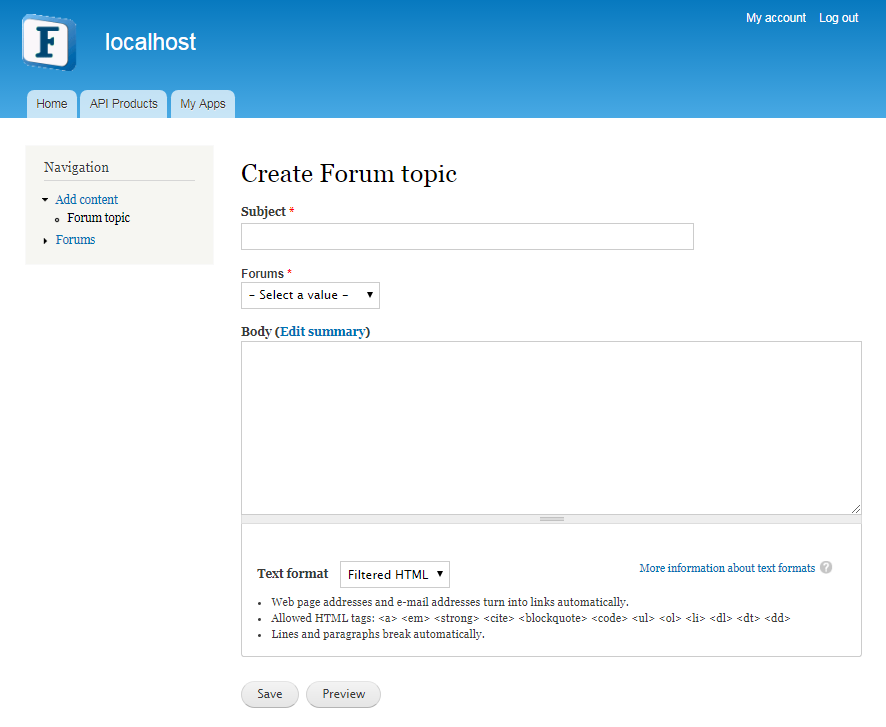
Figure 11: Adding content to the forum
-