
Joint Profile for API and ESB
To clear the database of the API (AMS) and ESB (FES) combined profile, double-click the clearDBServer.bat file present in the <fiorano_installation_dir>\esb\server\bin folder or browse to this location and execute the script in the following format:
clearDBServer.bat/.sh -mode fes -profile <profilename>
The following operations are available when this script is executed from which you may choose the option of your preference:
|
Operation |
Description |
|
1. File BasedDatastore |
Clears the local cache of the combined profile API Management Server Deletion of file-based data store clears the server's file based store leading to the profile not being able to be identified as API or ESB. So consider deleting the File-based datastore as the last choice. |
|
2. Admin Datastore |
Clears the admin objects, that is, JMS Connection factories, queue and topic destinations, status of running Event Processes and component instances, status of deployed API Projects etc for the combined profile server. |
|
3. Peer Repository |
Clears all the fetched combined gateway server profiles from combined API Management Server's runtimedata. |
|
4. Events Database |
Clears the Events Database using the configurations provided in eventsdb.cfg file present under: <fiorano_installation_dir>/esb/server/profiles/<profilename>/FES/conf directory. |
|
5. SBW Database |
Clears the SBW database using the configurations provided in the sbwdb.cfg file present under: <fiorano_installation_dir>/esb/server/profiles/<profilename>/FES/conf directory.
|
|
6. Events Persistent Database Cache |
Clears the temporary persistent datastore of system events. |
|
7. SBW Persistent DatabaseCache |
Clears the temporary persistent datastore of SBW events. |
|
8. SBW Call Out Persistent DatabaseCache |
Clears the temporary persistent datastore of SBW Callout events. |
|
9. Backlog Persistent DatabaseCache |
Clears the temporary persistent datastore of backlog events. |
|
10. YAWL Database |
Clears the YAWL Database for the combined profile API Management Server |
|
11. Analytics Database |
Clears the AMS Analytics database using the configurations provided in the <environment>_apidb.cfg file present under the <fiorano_installation_dir>/esb/server/profiles/<APIprofilename>/<mode>/conf directory. |
|
12. Analytics Persistant Database Cache |
Clears the temporary persistent datastore of analytics events. The API Management Server processes API analytics events and takes appropriate actions. Analytics events are primarily queued up before being inserted into an external database. Events are temporarily stored in persistent database that is created during runtime data of the API Management Server. After an event has been processed, it gets deleted from the temporary store. If these events are not able to be processed, the temporary datastore may grow to occupy a large amount of disk-space. |
|
13. All |
Clears all twelve of the above. |
Select the preferred number corresponding to the datastore that needs to be cleared.
Cassandra data needs to be cleared separately. In case deletion of products, clients and client subscriptions are needed, the cassandra keyspace (default value "API") needs to be dropped.
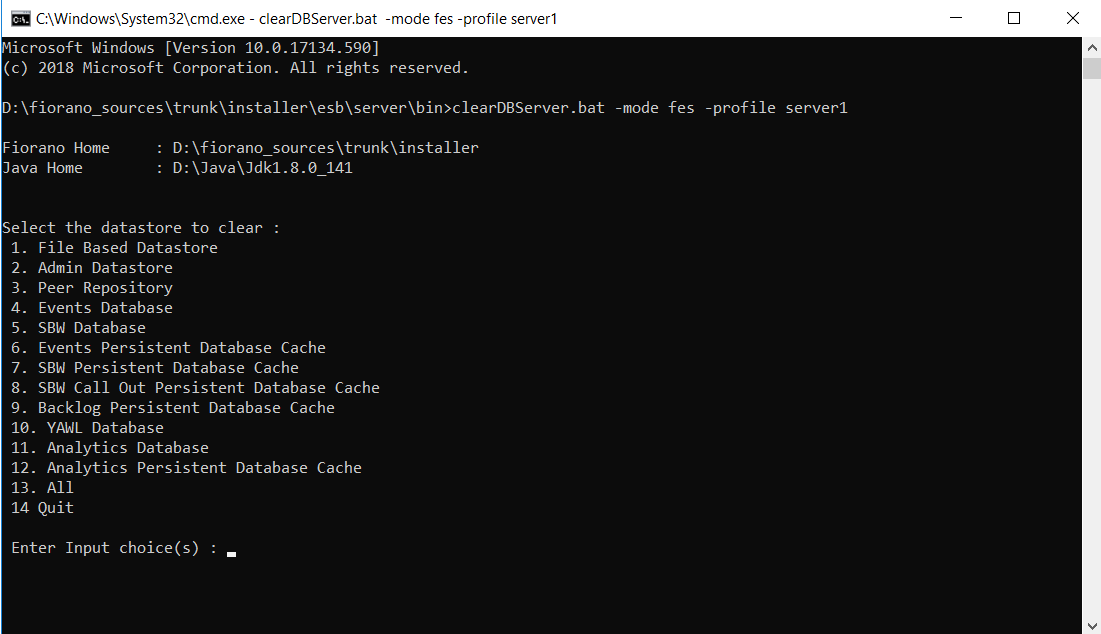
Figure 1: Options to clear datastore in the combine profile API Management Server
Ensure that the Enterprise Server and Management Server are shut down. If not, a message prompts to do the same.
AMS database
To clear the AMS database of a particular profile, double-click the clearDBServer.bat file present in the <fiorano_installation_dir>\esb\server\bin folder or browse to this location and execute the script in the following format:
clearDBServer.bat/.sh -mode ams -profile <profilename>
The following operations are available when this script is executed from which you may choose the option of your preference:
|
Operation |
Description |
|---|---|
|
1. File BasedDatastore |
Clears the local cache of AMS. Deletion of file-based data store clears the server's file based store leading to the profile not being able to be identified as API or ESB. So consider deleting the File-based datastore as the last choice. |
|
2. Admin Datastore |
Clears the admin objects, that is, status of deployed API Projects. |
|
3. Gateway Repository |
Clears all the fetched gateway server profiles from the gateway server runtimedata. |
|
4. Events Database |
Clears the Events Database using the configurations provided in eventsdb.cfg file present under: <fiorano_installation_dir>/esb/server/profiles/<profilename>/AMS/conf directory. |
|
5. Analytics Database |
Clears the AMS Analytics database using the configurations provided in the <environment>_apidb.cfg file present under the <fiorano_installation_dir>/esb/server/profiles/<APIprofilename>/<mode>/conf directory. |
|
6. Events Persistent Database Cache |
Clears the temporary persistent datastore of system events. |
|
7. Backlog Persistent database cache |
Clears the temporary persistent datastore of backlog events. |
|
8. Analytics Persistant Database Cache |
Clears the temporary persistent datastore of analytics events. The API Management Server processes API analytics events and takes appropriate actions. Analytics events are primarily queued up before being inserted into an external database. Events are temporarily stored in a persistent database that is created during runtime data of the API Management Server. After an event has been processed, it gets deleted from the temporary store. If these events are not able to be processed, the temporary datastore may grow to occupy a large amount of disk-space. |
|
9. All |
Clears all eight of the above. |
Select the preferred number corresponding to the datastore that needs to be cleared.
Cassandra data needs to be cleared separately. In case deletion of products, clients and client subscriptions are needed, the cassandra keyspace (default value "API") needs to be dropped.
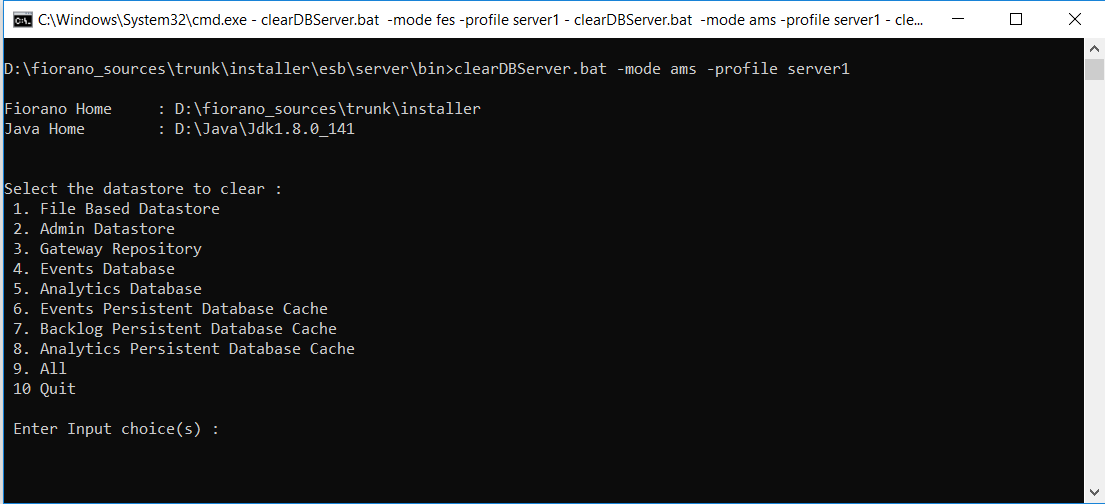
Figure 2: Options to clear datastore in the API management server
Ensure that the Management Server is shut down. If not, a message prompts to do the same.