
-
Open the profile for off-line editing through the Profile Manager. Right-click the Profiles node, and select Open Profile from the pop-up menu. Select the FioranoMQ profile, and click on the Open button.
-
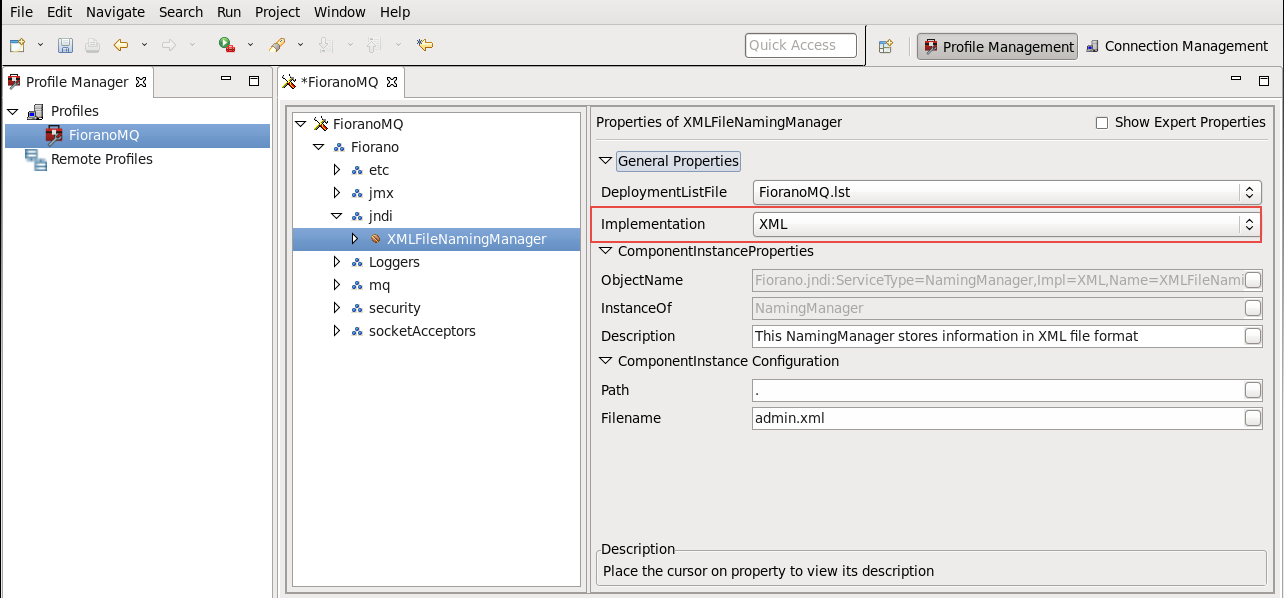
Navigate to the instance of XMLFile NamingManager, under the jndi node, in the FioranoMQ hierarchy.
-
In the Properties of XMLFileNamingManager pane, change the Filename property to the desired value, as shown in the figure below.
-
In the Properties of XMLFileNamingManager pane, change the Path property for the XML file.
-
Right-click on the FioranoMQ node, and select Save from the pop-up menu