
The Sleep component is used to induce a specified delay in the flow of execution of an event process. The component holds the message in memory for the said amount of time and sends it to the output port.
Configuration
Component Configuration
Custom configurations can be made in the Sleep Configuration Property Sheet (CPS).
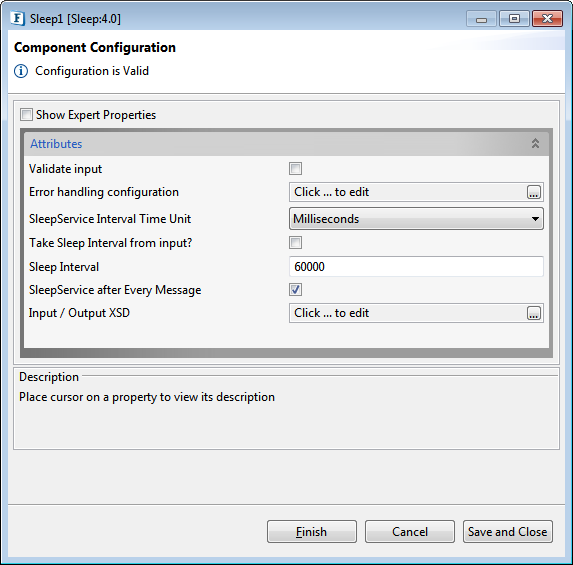
Attributes
Sleep component has the following properties in its Configuration Property Sheet.
Validate Input
If this attribute is enabled, the service tries to validate the input received. If disabled, service will not validate the input. For more details, refer Validate Input section under Interaction Configurations in Common Configurations page.
Performance increases Validate Input option is disabled, but it may cause undesired results in case the input XML is not valid.
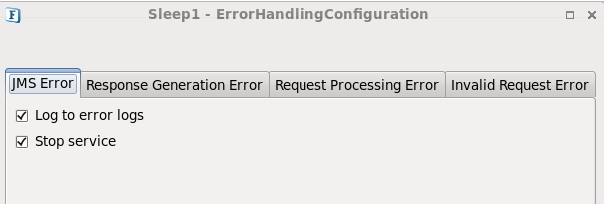
Error handling configuration
The remedial actions to be taken when a particular error occurs can be configured using this attribute.
Click the ellipsis button against this property to configure Error Handling properties for different types of Errors. By default, the options Log to error logs, Stop service and Send to error port are enabled.
Refer Error Handling section in Common Configurations for detailed information.
SleepService Interval Time Unit
Specifies the unit in which the SleepService Interval time duration is specified. The unit options are:
-
Milliseconds
-
Seconds
-
Minutes
-
Hours
-
Days
Take Sleep Interval from input?
If enabled, the sleep interval will be taken from the Message Property "Sleep Time" of the Long type.
If the sleep interval is not specified in the header property, then the value provided in this panel will be used.
SleepService Interval
Specifies the time duration after which the flow of execution will be allowed to leave this component.
SleepService after Every Message
Specifies whether a sleep delay is to be induced after every message received.
If this property is enabled, then every message received sleeps for the specified duration; if disabled, the message will only sleep for the following time:
(specified interval – (current time – message received time))
Input/Output XSD
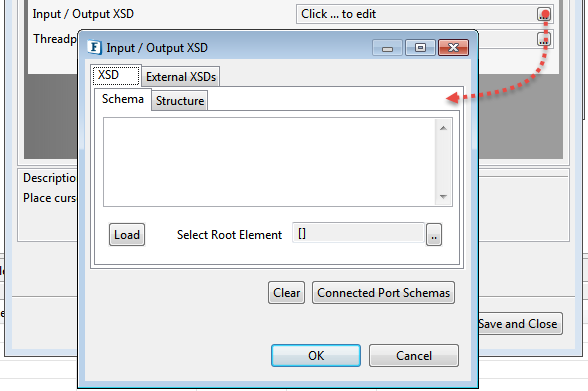
Specifies the XSD schema for the IN_PORT / OUT_PORT ports. If you provide the XSD, it is only set on the ports so that it can be used during transformations. This is not used by the component during execution.
Expert Properties
Enable the Expert Properties view to configure these properties.
Expert properties are meant for advanced users; use with caution.
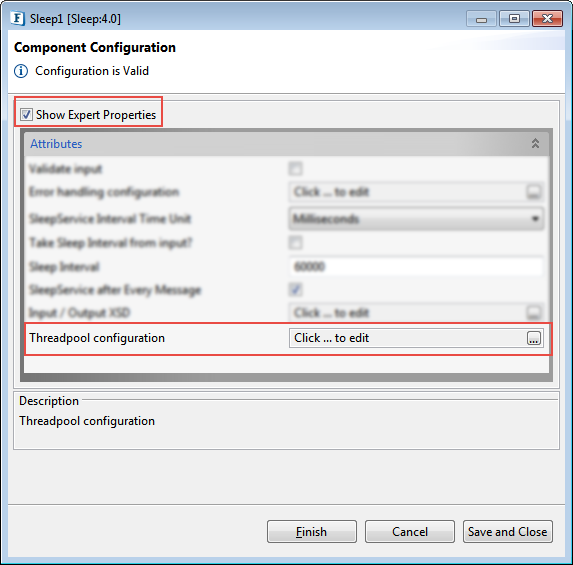
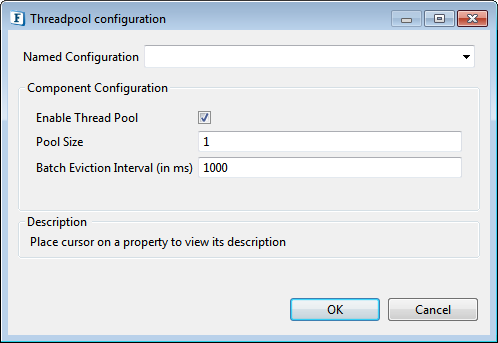
Threadpool Configuration
This property is used when there is a need to process messages in parallel within the component, still maintaining the sequence from the external perspective.
-
Limit the usage of the Threadpool Configuration property only in circumstances as mentioned above.
-
If sequential processing is not required, please use sessions on the input port.
Click the Threadpool Configuration ellipsis button to configure the Threadpool Configuration properties.
Functional Demonstration
Scenario
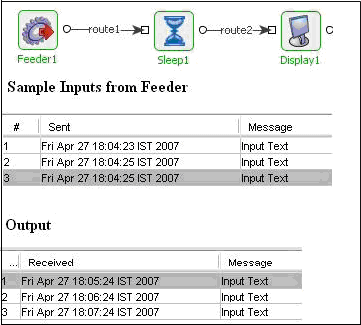
Simple flow demonstrating the basic functionality of Sleep.
Configure the Sleep component as described in the Configuration section and use feeder and display component to send sample input and to check the response respectively.
The Sleep adapter is configured to sleep after every message for an interval of 60,000 milliseconds. Check the time of the messages in Feeder and Display components in the attached screenshots.
Useful Tips
If the property SleepService after Every Message is enabled, then every message received sleeps for the specified duration; if disabled, the message only sleeps for specified interval - (current time - message received time).