
The SAPR3 connects and executes the various services deployed on the SAP system. This bridge receives a request XML and executes SAP BAPIs and RFCs. Every component instance can be customized to access any BAPI using the BAPI browser which allows you to choose any BAPI (pre-built and custom-built) by browsing the business objects in the SAP repository.
Points to Note
The following third-party files need to be downloaded to use this component in the Windows Operating System.
-
sapjco.jar
-
librfc32.dll
-
sapjcorfc.dll
The files can be downloaded from the SAP Service Marketplace. The following URL may be used to navigate to the third-party website from where these files can be downloaded: http://service.sap.com/.
After downloading the files, you need to add them as resources to the SAPR3 component.
Configuration and Testing
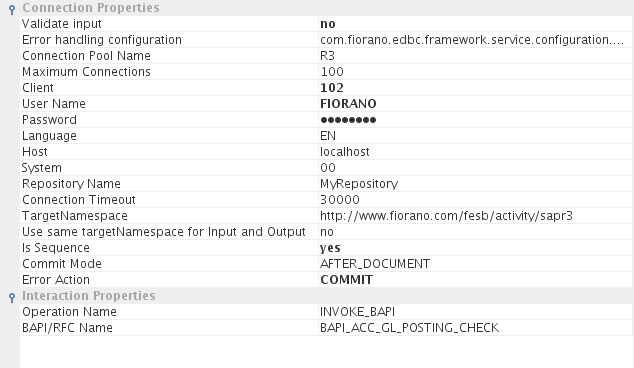
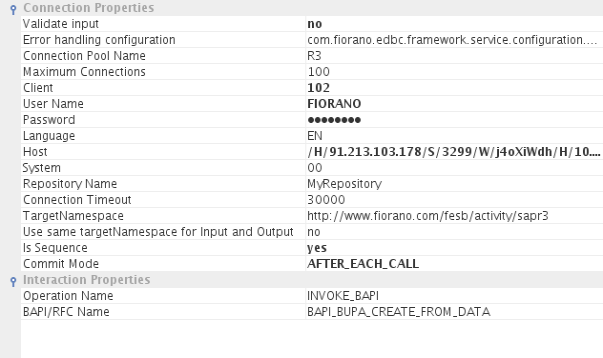
Connection Properties
-
Connection Pool Name: Name of the pool from which to take the connection (used by Pool Manager).
-
Maximum Connections: max. number of connections allowed for the pool.
-
Client: SAP Logon Client.
-
User Name: SAP Logon user.
-
Password: SAP Logon Password.
-
Language: SAP Logon Language.
-
Commit Transaction: If yes, it commits the transaction after each request.
-
Host: Host name of the application server.
-
System: SAP system number.
-
Repository Name: SAP Repository Name.
-
Connection Timeout: Socket connection timeout value in milliseconds. This is the time duration (in milliseconds) for which the component waits while trying to establish a connection with the SAP server.
-
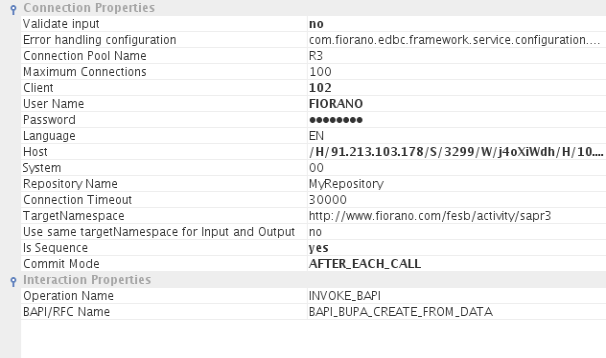
Is Sequence: If set to Yes, multiple inputs can be sent from a feeder.Nothen only one input sent will be processed.
-
Commit Mode: Enabled only when "Is Sequence" is set to Yes. It supports AFTER_DOCUMENT, AFTER_EACH_CALL & NONE
-
AFTER_DOCUMENT: Transaction is Committed after all the inputs are processed.
-
AFTER_EACH_CALL : For each input call, the transaction gets committed.
-
NONE : Transactions are not committed.
-
-
Error Action: Enabled only when "AFTER_DOCUMENT" is set as Commit Mode. If set to ROLLBACK, it rollbacks all the transactions if any error occurs while processing multiple inputs. If set to COMMIT, then it commits all transactions till it processes all inputs or till it gets an error for any of the inputs.
-
Use same targetNamespace for Input and Output: Select this to set the same target namespace for both input and output schemas. Otherwise /IN(Input Schema), /OUT(Output Schema) will be appended to targetNamespace provided
Interaction Properties
Operation Name: Operations that need to be called upon the SAP System can be configured here. The operations SEND_IDOC & INVOKE_BAPI can be selected from the drop-down list.
INVOKE_BAPI
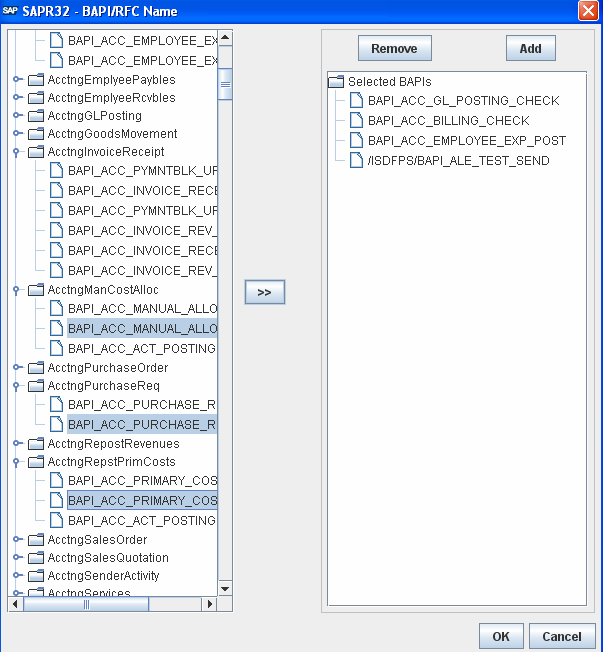
BAPI/RFC Name: When you click the ellipses button, a dialog box appears from which you can select multiple BAPIs. For each BAPI selected, input and output ports are generated with their names as "<BAPI NAME>_IN", "<BAPI NAME>_OUT".
Multiple BAPIs can be entered manually semi-colon separated. Refer to the Functional Demonstration section for an example.
SEND IDOC
-
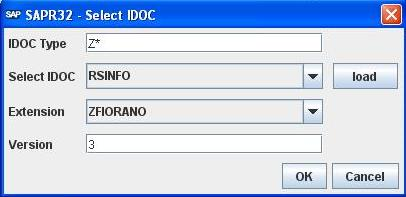
Select IDOC: When you click the ellipses button, a dialog box appears asking for IDOC TYPE, Version, and a load button that loads IDOCs of the type mentioned.
-
IDOC Type: Accepts wildcards '%' and '*', to fill all IDOCs in the drop-down list. You may also enter IDOC Type. After entering wildcards/IDOC Type press the load button to populate the drop-down with IDOCs of the desired IDOC Type. For IDOC Type selected, input and output ports are generated with their names as "<DOC TYPE>_IN", "<DOC TYPE>_OUT".
-
Select IDOC: Select IDOC from the drop-down list.
-
Extension: Provide the extension name for basic IDOC, if needed.
-
Version: Enter the version of IDOC.
Functional Demonstration
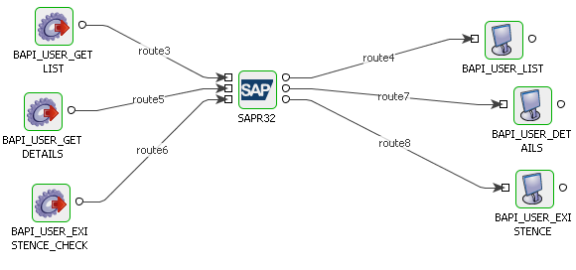
This flow contains the SAPR3 component configured to perform three calls to the SAP System, i.e., to fetch the User list, check the existence of a particular user, and get details of a user.
Scenario 1
SAPR3 Component with multiple BAPIs support.

Scenario 2
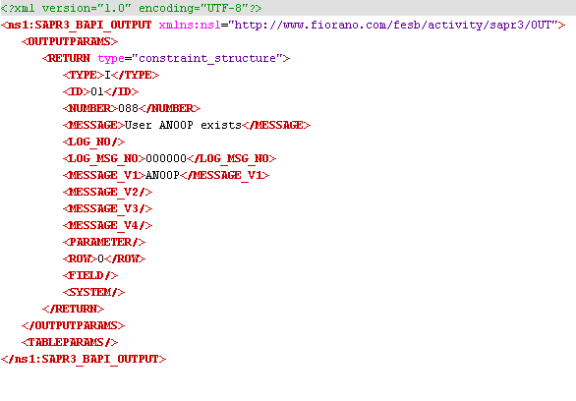
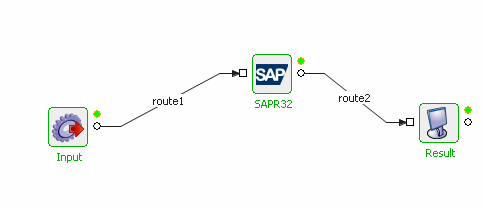
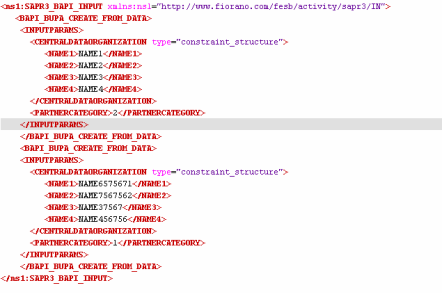
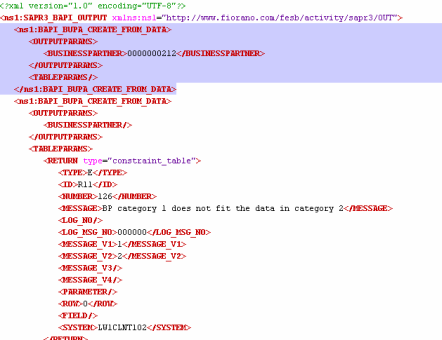
SAPR3 Component with multiple inputs for single BAPI.
Useful Tips
After migration, save the route transformations present on the routes connecting the SAPR3 component before reconfiguring the component.