
The SAPB1 component can be used to perform operations on the SAP Business One ERP solution. Using these four versions of components, operations can be performed on the corresponding version of SAP Business One. Currently SAPB1 component supports simple select, insert, update, upsert (update/insert), and delete operations for the following business objects.
-
Business Partners
-
Orders
-
Items
-
Price Lists
-
Credit notes
-
Delivery notes
-
Invoices
-
Purchase Credit Notes
-
Purchase Delivery Notes
-
Purchase Invoice
-
Purchase Orders
-
Purchase Returns
-
Quotations
-
Delivery Notes Return
-
Receipts Incoming Payments
-
Journal Entries
-
Payments to Vendors
-
Stock Transfer
-
Product Trees
-
Production Order
-
Chart of Accounts
-
Inventory General Entry
-
Inventory General Exit
-
Down Payments
-
Draft
-
Payments Draft
-
Purchase Down Payments
-
Sales Tax Invoice
-
Purchase Tax Invoice
The SAPB1 component requires the credentials of the company to be connected as part of the configuration. These details along with the chosen business object type and operation are used to connect to the company and fetch the schema which is required to perform the operation.
Points to Note
-
This component cannot be launched in-memory of the peer server.
-
This component requires a SAP Business One client environment installed on the machine where the peer server is running.
-
This component requires Microsoft .NET Framework 3.5 or above installed on the machine where the peer server is running.
Configuration
The component can be configured using the properties in the Custom Property Sheet (CPS) shown in the figure below.
Connection Configuration
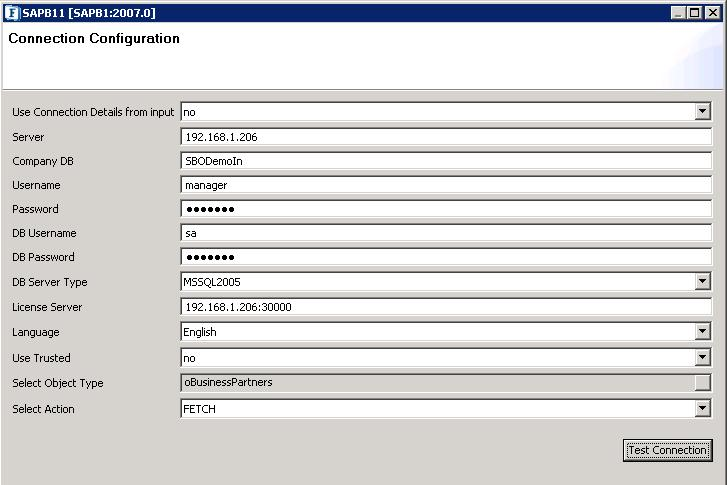
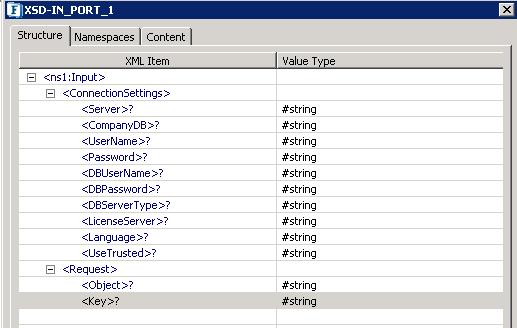
Use Connection Details from input: Select "yes" to use connection details provided in the input request message or "no" otherwise.
The component has to be configured with any server details to connect even when "Use Connection Details from input" is set to "yes" to populate the schema on input/output ports. But during run-time, connection details provided in the input message only will be used.
Server: Name of the machine where SAP Business One Company server is present.
Company DB: Name of the SAP Business One company database.
UserName: SAP Business One user login name.
Password: SAP Business One user password.
DB UserName: SAP Business One company database's user name required as part of SQL server authentication.
DB Password: SAP Business One company database's password required as part of SQL server authentication.
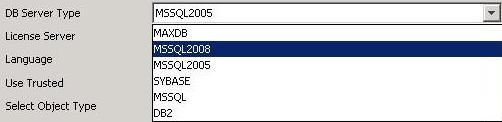
DB Server Type: Server type of SAP Business One company database.
License Server: Machine name of SAP Business One License server along with the port number of sub-license server (e.g. localhost:30000).
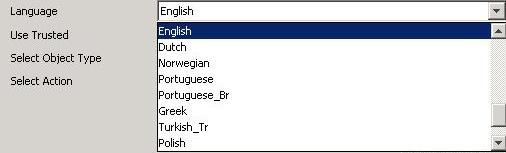
Language: Language of SAP Business One data.
Use Trusted:
-
yes: To use Windows authentication in the SQL server.
-
no: To use the SQL server's login credentials for authentication.
Select Object Type: Business object type on which the operation has to be performed.
Select Action: The operation which has to be performed on the selected business object type.

Error Handling Configuration
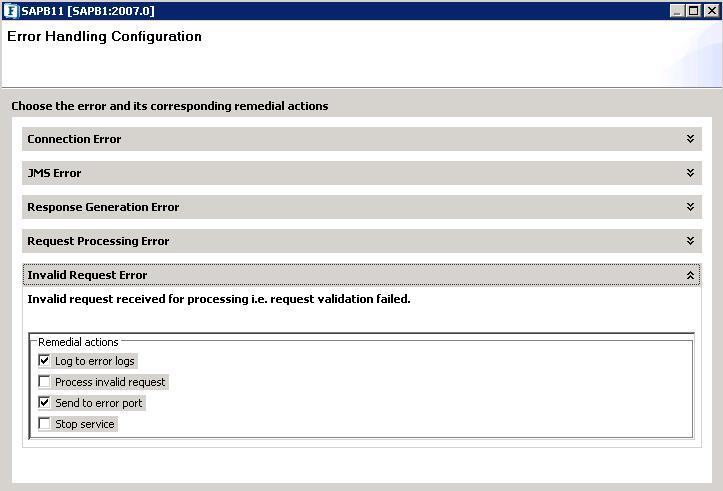
Details of these configurations can be referred to in the Common Component Configurations section.
Schema Generation
The schemas are automatically generated for the ports based on the configuration.
Request Schema
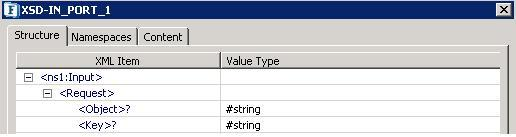
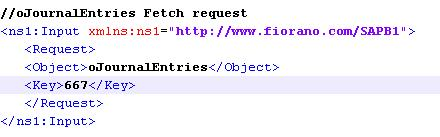
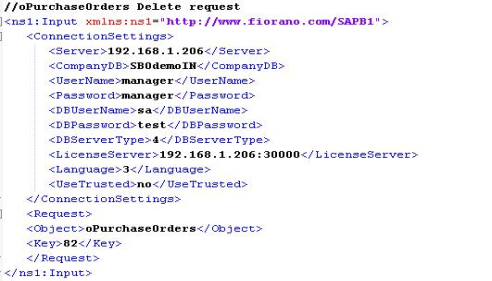
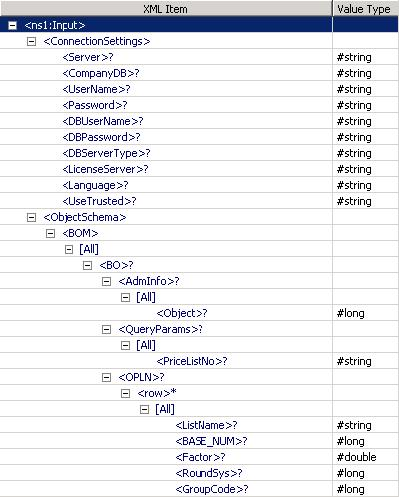
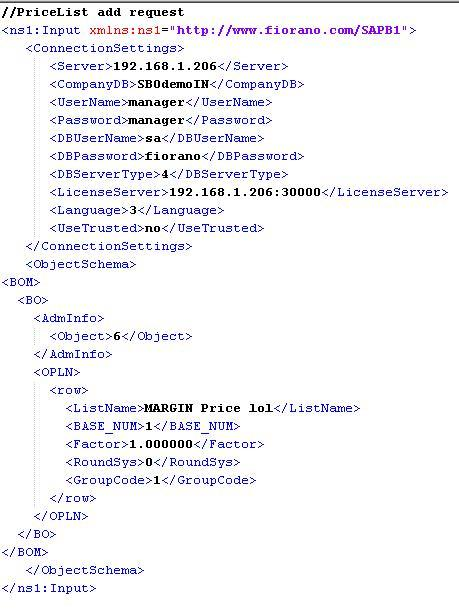
The input schema is auto-generated based on operation, the business object selected, and the property "Use Connection Details from input" as shown below.
Response Schema
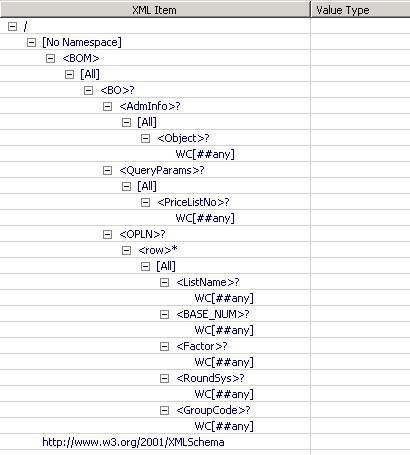
The output schema is auto-generated based on operation, business object is selected as shown below.

Testing
After the SAPB1 component is configured, the connection to the SAP Business One company database can be tested using the Test Connection button.
Functional Demonstration
Scenario
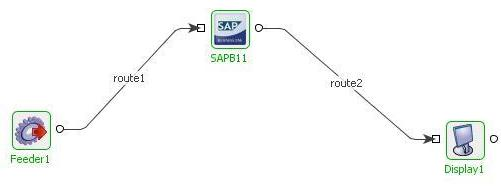
Add a new Price List to the SAP Business One company database and display the response.
Configure the SAPB1 component as described in Configuration section and use the Feeder component configured with the schema fetched from the connected port of SAPB1 to send input requests and use the display component to check the response.
Sample Input
<?xml version="1.0" encoding="UTF-8"?>
<ns1:Input xmlns:ns1="http://www.fiorano.com/SAPB1">
   <ConnectionSettings>
      <Server>192.168.1.206</Server>
      <CompanyDB>SBOdemoIN</CompanyDB>
      <UserName>manager</UserName>
      <Password>manager</Password>
      <DBUserName>sa</DBUserName>
      <DBPassword>fiorano</DBPassword>
      <DBServerType>4</DBServerType>
      <LicenseServer>192.168.1.206:30000</LicenseServer>
      <Language>3</Language>
      <UseTrusted>no</UseTrusted>
   </ConnectionSettings>
   <ObjectSchema>
      <BOM>
         <BO>
            <AdmInfo>
               <Object>6</Object>
            </AdmInfo>
            <OPLN>
               <row>
                  <ListName>MARGIN Price</ListName>
                  <BASE_NUM>1</BASE_NUM>
                  <Factor>1.000000</Factor>
                  <RoundSys>0</RoundSys>
                  <GroupCode>1</GroupCode>
               </row>
            </OPLN>
         </BO>
      </BOM>
   </ObjectSchema>
</ns1:Input>
Sample Output
<?xml version="1.0" encoding="UTF-8"?>
<ns1:Return xmlns:ns1="http://www.fiorano.com/SAPB1">
   <Key>9</Key>
   <Type>S</Type>
   <MessageCode />
   <Description />
</ns1:Return>
The returned response includes the key of the newly added business object, type S (Success) or E (Error) according to whether the operation is successful or not. If the operation fails, the corresponding Message code and description are returned.