
Users
Fiorano B2B access is limited to a certain set of Users and Groups. Adding and removing Members/Groups as well as access and modification permissions to a particular user/group can also be managed.
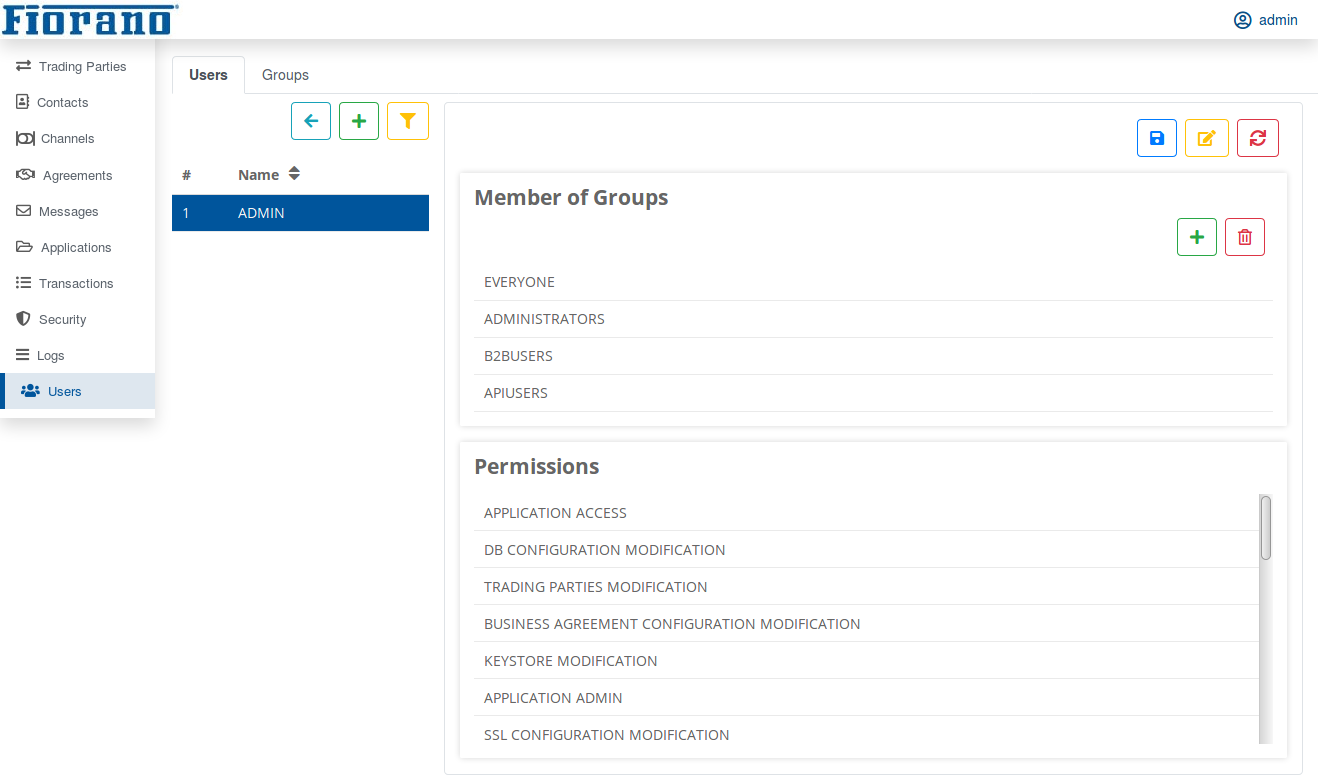
Example
Users in the group B2BAdminstrators can be assigned permission to redo failed Transactions and other users can be restricted to access only the transaction status.
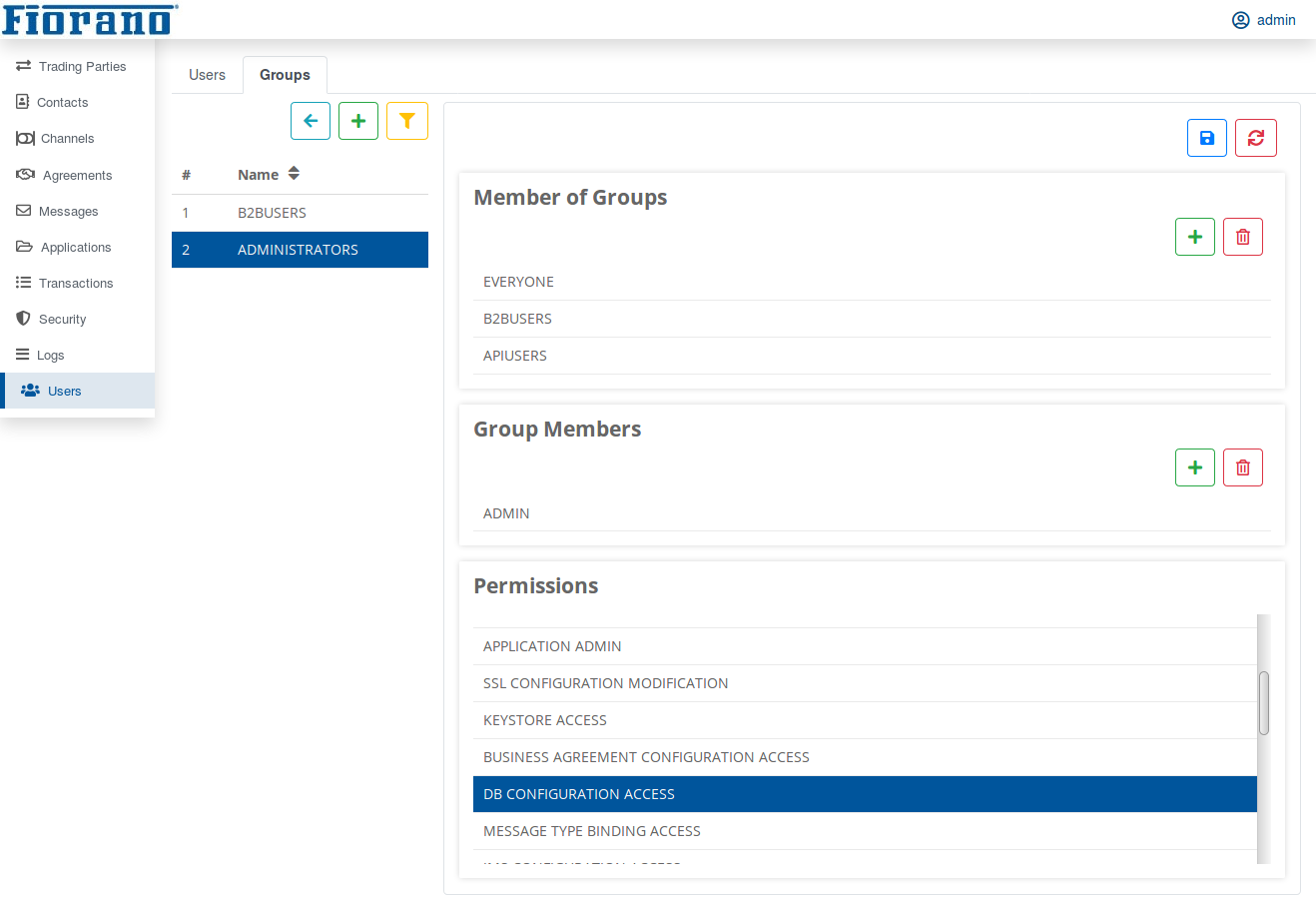
As getting familiar with the attributes present in the Fiorano B2B user interface, follow the step-by-step instructions present in B2B Quick Start Guide to try hands-on with Fiorano B2B.
List of Permissions
B2B Permissions
DB CONFIGURATION ACCESS and JMS CONFIGURATION ACCESS permission are provided to the new user by default.
Without these permissions, only the following sections are accessible:
-
application
-
logs
-
user
|
Permission |
Description |
|---|---|
|
B2B LOGIN |
To login to B2B dashboard |
|
APPLICATION ACCESS |
To view application |
|
APPLICATION ADMIN |
Start, stop, and restart application |
|
APPLICATION SAVE |
To save named configurations for DB configuration in B2B dashboard To save B2B applications |
|
BUSINESS AGREEMENT CONFIGURATION ACCESS |
To view agreements, message type bindings, and channels |
|
BUSINESS AGREEMENT CONFIGURATION MODIFICATION |
To add, save, and delete agreements |
|
DB CONFIGURATION ACCESS |
To view and test DB configuration |
|
DB CONFIGURATION MODIFICATION |
To edit DB configuration |
|
JMS CONFIGURATION ACCESS |
To view and test JMS configuration |
|
JMS CONFIGURATION MODIFICATION |
To edit JMS configuration |
|
KEYSTORE ACCESS |
To view Security section |
|
KEYSTORE MODIFICATION |
To edit keystore |
|
MESSAGE TYPE BINDING ACCESS |
To view message type binding |
|
MESSAGE TYPE BINDING MODIFICATION |
To add, save, and delete message type bindings |
|
MESSAGE TYPE CONFIGURATION ACCESS |
To view the following sections:
|
|
MESSAGE TYPE CONFIGURATION MODIFICATION |
To edit message types |
|
SSL CONFIGURATION ACCESS |
To view SSL Configuration and channels |
|
SSL CONFIGURATION MODIFICATION |
To edit SSL configuration |
|
TRADING PARTIES ACCESS |
To view the following sections:
|
|
TRADING PARTIES MODIFICATION |
To edit trading parties |
|
TRANSACTION LOGS ACCESS |
To view transaction logs To reinject messages |
|
TRANSACTION LOGS ADMIN |
To delete transaction logs |
ESB Permissions
Some ESB permissions are required to perform some actions as described in the table below.
|
Permission |
Description |
|---|---|
|
PERMISSION TO ADMINISTRATE A GROUP |
To edit user/group |
|
PERMISSION TO CREATE AN ACL |
To delete user/group |
|
PERMISSION TO CREATE OR EDIT AND DELETE A PRINCIPAL |
To add and delete user/group |