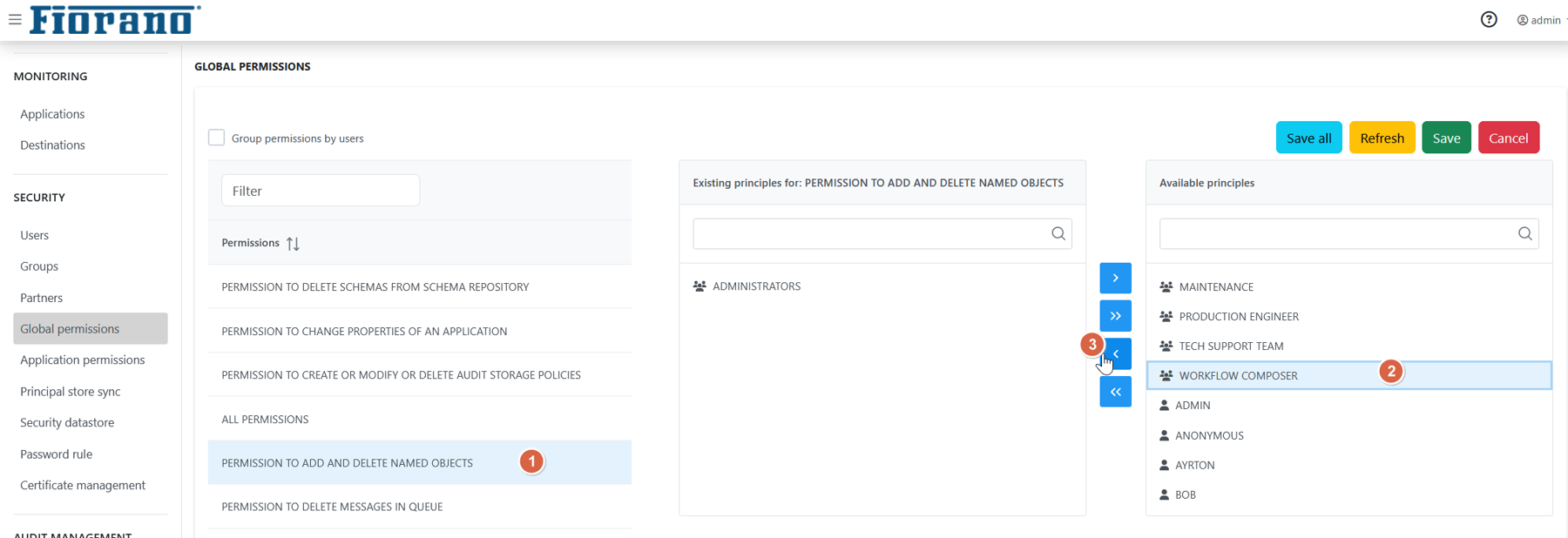
The ESB Dashboard allows you to assign rights to users and groups, rights may be understood as rules associated with the Fiorano Network granted to users and groups. Rules allow users and groups to perform specific tasks on a Fiorano Network. The Fiorano Platform has a well-defined security policy to protect your network against data loss or corruption due to malicious or accidental access. This policy is implemented by assigning the appropriate permissions to groups as well as their users.
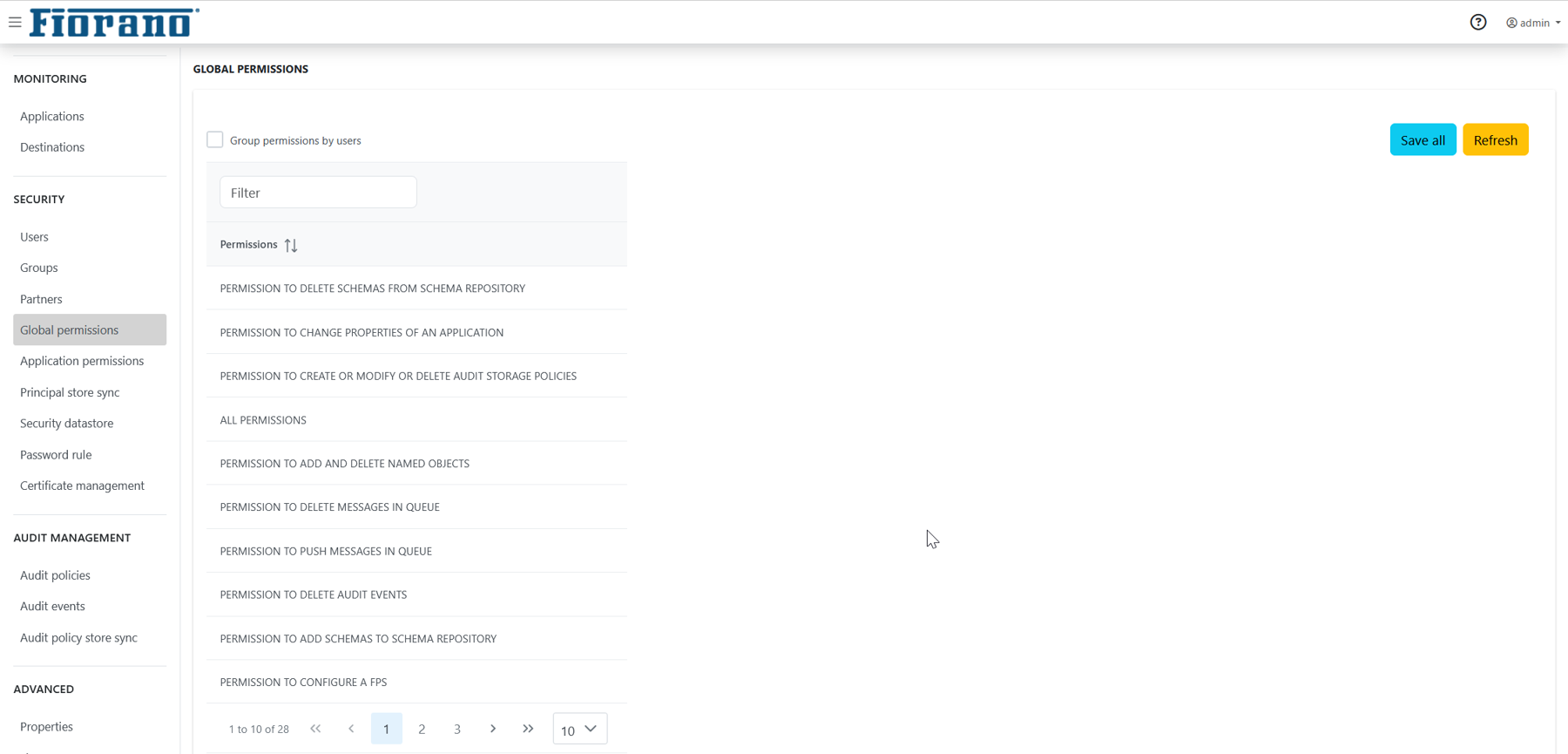
When you select Global Permissions shown in the left panel, a list of all available permissions is displayed in the right panel.
To set permission for any user/group, click the respective permission entry to configure. By default, most of the permissions will be restricted to Administrators. Other users and groups can be authorized to perform the operations by adding the user/group from the Available principals panel.