
Logger parameters configurations including the level of logging can be changed in the FES profile at Fiorano > Loggers. Loggers of the following servers can be amended:
-
Dashboard
-
MQ
-
ESB
-
Jetty
-
Monitoring
-
Web Management
Log Levels
The maximum limit beyond which no logging event will be generated.
To amend the log level, click the required node (EsbDashboard / Fiorano/Fiorano.Esb / JettyLogger / Monitoring / WebManagement) under Loggers node.
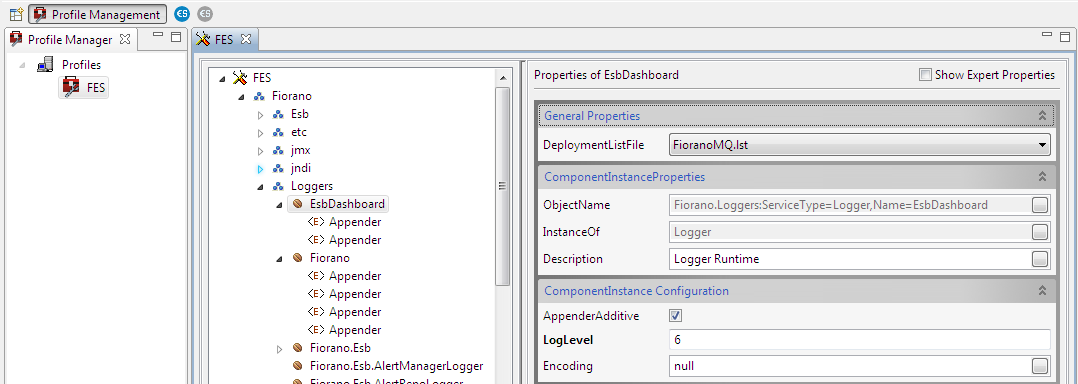
The various levels of logging and their descriptions are as below.
|
Log Level |
Refers to |
|---|---|
|
-1 |
Inherit |
|
0 |
Quite |
|
1 |
Fatal |
|
2 |
Error |
|
3 |
Warning |
|
4 |
Info |
|
5 |
Debug |
|
6 |
Trace |
|
10 |
All |
Appender Configuration
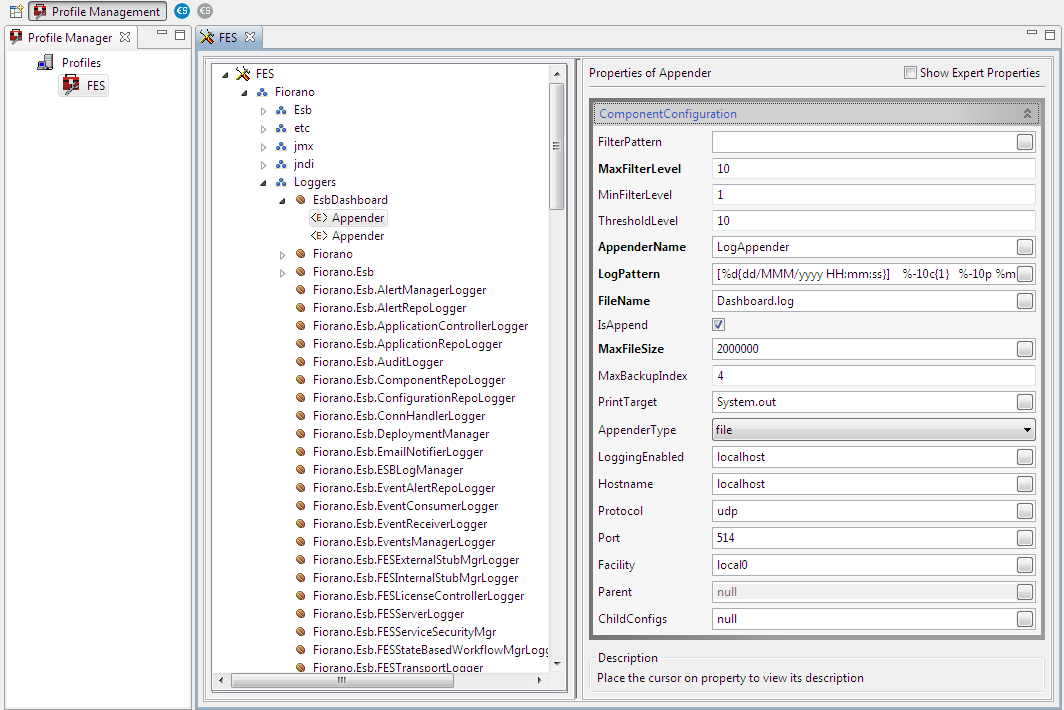
Various appenders under each node of the Loggers have various component configurations that need to be changed as per the profile requirement.
To change the Appender parameters for the loggers, click the preferred appender under the respective logger and change the values.
|
Property |
Description |
|---|---|
|
Filter Pattern |
Regex based string filter pattern for filtering the log event received by this appender. Only those events which match the filter criteria are logged. |
|
Max Filter Level |
Maximum Filter Level for log events. Events logged above this level will not be received/logged by this appender. |
|
Min Filter Level |
Manimum Filter Level for log events. Events logged below this level will not be received/logged by this appender. |
|
Threshold Level |
Events logged below this log level will not be received/logged by this appender. |
|
Appender Name |
Unique name to represent the appender. |
|
Log Pattern |
This is Log4jspecificformat for printing logs. Below code will print CodeFileName and MethodName where the Log event is generated. |
|
File Name |
Log file name. This file is by Rolling File Appender for logging log events. Example: mqout.log, mqerr.log.
|
|
Is Append |
File logging mode to indicate whether to append or not to append. If enabled, log events are appended to already present logs in the file. |
|
Max File Size |
Maximum size of a log file in bytes |
|
Max Backup Index |
Maximum number of log files to be used like file.log, file1.log etc |
|
Print Target |
Applicable to console appender only. Example: System.out, System.err |
|
Appender Type |
Types of appenders:
|
|
Logging Enabled |
Flag to enable logging to the Llinux Syslog Deamon |
|
Hostname |
Syslog hostname, hostname of the Llinux Syslog Deamon |
|
Protocol |
Syslog protocol, protocol to be used for sending logging events |
|
Port |
Syslog port, port to be used for sending logging events |
|
Facility |
Syslog facility, facility to be used for sending logging events |
|
Parent |
This property is deprecated. |
|
Child Configs |
This property is deprecated. |