
-
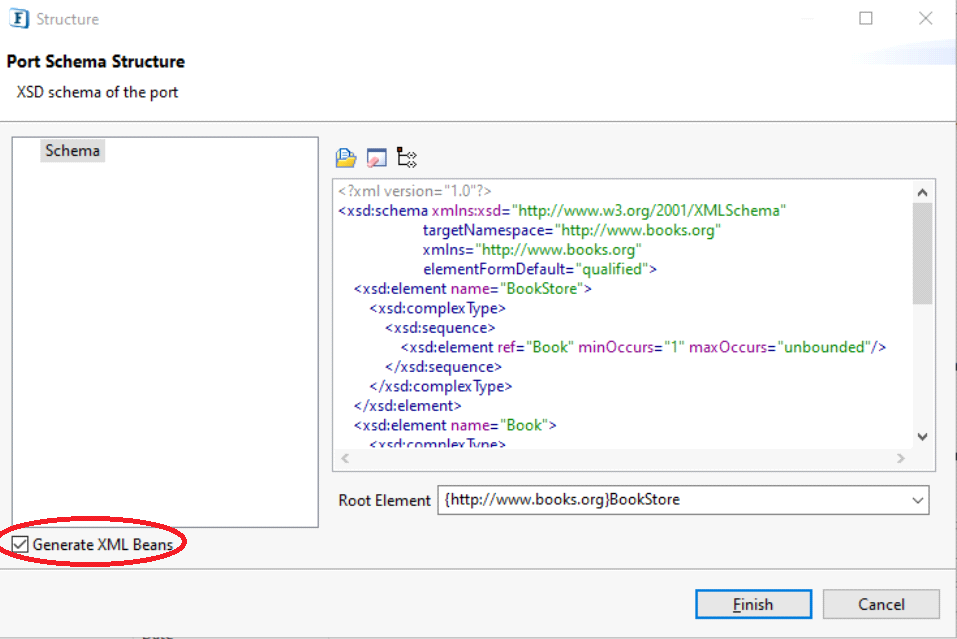
Enable the Generate XML Beans option in the Ports Schema Structure panel.
-
After creating the microservice, register the microservice.
-
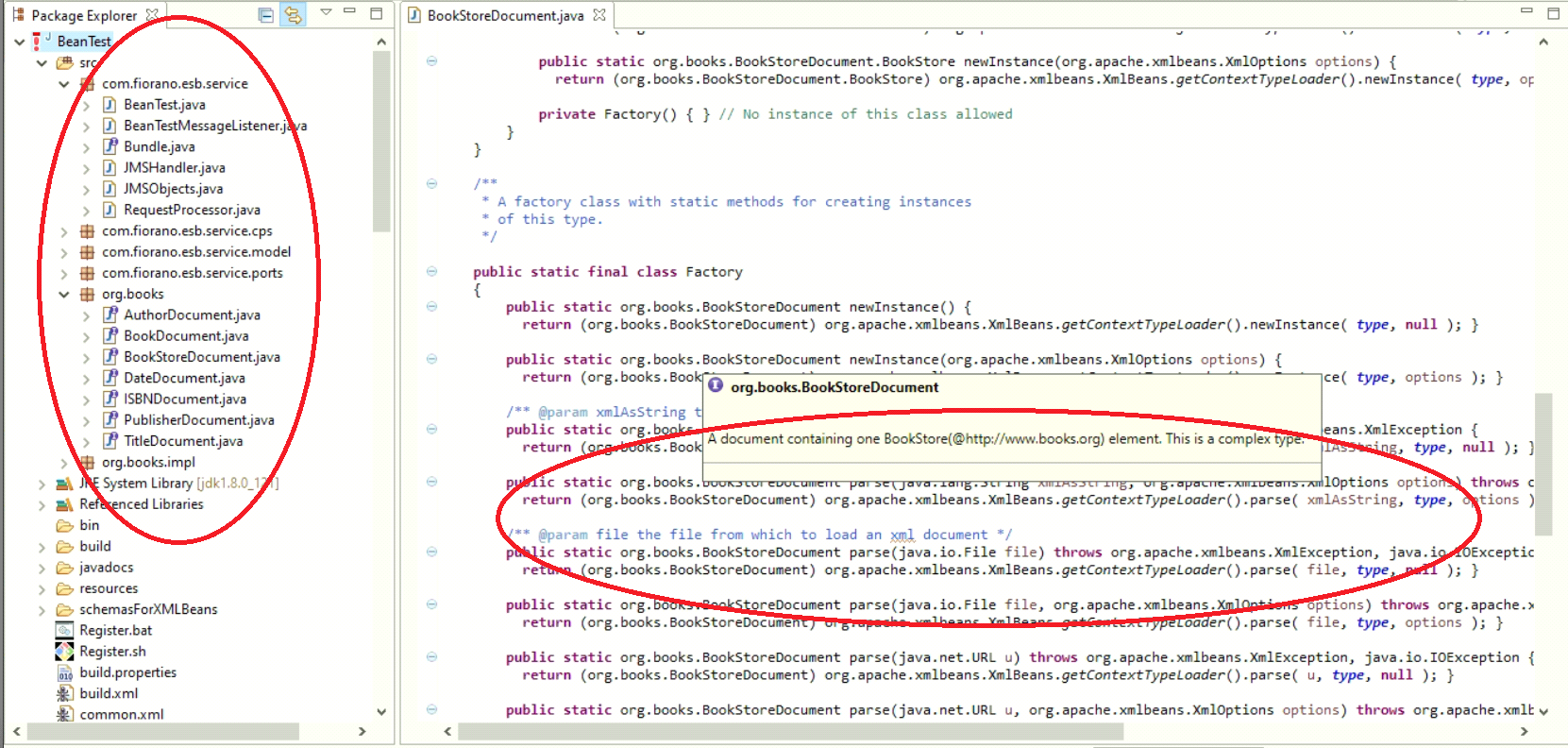
In eStudio open Java Perspective and navigate to the microservice in the Package Explorer panel.
Java Classes related to the schema gets generated.
-
In the BookStore document, the input can be parsed in different ways (XML as string, file, etc) as seen in the fgure above.
-
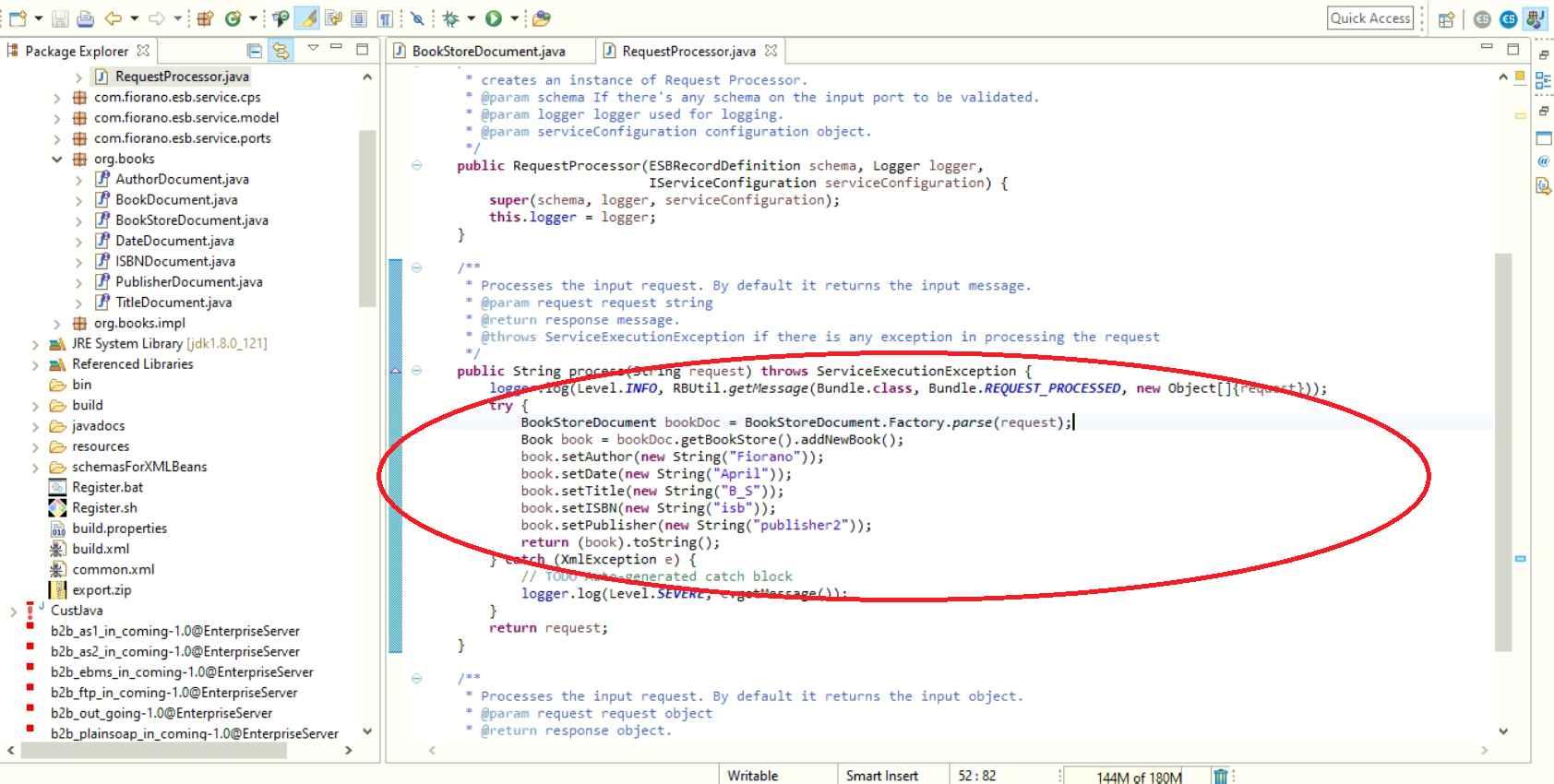
Open the "RequestProcessor.java" class under the com.fiorano.esb.service package.
-
Users can access input in this class and can modify it accordingly.
-
Re-register the microservice again.
-
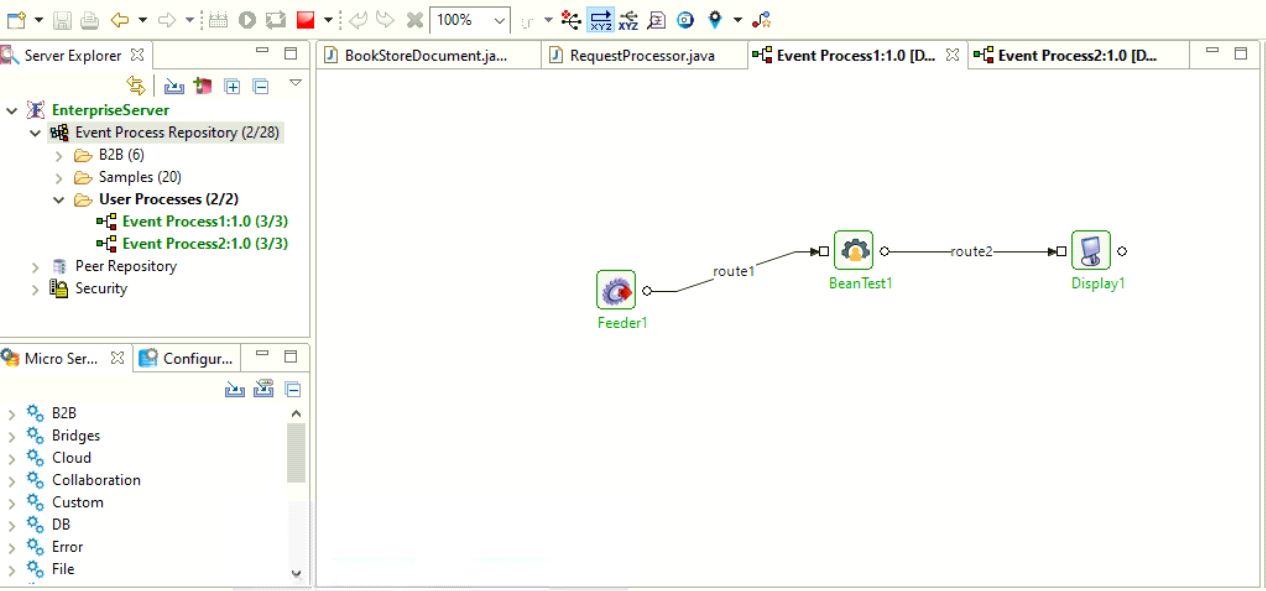
A sample application is created with Feeder, custom microservice and Display as below.
-
When the application is launched, the following scenario can be seen; the ouput is generated in the Display microservice according to the input processed in RequestProcessor.java class as mentioned in Step 6.
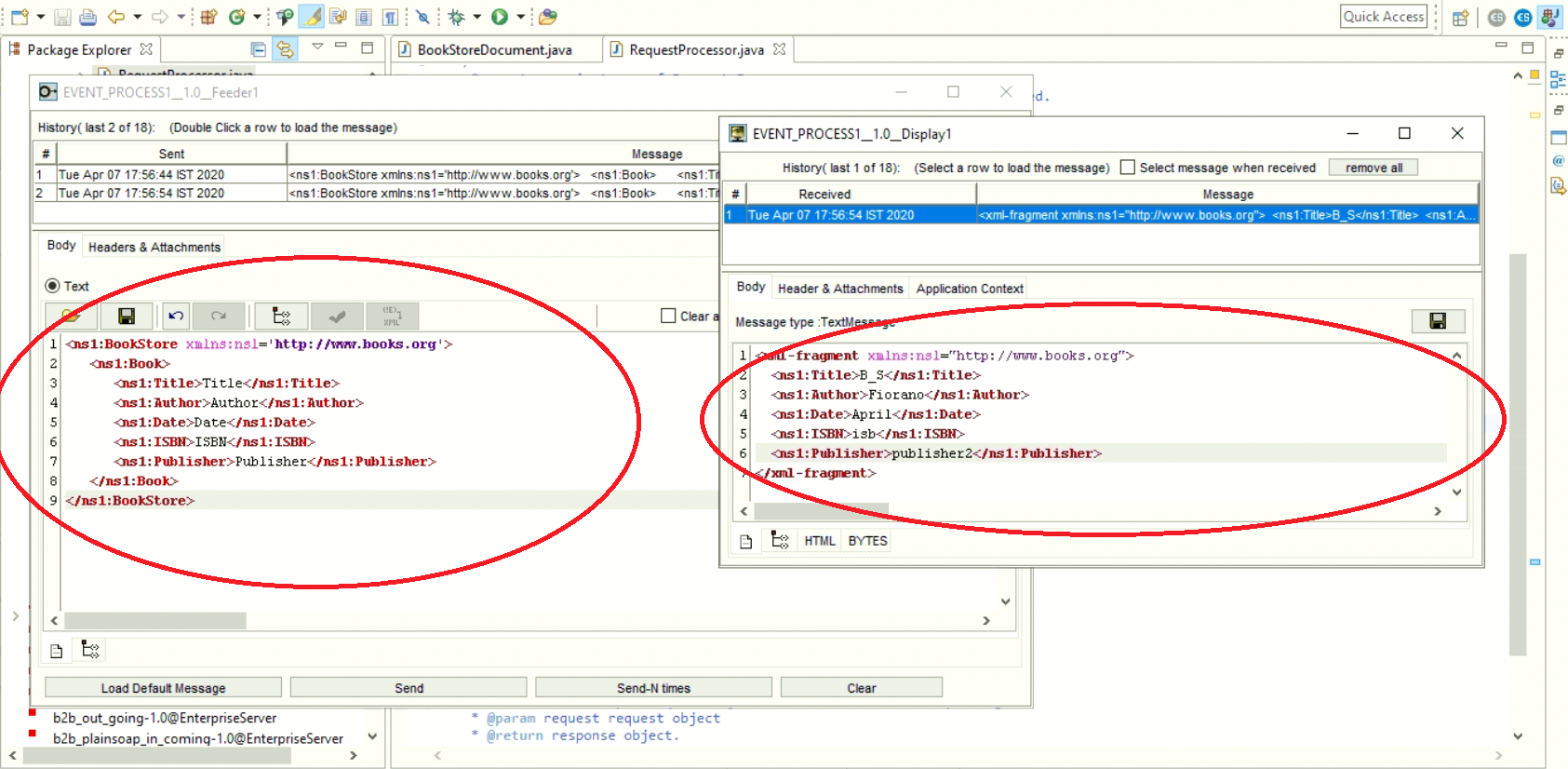
Refer to the Creating Microservices from Fiorano eStudio for steps involved in creating custom microservice.