
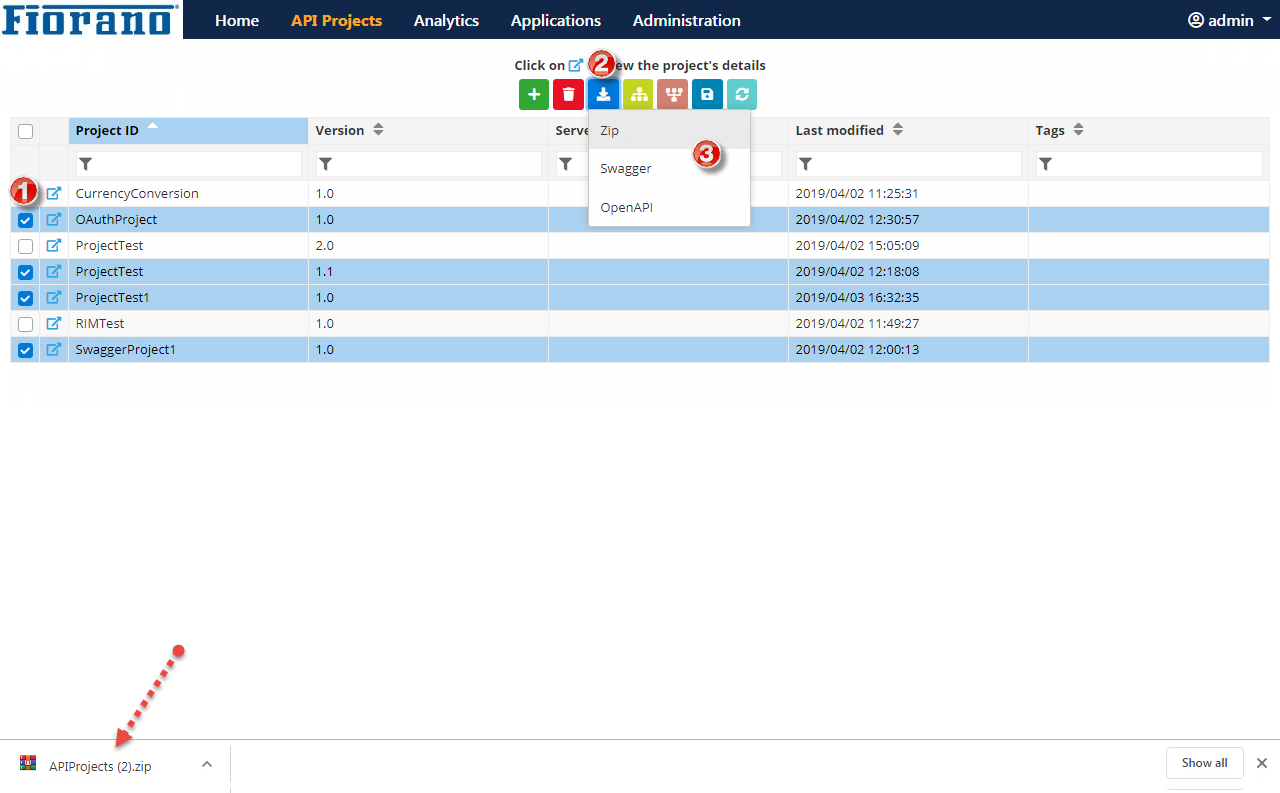
API Projects can be backed up at any point in time by using the Download button. Perform the following actions:
-
Select the projects that need to be backed up.
-
Click the Download button.
-
Click any one of the following options depending on the preference of format in which the projects have to be downloaded:
-
Zip
-
Swagger
-
OpenAPI
-
The selected projects get downloaded instantly as a file of the format chosen to the default download location.
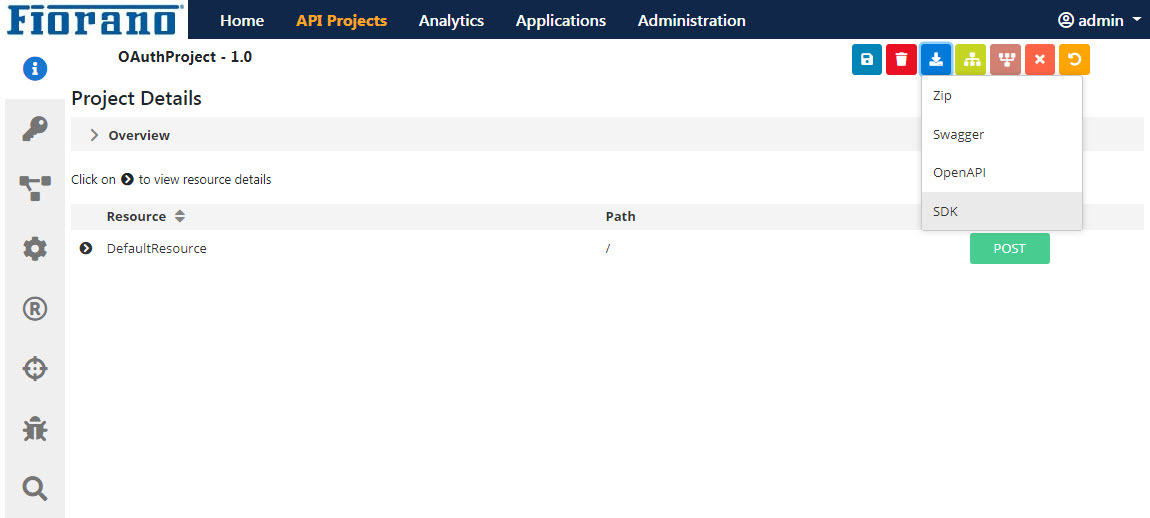
Projects can be saved individually by opening the project and clicking the Download button.
Exporting a project in SDK format
A project can be saved in SDK format individually.
Multiple projects cannot be exported in SDK format.
To back up a project in SDK format,
-
Open the project and click the Download button and click the SDK option.
-
Choose the respective programming language from the Select a language drop-down.

