Overview
A Web Application Firewall filters, monitors, and blocks HTTP traffic to and from API proxies. While normal firewalls serve as a safety gateway between servers, a WAF helps to filter the content of specific web applications.
To integrate WAF functionality in the Fiorano API Gateway server, configure WAF to a Resource in the API Project.
Enabling WAF
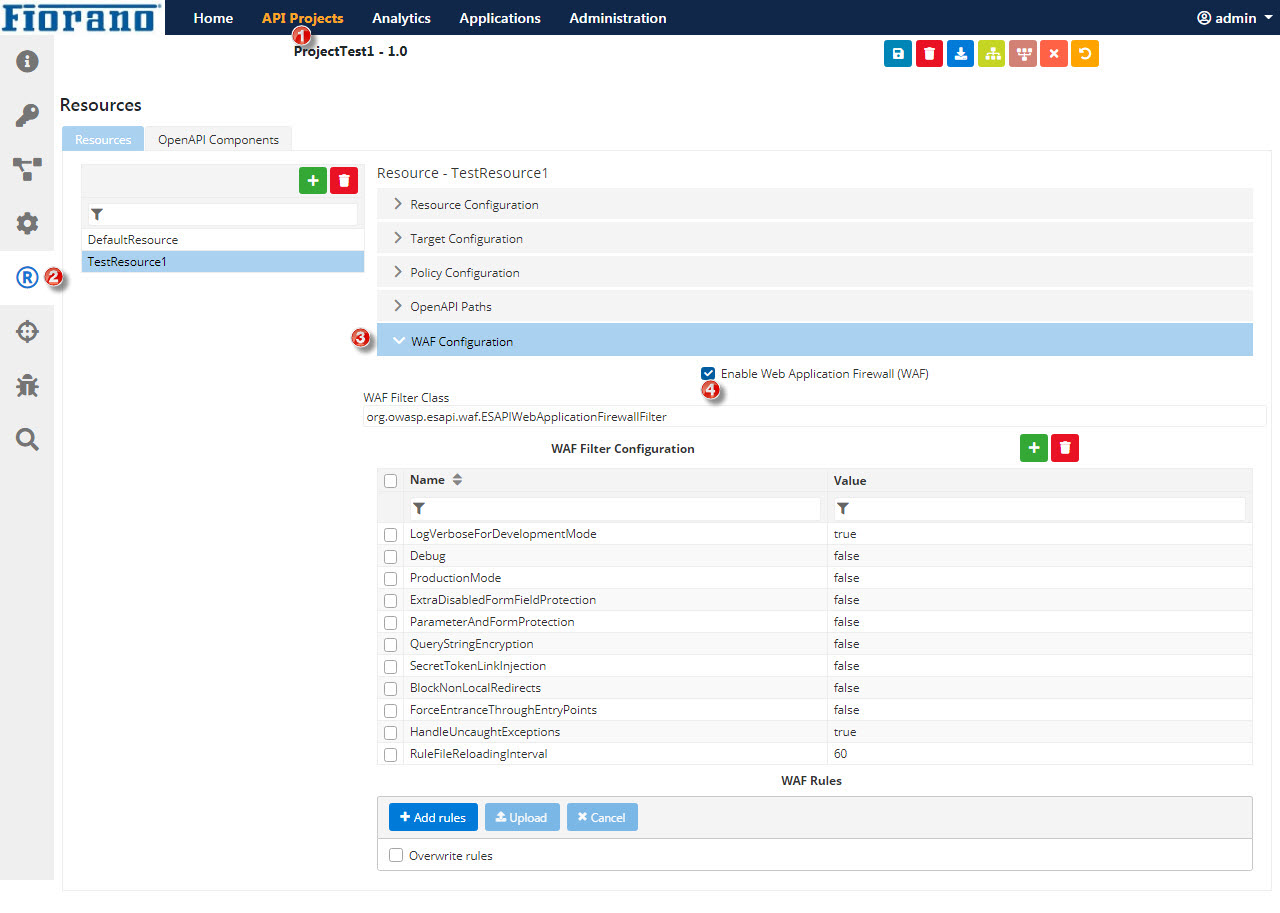
To enable WAF to a Resource in an API project, perform the following actions:
-
Create an API Project.
-
Go to the Resource Configuration.
-
Go to WAF Configuration.
-
Select the Enable Web Application Firewall (WAF) option.
Configuring WAF
To configure WAF,
-
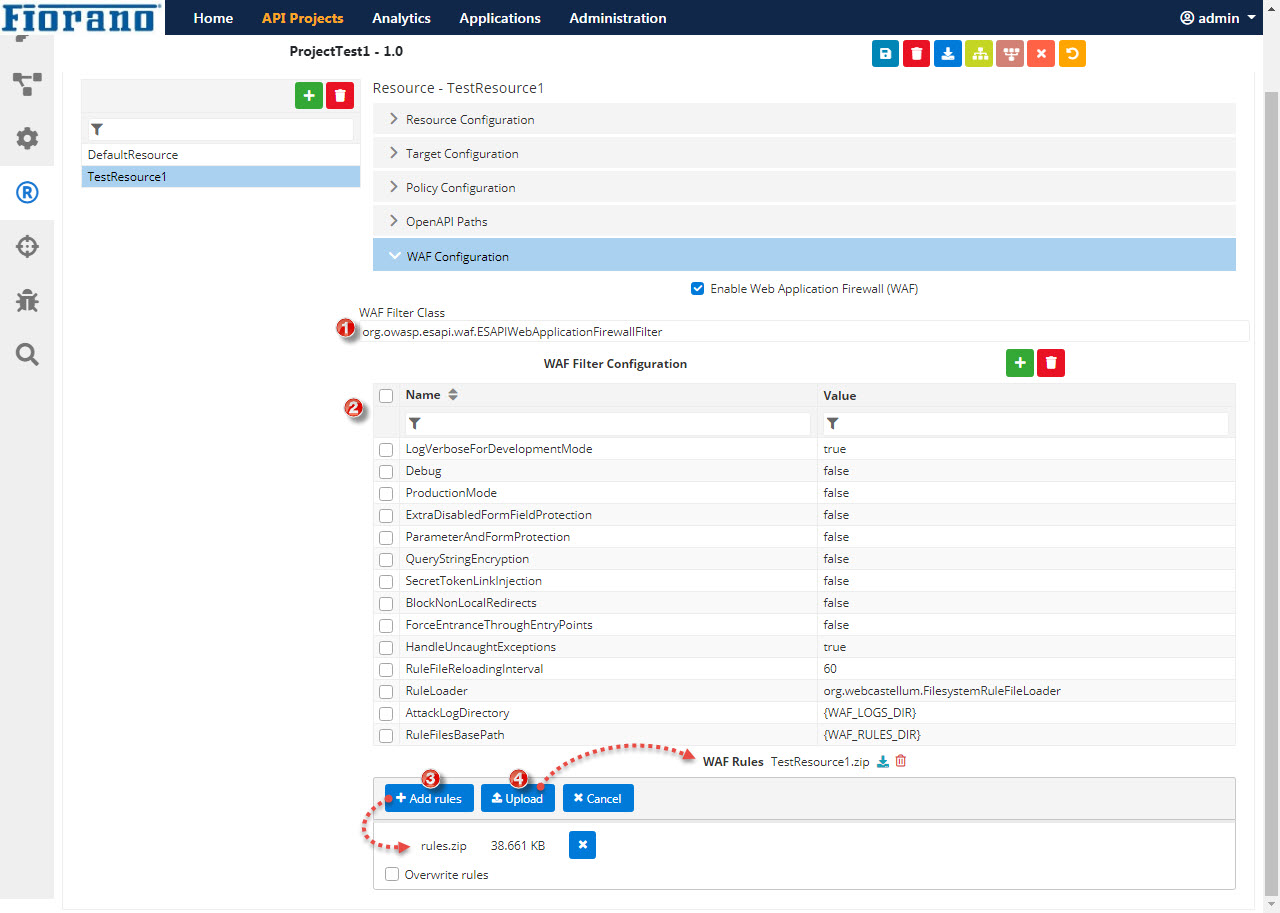
Provide the filter Class name in the WAF Filter Class text field.
org.webcastellum.WebCastellumFilter
org.owasp.esapi.waf.ESAPIWebApplicationFirewallFilter
-
Provide the filter configuration in the WAF Filter Configuration section. Click the Add button to add additional attributes.
Name
Value
LogVerboseForDevelopmentMode
true
Debug
false
ProductionMode
false
ExtraDisabledFormFieldProtection
false
ParameterAndFormProtection
false
QueryStringEncryption
false
SecretTokenLinkInjection
false
BlockNonLocalRedirects
false
ForceEntranceThroughEntryPoints
false
HandleUncaughtExceptions
true
RuleFileReloadingInterval
60
RuleLoader
org.webcastellum.FilesystemRuleFileLoader
AttackLogDirectory
{WAF_LOGS_DIR}
RuleFilesBasePath
{WAF_RULES_DIR}
FlushResponse
false
Name
Value
configuration
{WAF_RULES_DIR}\restrict-source-ip-policy.xml
-
Click the Add rules button to add the zip file which contains the configured rules files and click the Upload button to attach the files to the resource.
<Installer>\APIManagement\samples\waf\webcastellum
<Installer>\APIManagement\samples\waf\ESAPI
-
Save and deploy the API project.